

What Video Is This? How to Trace and Verify It

A clip arrives in a group chat with three words attached: what video is this? Someone replies with a link. Someone else says it looks AI. The chat moves on, and the clip gets forwarded anyway.
That exchange exposes the gap. Most answers to the question treat it as a search problem, when it's really four questions wearing one question's clothes: where did the file come from, what event does it show, has it been altered, and is the caption true. A title or a source link settles at most the first of them, and often none.
The volume makes the question urgent. A DeepTrace study reported that deepfake videos available online nearly doubled from 7,964 in 2018 to more than 14,698 in 2019, an increase of at least 84.6% in one year (ISACA Journal). Screening is routine work now. What follows is the order that produces a defensible answer instead of a guess.
Match Your Video to the Right First Check
Your eyes are a poor instrument. A 2025 study summarized by Bot Memo found that participants identified synthetic video correctly 50.7% of the time, only slightly above the 50% chance level.
Watching closely feels like verification. It isn't. The form of the video in your hand decides the first move, not how suspicious the clip feels.
First check by the form of video you have
| What you have | First check | What it can establish |
|---|---|---|
| Full video file | Save an untouched copy, then inspect metadata and encoding | Whether the file was re-encoded or edited, and its original format |
| Platform link only | Extract keyframes and run a reverse image search | Earlier uploads and possible original source |
| Screenshot or cropped clip | Reverse search the most distinctive frame | Whether the scene exists elsewhere, with no file-level evidence |
| Forwarded copy from a messaging app | Ask who sent it first, then trace the earliest public copy | The earliest copy found, not the true origin |
Read the right-hand column and notice how little each row promises. A file tells you about encoding, not about the event. A link can lead you to an earlier upload without telling you whether that upload was honest. A forwarded clip from a messaging app is the least traceable form, because the original uploader sits several hops away and every hop has its own editing history.
Start here: pick the row that matches your copy, run that one check, and write the result down before you touch another method.
The written result matters more than it sounds. Later checks contradict earlier ones all the time, and memory rewrites what you saw first.
How to Trace a Video Back to Its Source
Tracing takes about fifteen minutes when you work in a fixed order, and it produces a record you can show someone else. Start with the copy in hand, then work backwards to the oldest public version.
The five moves in this infographic are the backbone of the routine below.
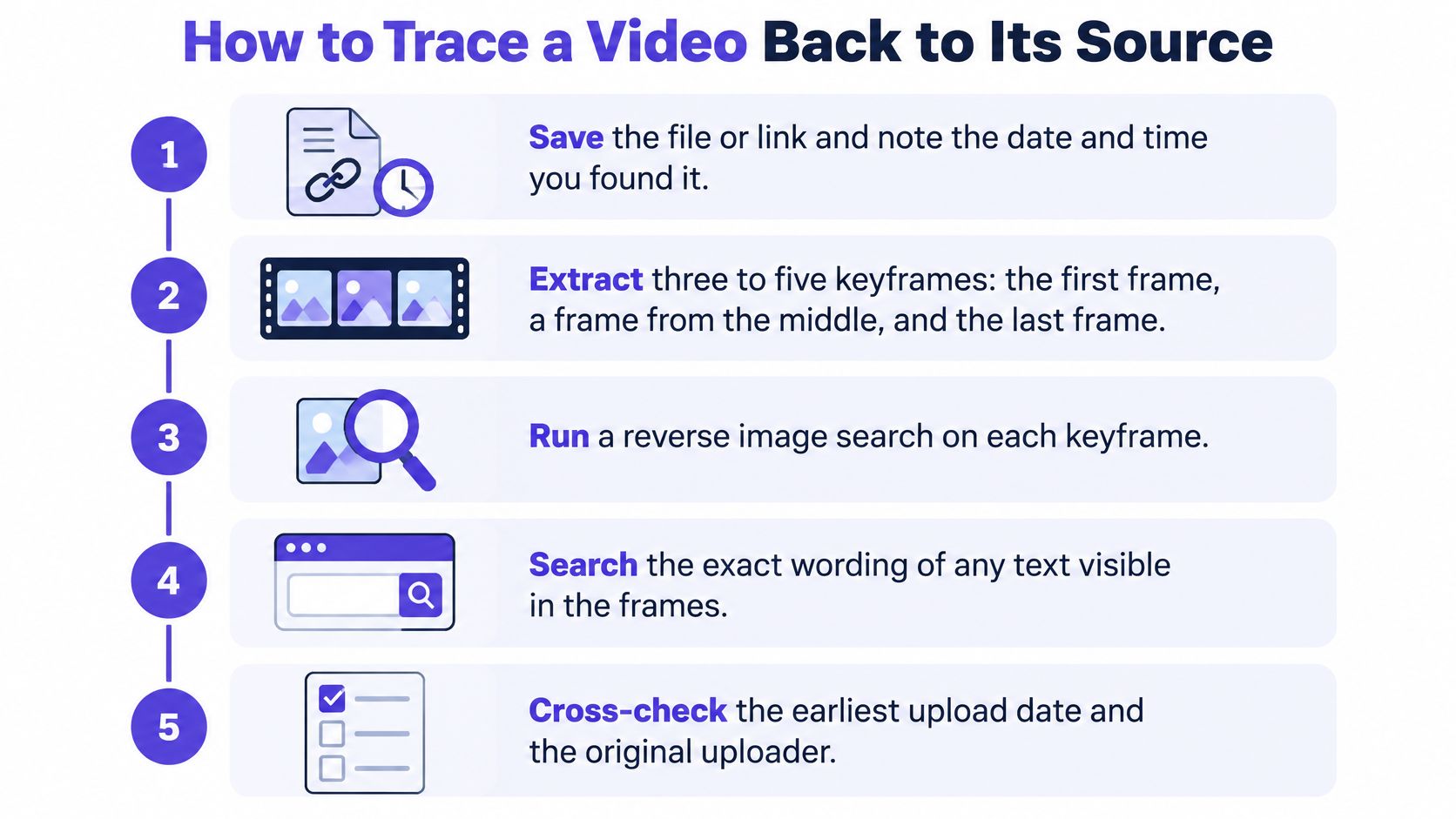
Save the file or the link and stamp it with the time. Copy the file, or paste the URL into a document with the date, the hour and the account it came from. Every later comparison runs against this version, so an untracked re-download can replace your evidence.
Pull three to five keyframes. Take the first frame, one frame at each scene cut, and one where a face, sign or piece of text is legible. A generic street scene searches badly; a shopfront with a legible name searches well.
Reverse search each keyframe. Run the frames through Google Lens, TinEye or Bing Visual Search and look for an earlier appearance of the same frame, not a similar scene. When the frame is the only thing you have, the step-by-step routine in this guide to searching a video by image covers how to choose the frame worth searching.
Search the words. Type the spoken sentence, the on-screen caption and any visible name into the platform search, then sort by oldest. Off-the-cuff phrasing that appears verbatim in an older post is strong evidence the newer clip is a re-upload.
Open the earliest match and read the account. Check its posting history, description, pinned comments and whether the clip is labelled as a repost or credits another channel. A local newsroom's account and a compilation channel that posts the same footage every season carry very different weight.
Record what you found. Note the earliest account, its timestamp and any link to a fuller recording. That record is your provisional answer, and it will be refined as later checks come in.
Tells that a copy is a re-upload
Re-uploads leave physical marks. A watermark or handle from another channel, a cropped border that shaves off the edges of the original frame, a logo pasted over a corner, a different aspect ratio than the platform's native format, or an ending that cuts off mid-sentence are all signs you're looking at someone else's copy.
Earliest copy beats most-viewed copy. Say a clip of brown water surging past shopfronts is forwarded as today's storm. The oldest upload you can find carries a date from several years earlier, and the signage in the frame points to a different country. Nothing about the footage had to be faked for the caption to be false.
When the metadata is gone
Most platforms strip the upload date and the file's own timestamps, which leaves you inferring rather than reading. Fall back on the earliest surviving public copy, the account's first post, and any fuller recording the clip links to. State plainly that the date is inferred, and name the upload you inferred it from. An inferred date you flag is usable. A guessed date presented as fact is not.
If the trail runs through a channel with hundreds of uploads and you need dates rather than impressions, a video research tool from HypedX is built for reading YouTube video data, which beats opening tabs one by one.
Check Metadata, Audio and Motion Signals
Once you hold a file, the order of inspection matters more than the tool. Preserve the original and a cryptographic hash of it, because a hash taken before analysis proves afterwards that you examined one specific file. Then extract the metadata, codec, frame rate, resolution and re-encoding history, and sample frames evenly plus a few around each scene cut. Reading the container first tells you what a platform did to the upload before you start judging pixels.
That sequence protects you from your own enthusiasm. Many viewers open a player, scrub to the strange moment and form a view. The file-level record should exist before that moment arrives.
What carries weight and what doesn't
File and frame signals and how much weight each carries
| Signal | What to look for | Weight as evidence |
|---|---|---|
| Container and codec | Resolution, frame rate or re-encoding history that does not fit the claimed source | Moderate; repeated re-encoding weakens every other signal |
| Audio-visual timing | Lip-sync offsets or audio cuts that do not line up with visual cuts | Moderate; stronger when it repeats across scenes |
| Temporal flicker | Shimmering edges around faces or hands across consecutive frames | Weak alone; compression can produce the same look |
| Lighting and reflections | Shadows, highlights or reflections that do not match the scene | Weak alone; needs a second signal |
| Eye and mouth motion | Unnatural blinking or mouth shapes that persist across several frames | Moderate; a single frame is not enough |
| Content Credentials | Present or absent provenance data attached to the file | Strong when present; absence alone proves nothing |
A single odd frame is the weakest kind of evidence. Compression produces exactly the blocky edges and smeared textures that people read as manipulation, which is why isolated false positives are so common. A lip-sync offset that repeats across three scenes is a different matter, and so is flicker that follows a face as it turns.
Benchmarks flatter detectors. Independent evaluations summarized in Artificial Intelligence Review report a persistent 10-15% performance drop in out-of-distribution conditions and a broader 15-20% cross-domain degradation, even where within-domain results approach near-perfect accuracy. The same review notes that NIST's evaluation guidance recommends testing against newer generation methods, Gaussian blur, compression, low-bitrate surveillance footage and social-media-style post-processing.
Lower your confidence when provenance is missing, when the file has survived several rounds of compression, or when audio and video were edited separately. Heavy re-encoding weakens every signal at once, so a clean result on a heavily compressed copy means less than the same result on an untouched original.
Write it down: every signal you checked and what it returned, including the ones that found nothing.
For the container fields themselves, how to check a video's metadata walks through which values are worth reading.
No conclusion should rest on one frame. If that's the only evidence you have, you don't yet have an answer.
Use an AI Video Detector and Read Its Score
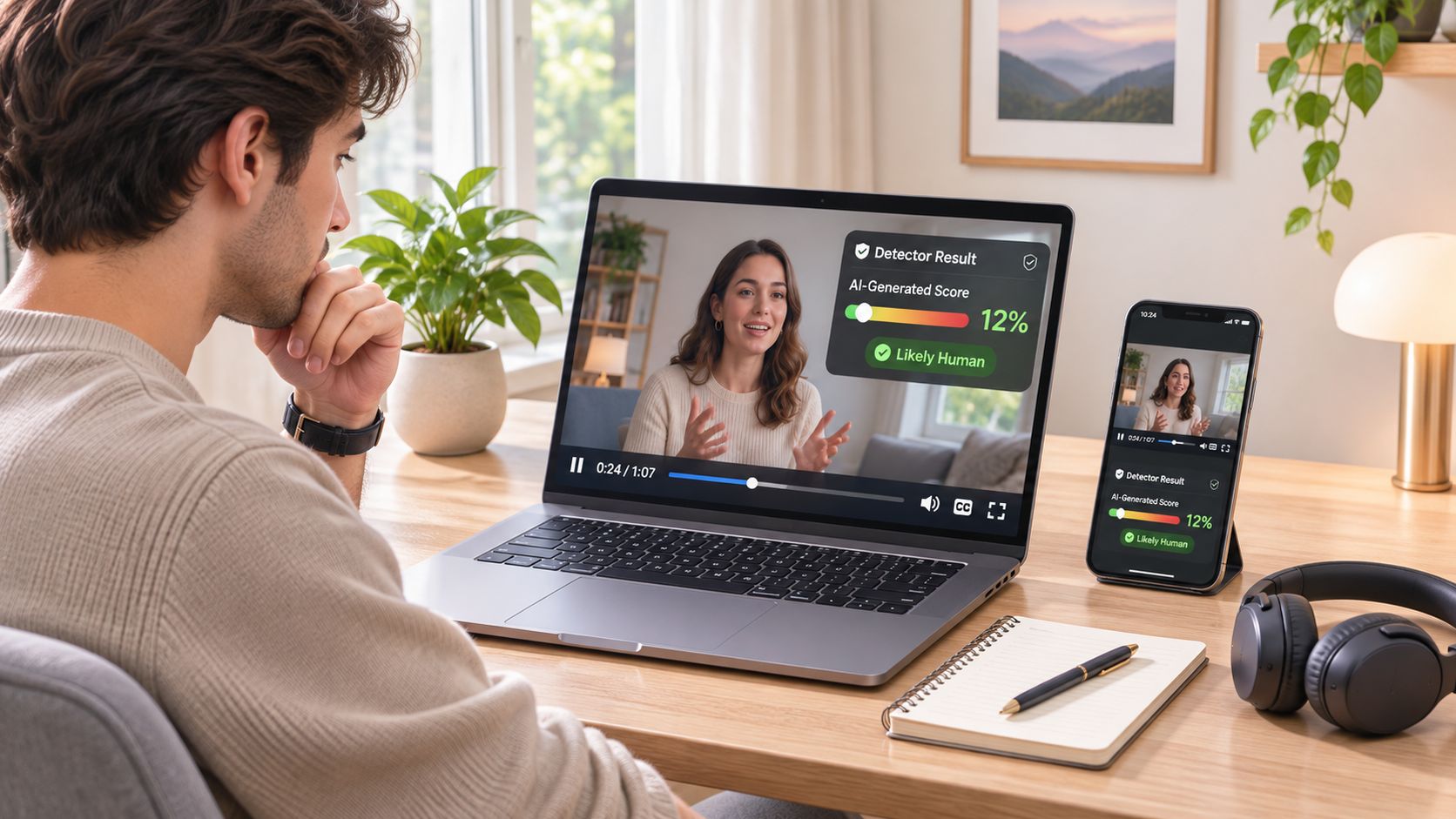
A detector earns its place in three situations: the original file can't be found, the clip is short and built to make you angry, or a second opinion has to exist before anything gets published. It answers a narrow question, whether this particular file carries traces of synthesis, and it leaves the tracing work untouched.
The pressure to move fast is real. UNESCO reported that 29% of fraud experts had encountered video deepfakes in 2024, compared with 37% who had encountered voice deepfakes and 46% who had encountered synthetic identity fraud. Newsrooms, fraud teams and school administrators all end up needing an answer they can attach to a decision rather than a hunch.
Public benchmarks show why that answer has to be conditional. DeepfakeBench spans 34 detectors and 10 datasets because a single accuracy figure hides the distance between within-domain and cross-domain results, as a review of deepfake detector benchmarks sets out. The same survey finds that high reported accuracy often collapses when generators or post-processing differ from training conditions, and that some detectors face white-box adversarial attack success rates above 80%.
Reading the three outcomes
Detector result and the action it triggers
| Result | Action | Limit |
|---|---|---|
| High score on untouched upload | Escalate and gather corroboration before acting | A score alone is not proof |
| Low score on a re-encoded copy | Treat as inconclusive and keep checking | A low score does not prove authenticity |
| Middle or conflicting score | Rerun on a controlled transcode and compare | Record each run's output |
A conservative false-positive policy suits legal evidence and newsroom verification, where calling a real video fake is the costlier mistake. Platform triage can accept more false alarms in exchange for catching more fakes. Either way the habits are identical: keep the untouched upload, record the detector version, note each signal's output and the date of the check.
Watching a detection run end to end makes the score easier to interpret.
Our analyzer reviews a clip frame by frame to estimate whether it was created or altered using AI and returns a confidence score. You drag a file into the upload area or click to browse, and the upload is processed in real time and never stored on our servers, which matters when the footage is sensitive or unpublished.
Recognizing the artifacts gets easier from the production side. The AI video guide for lean teams covers how synthetic clips are made, which sharpens your eye for what generation leaves behind. If you want to compare detection approaches before committing to one, this explainer on an AI content detection tool sets out what these tools can and cannot see.
Verify the Caption and Decide What to Share
Identifying a clip and verifying it are separate jobs, and most guides blur them. Poynter's guidance on verifying viral video and deepfakes treats video as evidence that has to be corroborated through source identification, location and time analysis, and comparison with other perspectives, rather than something that authenticates itself.
That's the honest structure of the problem. Four questions usually arrive fused into one, and each needs its own verdict.
Answering each question separately
Four separate questions and how to answer each
| Question | Method | Output to record |
|---|---|---|
| Who recorded it? | Earliest upload search and original account history | Original source and confidence |
| When and where was it captured? | Landmarks, signage, shadows and weather records for the claimed date | Location and time estimate |
| Was the file altered? | Detector result plus comparison with the untouched original | Alteration confidence |
| Is the caption accurate? | Independent eyewitnesses, alternate angles and earlier captions | Caption verdict with its evidence |
Mark each answer strong, partial or unknown in writing. A clip can be entirely genuine footage used misleadingly, and a clean detector result says nothing about whether the caption describes the event. The date check has its own trap: weather and shadows only disprove a claim when you're comparing them against records for the specific date and place named.
Provenance tools are advancing without becoming universal. C2PA reports more than 6,000 members and affiliates with live applications of Content Credentials, and its newer specifications address actions, ingredients, cryptographic provenance and live video. Coverage still isn't universal. An absent credential doesn't prove a video is fake, and a present one doesn't prove the depicted event or the caption is true. Verification guidance is equally blunt that detection makes mistakes and that a trust-but-verify approach using multiple sources beats any single badge.
The share decision
Hold the clip when two answers disagree. Share or act only when all four answers agree and at least two independent signals support them.
That rule sounds strict until you count the cost of the alternative. A forwarded clip that turns out to be genuine footage from another year doesn't just embarrass the person who shared it; it uses up the credibility they'll need for the next one.
Keep an audit trail as you go: the file hash, screenshots of each search, the detector version, per-signal output and timestamps for every check. When a correction is needed later, that trail is the difference between a defensible retraction and an apology nobody can verify. For the broader pattern of how false claims spread and how to counter them, Sift AI's misinformation detection guide is a useful companion.
The next time a clip lands in your group chat, run the slow version once. Save the file, note the time, work back to the earliest copy, and put the upload through a detector that shows its reasoning rather than a single verdict. You can drag a video into AI Video Detector and get a confidence score in under 90 seconds, with basic detection available without signing in and no copy of your video kept on our servers. Then write down what each check returned. That record is what makes your second message, your correction or your published story hold up when someone asks how you know.


