

AI Content Detection Tool: How to Read Confidence Scores

A dramatic clip lands in your inbox minutes before a meeting, a deadline, or a decision to share it. The source is unfamiliar, the footage looks plausible, and someone's asking you a simple question with a difficult answer. Is it real?
An AI content detection tool can't give you certainty on its own. It can show you where to look, what evidence is missing, and when a clip needs a slower human check.
What an AI Content Detection Tool Actually Checks
You're the editor on duty when a reader sends a shaky phone video of a public figure appearing to confess to something damaging. It hasn't appeared on any wire service, the account that posted it was created recently, and your colleague wants to embed it before a competitor does. Playing it twice won't settle the question, because convincing synthetic video is designed to survive a casual viewing.
An AI content detection tool estimates whether media shows patterns consistent with AI generation or AI manipulation. Think of it less as a judge and more as a smoke detector. A smoke detector doesn't prove how a fire started, but it tells you conditions in the room deserve immediate investigation.
Two Layers Instead of One Test
Good verification starts with what the file can tell you about itself. That includes metadata, encoding information, and any provenance record attached when the media was created or edited. If those signals are absent or incomplete, independent forensic analysis looks for traces in the images, sound, and movement.
That layered model matches current European transparency expectations. The European Commission's Article 50 guidance on machine-detectable synthetic content requires providers of generative AI systems to make synthetic audio, images, video, and text machine-detectable, while deployers must disclose deepfakes upon first exposure. One layer comes from the generating system, and the other comes from downstream checks by journalists, platforms, and investigators.
Practical rule: Treat a detector result as a reason to investigate further, slow down, or seek corroboration, not as permission to stop thinking.
The distinction matters when files travel. A clip may be cropped, re-encoded, uploaded to a platform, downloaded, and sent to you without its original provenance information. Missing labels don't prove fabrication, and a reassuring result doesn't prove the event happened as shown.
That is why the output should be read as a probability-based assessment. It helps you sort clips into publish with normal checks, hold for corroboration, or escalate for specialist review. Video requires a different kind of evidence from text, and confusing the two is where many first mistakes happen.
How Video Detection Differs from Text Detection
A text detector reads one stream of evidence, the words. It looks at choices such as sentence patterns, predictability, and phrasing across a passage. A video detector has to inspect a moving record where pictures, sound, timing, and file structure all need to agree with each other.
The comparison below shows why experience with one type of detector doesn't automatically transfer to the other.
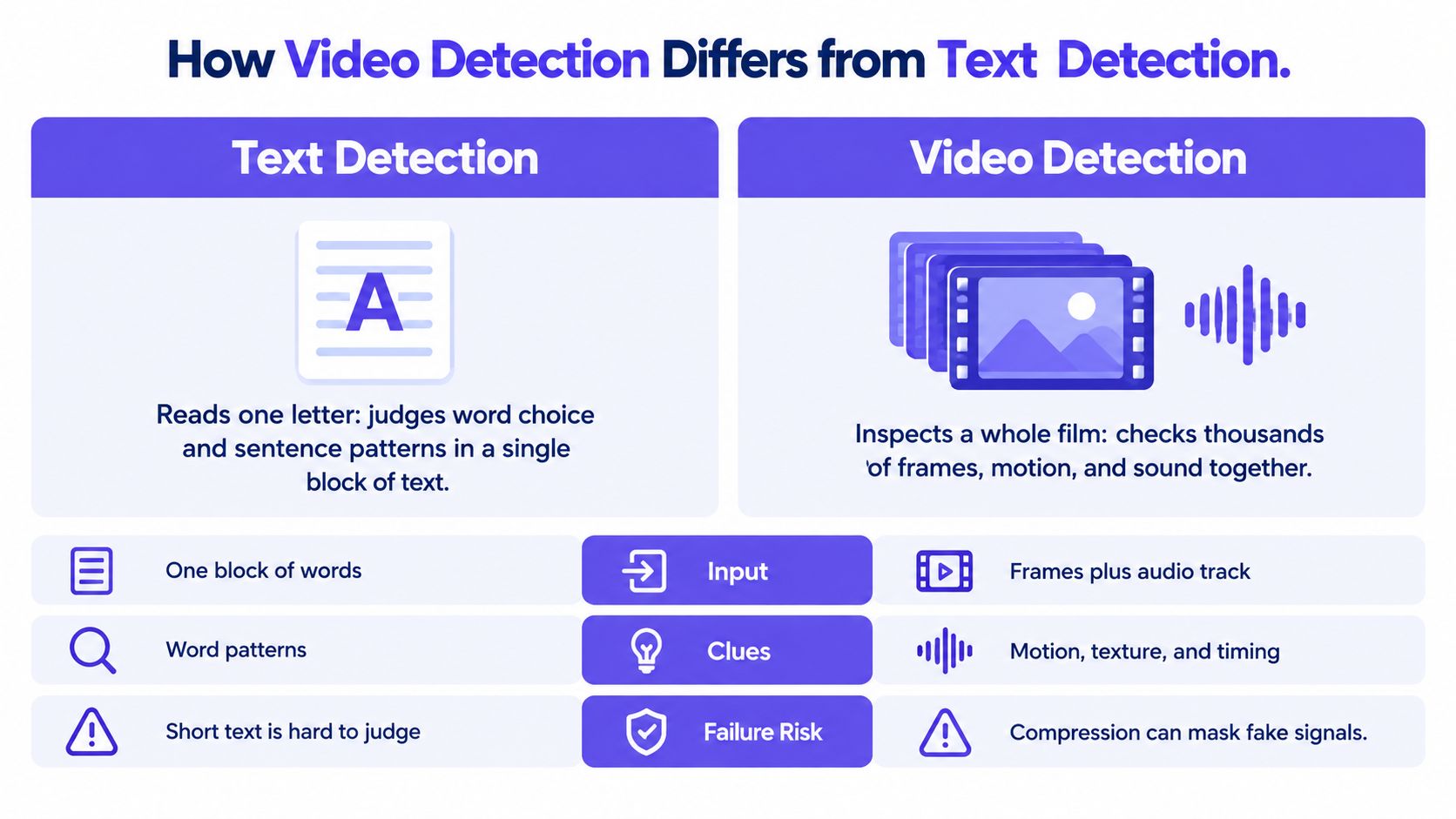
Reading a letter is a useful analogy for text. You're examining one author's words on a page, and rewording can change the statistical clues without changing the underlying claim. Early tools built around language models illustrate that narrow focus, including the approach discussed in this overview of the GPT-2 output detector.
Video is closer to checking a live recording of a conversation. You aren't only asking what was said. You're asking whether the mouth moved naturally with the sound, whether the room lighting stayed consistent, and whether each moment follows plausibly from the one before it.
Why Video Gives Detectors More Ways to Fail
- One block versus many streams: Text arrives as words in sequence, while video combines thousands of frames with an audio track and a container file.
- Surface clues versus relationships: Text tools weigh word patterns, while video tools compare texture, motion, timing, and sound against each other.
- Rewording versus reprocessing: Editing text can hide language clues, while compression, cropping, and re-uploading can alter pixels across an entire video without changing what viewers think they saw.
That last point surprises people. A social platform may shrink and recompress an authentic clip so aggressively that fine detail disappears. The same processing can also soften traces left by a generator, making a manipulated clip harder to distinguish from an ordinary low-quality recording.
A video can also look convincing because your eyes forgive small inconsistencies during playback. A detector can pause the evidence, compare neighboring frames, and notice a texture that flickers, a shadow that shifts oddly, or speech timing that drifts. Those clues suggest a problem, but they still need context about how the file was recorded, edited, and shared.
Text and video tools share a goal, estimating whether AI was involved. They don't examine the same evidence, and a confident result from one should never be treated as evidence about the other.
Inside the Four Signals Video Tools Analyze
A single clue rarely tells the whole story of a clip. Stronger tools separate the evidence into independent signals, then show how those signals point in the same direction or conflict with each other.
The diagram below groups those signals into the four checks you'll see most often in video analysis.
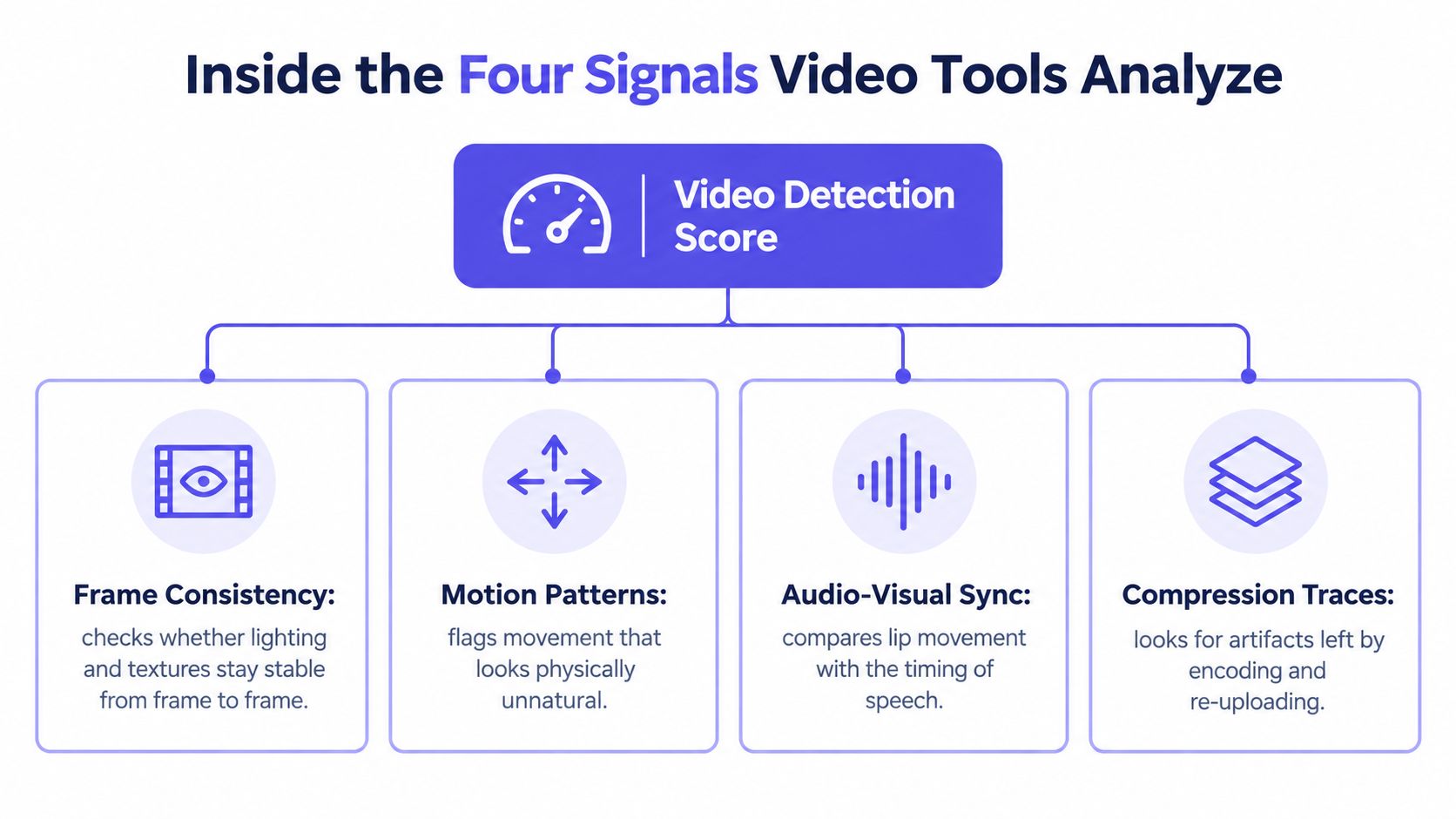
Frame-level analysis examines individual images and neighboring frames for generator fingerprints. These may include artifacts associated with GANs or diffusion noise patterns, such as skin texture that looks waxy in one moment and sharply detailed in the next. It can miss a manipulation when heavy compression has smoothed away those traces.
Audio forensics listens for spectral anomalies and unnatural voice characteristics. For example, a voice may sound close and dry while the picture shows a speaker in a large, echoing hall. Background noise may also stop abruptly at an edit point, although an ordinary recording fault can create a similar clue.
Movement and File History Complete the Picture
Temporal consistency follows what happens across time. It looks for motion discontinuities, flickering textures, unstable facial landmarks, and lip-sync drift between speech and mouth movement. A face whose edge shimmers as the head turns deserves attention, especially if the rest of the scene remains stable.
Metadata and provenance inspection examines encoding irregularities and any Content Credentials attached to the file. C2PA's explanation of cryptographically bound Content Credentials makes an important distinction. Credentials can provide provenance information, but they aren't an AI detector and can't determine whether an asset is synthetic when no credential is present, and provenance may become incomplete when media is edited or metadata is stripped.
The short walkthrough below gives a visual sense of how separate checks contribute to one assessment.
Check provenance first because a valid record can offer affirmative evidence about origin and editing history. Then use forensic signals when credentials are absent, incomplete, or untrusted. Weigh each signal separately, because platform processing can weaken one while leaving another useful.
Reading Confidence Scores Without Overreading Them
A confidence score answers a narrower question than most readers assume. It expresses how strongly the evidence the tool analyzed resembles manipulated media under that tool's model and settings. It doesn't directly answer whether the event happened, who made the clip, or why it was shared.
That distinction becomes clearer when you look at operating points. A detector can be set to catch more suspicious material while also flagging more authentic clips, or it can be set conservatively so fewer real clips are escalated. The right balance depends on the cost of each kind of mistake in your workflow.
NIST's Open Media Forensics Challenge results for video deepfake detection show why one headline accuracy number isn't enough. In the 2024 evaluation, the leading submitted system recorded an AUC of 0.817059 and a correct-detection rate of 0.60 at a 5% false-alarm rate. A detector should therefore report operating-point metrics and confidence bands instead of a single accuracy figure or a binary real-or-fake label.
Translating Benchmark Language Into Plain English
AUC summarizes how well a system ranks manipulated examples above authentic ones across possible thresholds. It's useful for comparing ranking quality, but it doesn't tell an editor what will happen at the one threshold used on deadline. The false-alarm constraint is closer to daily practice because it asks how much authentic material you're willing to escalate incorrectly.
At that operating point, even the leading system didn't catch every manipulated sample. That isn't a reason to dismiss detection. It's a reason to use the score for triage, preserve the original file, and send borderline or high-stakes cases to a person who can examine source, context, and corroborating records.
A score tells you how urgently a clip needs attention. It doesn't replace the attention itself.
| Score band | What it suggests | Recommended action |
|---|---|---|
| High | Evidence strongly resembles manipulation | Hold publication or action, verify the source, and escalate for specialist review |
| Middle | Evidence is mixed or close to the threshold | Seek independent corroboration and inspect provenance, audio, and original file quality |
| Low | The tool found limited manipulation evidence | Continue normal source and context checks rather than treating the clip as cleared |
Avoid inventing your own meaning for the bands after you see a result. Define the actions in advance, based on the consequences of being wrong. A school investigating a student, a court handling evidence, and a moderator sorting uploads shouldn't necessarily use the same threshold.
Recording the details matters just as much as reading the number. Save the score, the threshold applied, the model version when available, the date of analysis, and which file copy was tested. This guide to confidence calibration can help teams think through how scores should map to decisions before a disputed clip arrives.
Finally, write down what the tool couldn't determine. A note such as no usable provenance found is different from forensic indicators detected, and both are different from verified origin. Clear language protects the person in the video, your organization, and anyone who later reviews your decision.
Where Confidence Scores Break Down on Real Footage
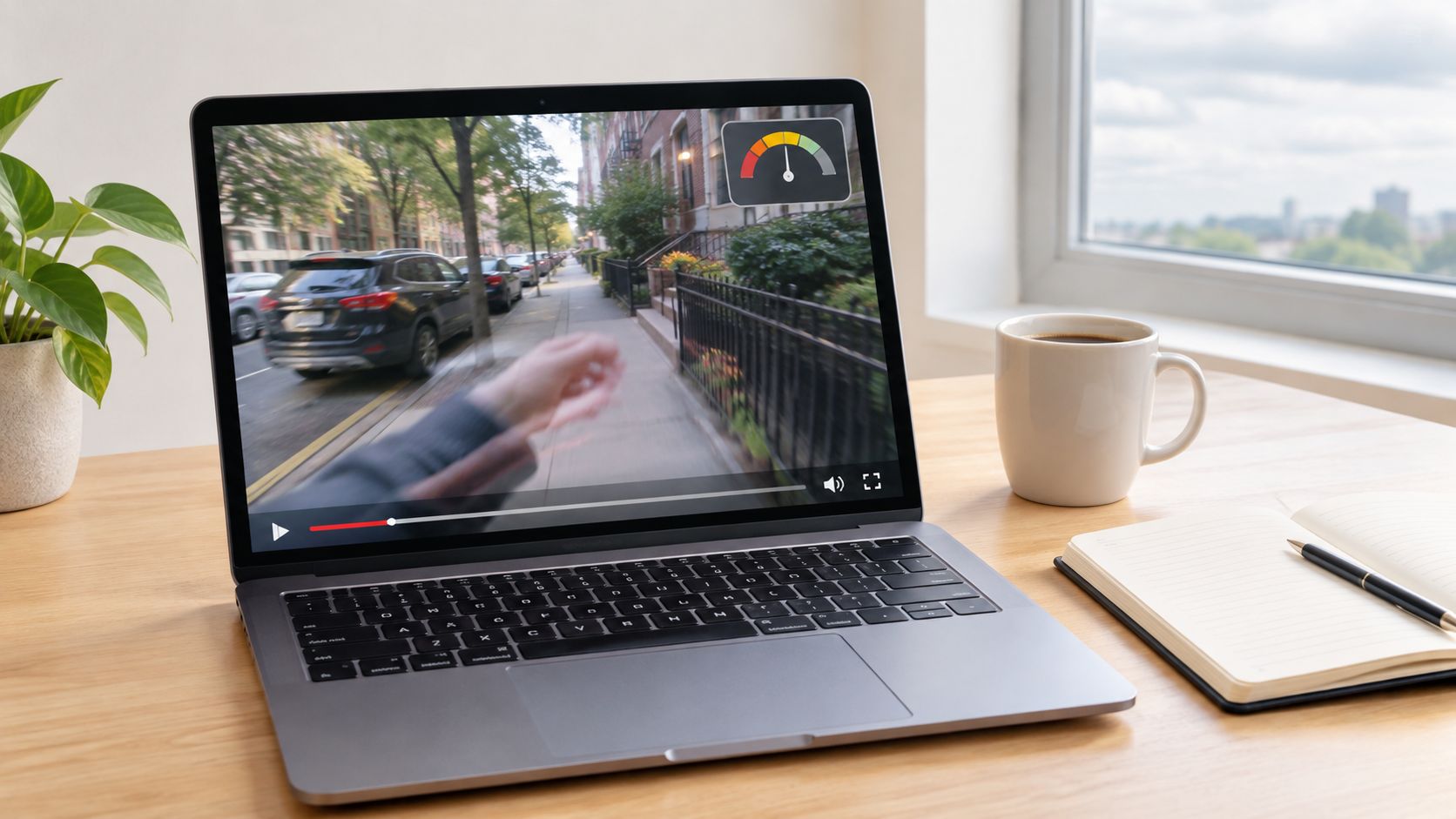
The most dangerous assumption is that a detector will behave the same way on every new clip. A model may perform well on familiar examples and struggle when the generator, platform, language, or editing process changes. In that situation, the score may reflect the model's familiarity with its training material as much as the truth about your file.
The laptop view below captures the ordinary setting where this problem appears. You're rarely testing a pristine studio file under laboratory conditions.
Berkeley's project page on generalization limits in deepfake detectors summarizes the concern directly. A 2025 evaluation found that no fine-tuning method achieved meaningful zero-shot generalization to manipulation types outside the training task, despite strong in-domain performance. A broader study across 14 datasets from 2019 to 2025 found that models can perform well on their own test set while generalizing poorly to older or differently constructed benchmarks.
Conditions That Can Move a Result
- Recompressed social media clips: Platform processing can remove fine generator traces or introduce artifacts that resemble them.
- Screen recordings and low-resolution footage: Recapturing a screen adds new visual noise and discards original file information.
- Face swaps and lip-sync edits: A manipulation may affect only one part of the frame or one relationship between sound and movement.
- Unfamiliar generators: A newly released model may leave patterns the detector wasn't trained to recognize.
Multilingual audio creates another practical challenge because speech timing and sound patterns vary across languages and recording conditions. The answer isn't to force every file into real or fake. A responsible tool should make low-confidence or out-of-distribution outcomes visible so a reviewer knows the system is outside comfortable territory.
Try a simple comparison when you can. Run the earliest original file you can obtain, then compare the result with a platform-downloaded or re-encoded copy. If the assessment changes materially, document both versions and treat the case as unresolved until source checks or specialist review settle it.
Choosing a Tool and Knowing When to Use One
Start with the decision you're trying to protect, not with a feature list. A newsroom deciding whether to publish user-submitted footage needs speed plus an escalation path. A legal team authenticating evidence needs preservation, documentation, and a defensible record of every step.
Enterprise security teams face a different trigger. A payment request connected to a video call, an executive impersonation clip, or an urgent voice-and-video message should prompt verification through a separate channel before money moves. Platforms and moderators need triage that separates likely synthetic uploads from material requiring policy review, while educators may need to check whether a lecture or training recording has been altered.
Criteria Worth Comparing Before You Rely on a Result
- Independent signals: Does the tool report visual, audio, temporal, and metadata evidence separately rather than hiding everything behind one unexplained label?
- Threshold transparency: Can you see the confidence band, threshold, and limits of the result?
- Provenance handling: Does it distinguish verified provenance, no usable provenance, and forensic indicators?
- Data handling: Are uploads retained, and who can access them?
- File support: Does it accept the formats and sizes your team receives?
Regulation is also pushing organizations toward more complete workflows. The EU AI Act Service Desk resources on Regulation 2024/1689 sit within a framework where transparency obligations for synthetic media apply from 2 August 2026, while legacy generative AI systems placed on the market earlier receive until 2 December 2026 for certain marking and detection requirements. Detection workflows therefore need to assess both the media and whether a machine-readable provenance signal exists.
As one example of the category, AI Video Detector runs four independent signals covering frame-level analysis, audio forensics, temporal consistency, and metadata inspection. It supports MP4, MOV, AVI, and WebM files up to 500MB, returns results in under 90 seconds, doesn't store uploaded videos, and requires no signup for basic detection. Those operational details matter when footage is sensitive or a decision can't wait for a long queue.
Use that kind of checklist alongside broader comparisons of deepfake detection software, and test any candidate on material that resembles your real workload. Include recompressed clips, screen recordings, and authentic low-quality footage, not only obvious fakes. No single tool replaces source verification, corroboration, or human review when reputation, rights, safety, or money are at stake.
What to Do Next With a Suspicious Video
Preserve the earliest copy you receive before editing, converting, or re-uploading it. Record its hash, keep the original filename and metadata, and note where it came from and who handled it. Those steps protect your options if an editor, court, school board, or security team later asks how you reached a decision.
Next, check for Content Credentials and other provenance information. Then run the preserved file through an AI content detection tool and record the score, confidence band, threshold, and model version when available. Don't test only a compressed social media copy if an earlier file can be obtained from the source.
Turn the Result Into a Defensible Decision
- High result: Pause, contact the alleged source through an independent channel, and escalate for specialist review.
- Middle result: Look for corroborating footage, records, witnesses, or an original upload before acting.
- Low result: Continue normal verification, because limited forensic evidence isn't proof that the clip is authentic.
Write one short decision note while the details are fresh. State what was checked, what the tool suggested, what it couldn't determine, and why you published, held, removed, or escalated the clip.
Before the next unfamiliar clip forces a rushed decision, test your workflow on a real file you already need to assess. Run the original through the browser-based detector, record the confidence band and provenance result, then use that output as your first triage step while you verify the source independently.


