

How to Check Metadata for Tampering and Authenticity

A suspicious video arrives in a newsroom inbox. The sender says it was recorded locally that morning, but the file has already passed through a messaging app, a desktop editor, or a social platform. Before anyone studies individual frames or enhances the audio, the first practical question is simple: what does the file say about how it was created and handled?
That's where metadata inspection begins. It's fast, inexpensive, and useful for triage, but it isn't a verdict. The reliable approach combines metadata with frame analysis, audio forensics, temporal consistency, and provenance checks.
Why Metadata Is Your First Authenticity Check
Metadata is the information embedded in, or associated with, a digital file. In a video or image, it can include EXIF data, file headers, timestamps, GPS coordinates, device identifiers, codec details, and software signatures. A forensic examiner uses these fields to test whether the file's internal story is coherent.
A practical intake process starts by preserving the submitted file, calculating a hash, and extracting all available metadata. The examiner then records which fields are present, which are missing, and whether related fields agree. The final step is comparison with external facts, such as the sender's account, the claimed recording location, platform upload information, or other copies of the file. This workflow is consistent with the role of metadata inspection described in digital metadata forensics guidance.
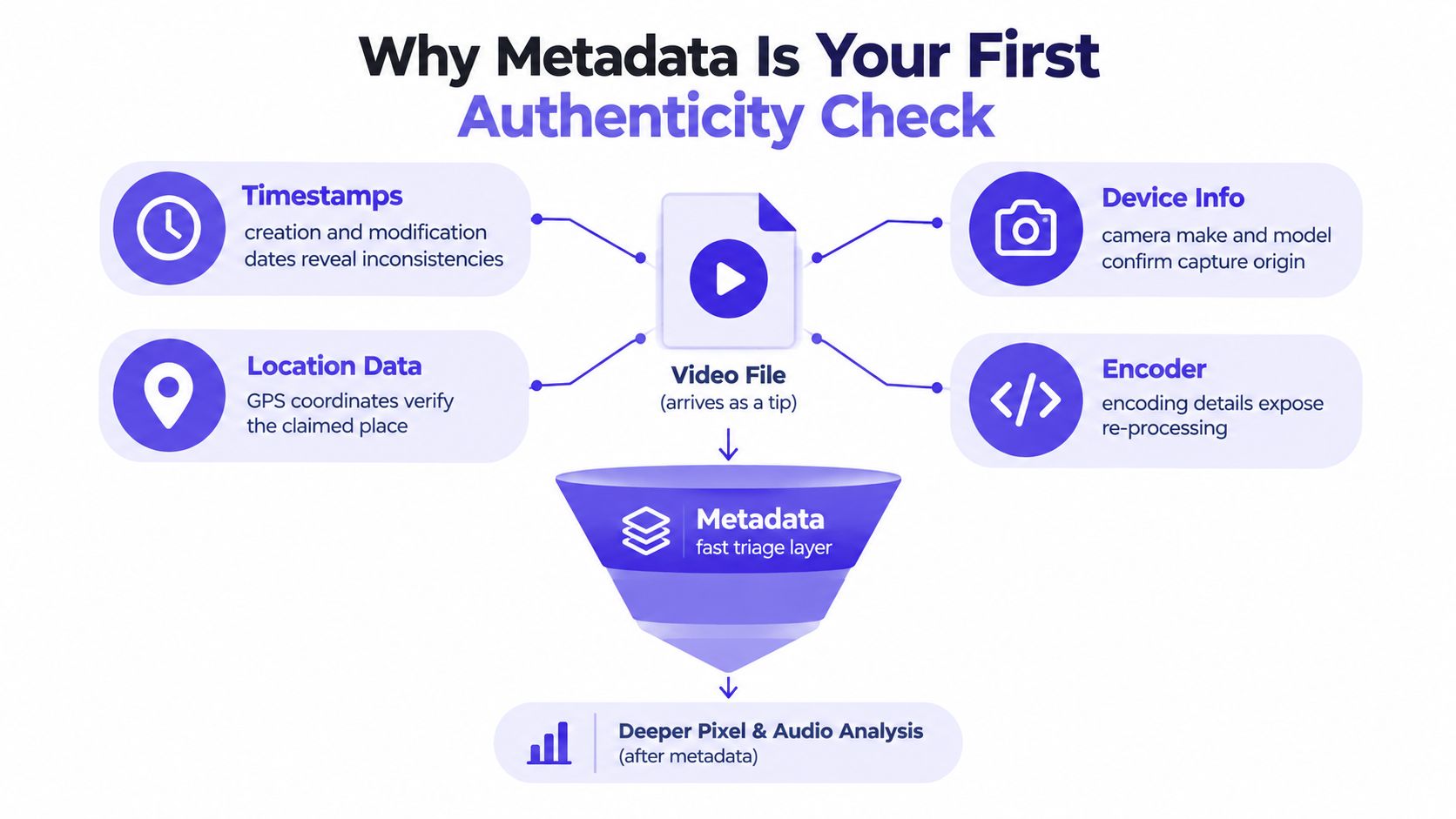
What the first pass can reveal
A file may contain a camera make and model, a creation time, a video encoder, and a track structure that fit the claimed origin. That combination doesn't prove authenticity, but it gives the reviewer a plausible starting point.
The same inspection can reveal immediate problems:
- Conflicting timestamps: The container, video track, and audio track report different creation or modification times.
- Unexpected software traces: An original-camera claim is paired with an editing application or browser-based export signature.
- Missing capture fields: The file has been presented as a camera original, but contains no device, lens, or recording information.
- Impossible technical combinations: The codec, frame rate, dimensions, or color information doesn't fit the stated workflow.
Metadata is valuable because it can expose the circumstances of creation, modification, storage, and handling. It also helps investigators decide whether a file deserves deeper examination. It can't establish that every visible frame is genuine.
Practical rule: Treat metadata as a triage layer, not a certificate of authenticity.
The four-signal workflow
A sound review uses four related signals:
- Metadata, including device, software, timestamps, container, and codec information.
- Frame evidence, including compression behavior, sensor-noise consistency, and visible editing artifacts.
- Audio evidence, including spectral continuity, room tone, and synchronization with visible speech or movement.
- Temporal evidence, including frame timing, motion continuity, scene transitions, and alignment with other records.
A clean metadata panel with broken audio or unnatural motion remains suspicious. Conversely, stripped metadata doesn't make a video fake. It means the examiner has lost one source of context and must place greater weight on the other signals.
Extracting Metadata from Video, Audio, and Image Files
Start with a working copy, not the submitted original. Keep the original filename, preserve the file without opening it in an editor, and record a cryptographic hash before analysis. That gives the newsroom, legal team, or investigator a stable reference if later exports produce different metadata.
For a quick desktop inspection, Windows users can right-click the file, select Properties, and open the Details tab. Depending on the format, this may show dimensions, dates, camera information, encoding fields, and other properties. On macOS, use Get Info, or open a video in QuickTime Player and inspect the available information. These interfaces are useful for an initial look, but they don't expose every metadata layer.
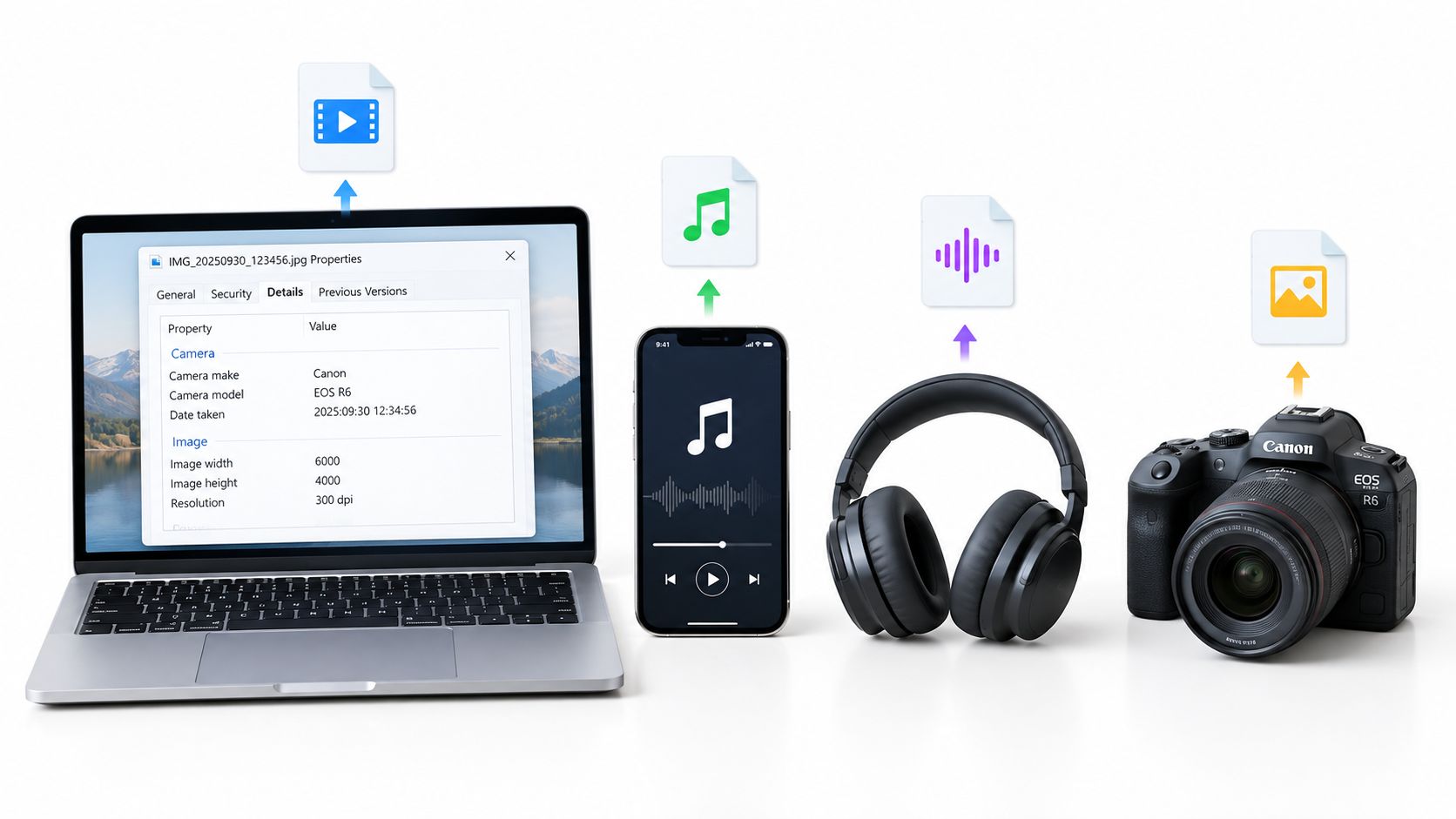
Use dedicated tools for a complete dump
For a fuller examination, ExifTool is the practical first choice across operating systems:
exiftool filename.mp4
The same command works with MOV, JPG, and PNG files. For video, add options that expose duplicate tags and their source groups when you need to compare repeated fields:
exiftool -a -g1 filename.mp4
For container and stream structure, use FFmpeg's ffprobe:
ffprobe -show_format -show_streams file.mov
For a readable summary of video and audio tracks, mediainfo filename.mp4 provides a structured view. Use ExifTool for breadth, FFprobe for stream and container relationships, and MediaInfo when you need a quick technical overview for case notes.
A practical metadata testing workflow for video files should preserve the distinction between container data and stream data. An MP4 or MOV can hold separate video and audio tracks, and each layer may carry different dates, durations, or encoder information.
Match the tool to the file type
- MP4 and MOV: Inspect container atoms, video and audio streams, codec identifiers, time scales, durations, writing applications, and track-level dates.
- JPG: Check EXIF camera fields, lens information, GPS, image dimensions, orientation, software tags, and editing history fields when present.
- PNG: Look for text chunks, software markers, creation information, color profiles, and application-specific data. PNG usually won't offer the same camera EXIF profile as a camera-generated JPG.
- RAW and HEIC: Expect vendor-specific fields and less consistent desktop support. Use ExifTool first, then compare the output with the camera manufacturer's software when the evidence matters.
Copy the complete ExifTool output, not only the fields that appear suspicious. Record the original filename, file size, hash, acquisition method, and the date of your examination. If the file came through an online service, preserve the downloaded copy and document the page, message, or transfer context separately.
The Metadata Fields That Actually Carry Signal
Not every field deserves equal weight. A file name can be useful for organizing evidence, but it rarely proves origin. Device, software, structural, and timestamp fields carry more investigative value because they describe different parts of the creation and export pipeline.
Device and location fields
Start with Make, Model, SerialNumber, and LensModel when they're present. Consistency across these fields can support the claim that a camera or phone created the file. It can't prove that the person who submitted the file owns that device, and a missing device profile may reflect export or platform processing.
GPS coordinates can support a location claim when they align with independent evidence. They're also easy to remove or inject, so treat them as a lead rather than a definitive geolocation result.
Software and technical structure
Fields such as Encoder, CreatorTool, HistoryActionList, and XMP xmpMM:History can show that an application touched the asset. An Adobe, Final Cut, browser, or mobile export signature may explain why the file differs from a camera original. It doesn't automatically indicate malicious manipulation. Routine trimming, transcoding, color correction, and format conversion can leave similar traces.
Codec and container fields constrain what the file can physically contain. Examine CodecID, CompressorName, color space, sample rate, dimensions, frame rate, and track duration together. A software tag that conflicts with the codec or stream structure deserves attention because it may indicate an export, a rewritten field, or an unusual workflow.
Timestamps require layer-by-layer comparison. Read CreateDate, ModifyDate, TrackCreateDate, and the container-level mvhd and track-level mdhd values. A disagreement doesn't identify the person who changed the file, but it can show that the file's current structure isn't a straightforward camera original.
| Category | Key Fields | What It Can Prove | Easy to Spoof? |
|---|---|---|---|
| Device signature | Make, Model, SerialNumber, LensModel | Supports consistency with a claimed device | Yes, if fields are rewritten or copied |
| Location | GPS latitude, longitude, altitude | Supports a location hypothesis | Yes, and often removable |
| Software history | Encoder, CreatorTool, XMP history | Indicates an application or export path | Yes, and often altered during conversion |
| Container and codec | CodecID, CompressorName, color space, sample rate | Constrains the file's technical structure | Some fields can be rewritten |
| Timestamps | CreateDate, ModifyDate, TrackCreateDate, mvhd, mdhd |
Shows how layers record time | Yes, and values may be reset |
| File identity | Filename, path, size, checksum | Supports chain-of-custody and comparison | Filename and path are easy to change |
For a deeper review of still-image fields, EXIF data analysis methods are useful as a companion to video-container analysis. The central question remains the same: does the field agree with the other evidence, and does the field belong to the original asset or only to its latest export?
Cross-Checking Layers to Spot Internal Contradictions
A single metadata value is weak evidence. A pattern across independent layers is more useful. The examiner's task is to identify whether the container, tracks, embedded tags, and technical properties describe one coherent workflow.
Consider an MP4 received as alleged camera-original footage. ExifTool reports a QuickTime:CreateDate for the container, a Track:ModifyDate for the video track, and a CompressorID that identifies an encoding application. The first step isn't to declare tampering. Record each value, identify its layer, and compare it with the claimed recording and transfer history.
A worked comparison
Suppose the claimed capture date is in the past, while the encoder metadata indicates that a later application processed the file. That pattern supports an export or re-encoding hypothesis, not necessarily fabrication. The file may have been recorded earlier and edited later, or the encoder field may have been inherited from a routine platform pipeline.
A stronger concern appears when the dates are internally impossible, when the container says one thing and multiple tracks say another, or when the video and audio streams report incompatible durations. The examiner should then compare the file against a known copy, the sender's original, platform records, or surrounding case evidence.
For images, compare EXIF DateTimeOriginal, IPTC DateCreated, and XMP xmp:CreateDate. These fields can represent different stages of an asset's life, so disagreement is a prompt for explanation rather than proof of deception. A photo edited and exported for publication can legitimately carry capture and export dates that differ.
| Layer A | Layer B | Contradiction | Likely Cause |
|---|---|---|---|
Container CreateDate |
Video track ModifyDate |
Dates don't describe the same sequence | Editing, export, or rewritten atoms |
| Video track duration | Audio track duration | Streams report different lengths | Trimming, muxing, variable processing, or corruption |
| Device Make and Model | Software or encoder tag | Claimed camera conflicts with later tool trace | Normal post-processing or undisclosed editing |
mvhd timestamp |
mdhd timestamp |
Container and track times diverge | Different write operations or metadata rewriting |
EXIF DateTimeOriginal |
XMP CreateDate |
Capture and asset dates differ | Cataloging, editing, or export workflow |
| CodecID | CompressorName | Technical fields describe different pipelines | Transcoding, tag inheritance, or manipulation |
A disciplined contradiction checklist
Check for out-of-order timestamps, mismatched device identifiers across atoms, and software fingerprints that don't fit the stated codec. Also record absent fields. Missing metadata can explain why a question remains unresolved, but it doesn't fill the gap with a negative conclusion.
The SWGDE best-practices guidance for digital forensic video analysis supports collecting metadata alongside structural analysis. That pairing matters because a timestamp becomes more informative when it agrees, or conflicts, with the container layout, codec details, and visible content.
When Metadata Lies or Disappears After Re-Encoding
An intact metadata panel doesn't prove authenticity. It may describe only the current copy, not the original recording. Export tools, messaging services, social platforms, screen-recording utilities, and document workflows can remove, normalize, or replace fields during processing.
That distinction is critical for journalists and legal teams. A downloaded clip may have a fresh encoder signature, a new container date, and no device information because a platform created a new delivery file. The absence of the camera profile tells you about the delivery path. It doesn't, by itself, tell you whether the underlying scene was genuine.
What typically survives and what often disappears
The exact result depends on the service and the upload path, so don't treat a platform name as a fixed metadata specification. In practice, the following pattern is common:
- Container and delivery fields often survive: The downloaded file may retain a current container format, stream duration, dimensions, frame rate, codec, and encoder information.
- Original capture fields often disappear: Camera serial data, lens information, GPS, original EXIF, and earlier software history may be stripped during conversion.
- Dates may be rewritten: A platform or export application can assign a new creation or modification value to the delivered copy.
- Visible content remains available for review: Frames, audio, motion, subtitles, and scene transitions can still be examined even when the original metadata is gone.
- A screen recording describes the screen recording: Its operating-system or capture-application fields belong to the new file, not necessarily to the source video shown on screen.
- A screenshot describes the screenshot: Its metadata identifies the screenshot process or current image, not the original video's camera and capture history.
These outcomes mean that re-encoding can preserve useful technical context while destroying provenance. The current codec may help identify how the copy was delivered, but it can't reconstruct the original camera metadata.
The absence of metadata is common after platform processing. It's a reason to widen the examination, not a standalone red flag.
The metadata overview from mail.com highlights the central limitation: file metadata reflects the current version and may not expose prior versions. If provenance matters, request the earliest available file, preserve every version separately, and compare their hashes and metadata. Don't overwrite one download with another or assume that the newest copy is the most informative.
Combining Metadata With Other Authenticity Signals
Metadata becomes persuasive only when it agrees with independent evidence. A device tag that fits the claimed camera is useful context, but it doesn't show that the pixels came from that camera without alteration. A fresh platform encoder tag may explain the file's current condition while contributing little evidence about the original recording.
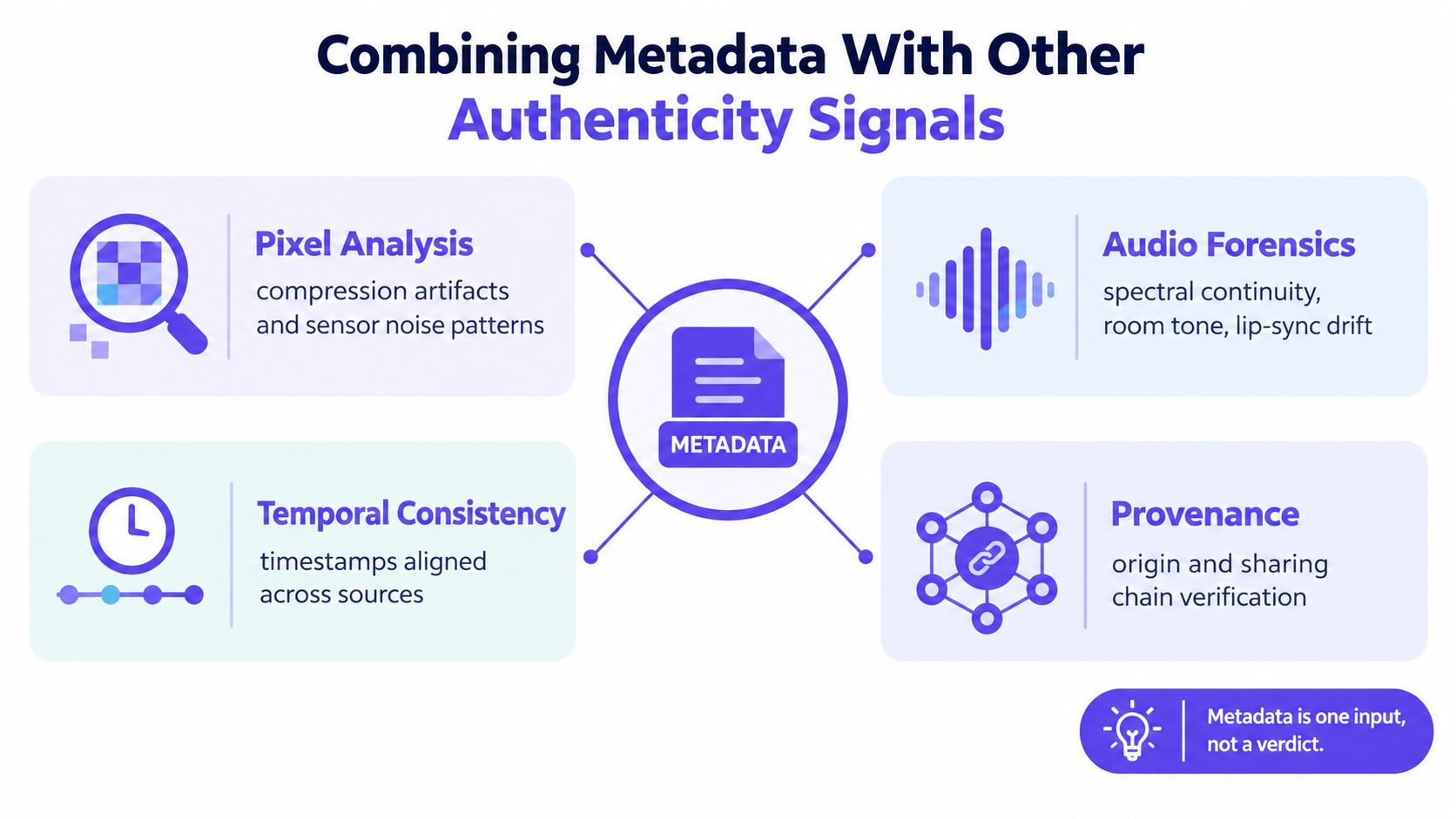
Read the four signals together
Frame-level analysis examines compression artifacts, repeated patterns, edge behavior, and sensor-noise consistency. It can reveal edits or generated regions that metadata doesn't describe.
Audio forensics tests spectral continuity, room tone, background changes, and lip-sync drift. A video can carry plausible camera metadata while its audio contains an edit, replacement, or discontinuity.
Temporal consistency focuses on frame-rate stability, motion continuity, scene-cut cadence, and timing relationships. It helps identify interruptions or transformations that a simple creation date cannot explain.
Metadata provides the file's declared device, software, structural, and temporal context. It's strongest when those declarations align with the frames, audio, timing, and sharing history.
For an operational example of this layered approach, video evidence authentication guidance can sit alongside manual tool output and examiner notes. AI Video Detector is one available option that analyzes uploaded video using frame-level, audio, temporal, and metadata signals, while a forensic review still needs preserved originals and documented reasoning.
Report a qualified conclusion
Use a conclusion that reflects the evidence, not the confidence you wish the file could provide:
- Likely authentic: Metadata is coherent, the file's structure fits the claimed workflow, frames and audio show no material contradiction, and provenance is reasonably supported.
- Indeterminate: Metadata is missing or rewritten, but the remaining frame, audio, and temporal evidence doesn't establish manipulation.
- Likely manipulated: Multiple independent signals conflict, such as impossible structural timing, visible frame alterations, audio discontinuity, and metadata that indicates an incompatible processing history.
Avoid writing “the metadata proves the video is real.” A defensible report identifies what was found, what the fields can support, what may have been lost during re-encoding, and what remains unresolved. That language helps editors, counsel, and investigators make decisions without turning a partial technical signal into an overstated finding.
Preserve the original file, calculate its hash, extract the complete metadata record, and compare container, track, frame, audio, and temporal evidence before publishing or relying on the footage. If you're handling a consequential video and need a structured check across those signals, submit a copy to AI Video Detector for an initial analysis, then retain the original and document every subsequent step.


