

The Top 12 Best Forensic Video Analysis Software for 2026

In a world saturated with video evidence, from CCTV footage to viral clips, the ability to verify, enhance, and analyze video is more critical than ever. Whether you're in law enforcement authenticating evidence, a journalist verifying a source, or a lawyer preparing for court, the right forensic video analysis software is indispensable. But the market is complex, with tools ranging from courtroom-certified enhancement suites to AI-powered deepfake detectors. The wrong choice can lead to inadmissible evidence, inaccurate reporting, or compromised investigations.
This guide is designed to cut through the complexity. We provide a comprehensive resource that breaks down the top 12 software options available today, helping you understand their specific strengths, limitations, and ideal use cases. We move beyond marketing jargon to offer an authoritative roundup for professionals across various fields, including legal teams, enterprise security, newsrooms, and academic institutions. You will find practical insights into which tool is best suited for specific tasks, from clarifying a license plate in grainy footage to authenticating a video's metadata for legal proceedings.
We will explore the core features you need to evaluate, from chain-of-custody reporting and proprietary format support to advanced AI authentication and temporal analysis. Each entry includes detailed analysis, screenshots, and direct links to help you make an informed decision. Our goal is to equip you with the knowledge to select the forensic video analysis software that delivers the accurate, reliable, and defensible results your work demands. We'll compare key players like Amped FIVE, Axon Investigate, and Magnet DVR Examiner, while also examining specialized solutions like AI Video Detector for modern digital threats.
1. AI Video Detector
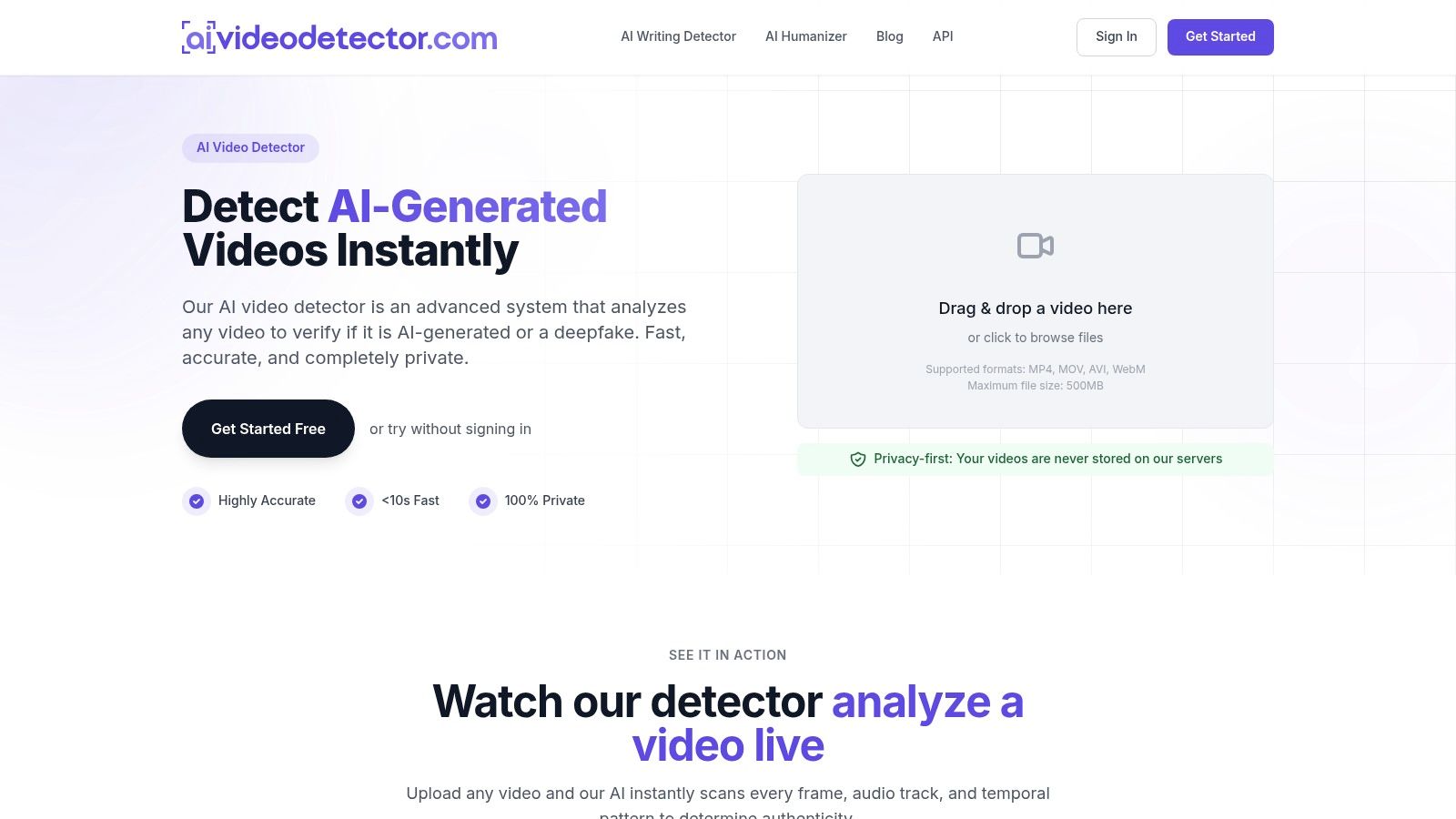
AI Video Detector positions itself as an essential first-line tool for professionals needing to verify the authenticity of digital video. It is a powerful, privacy-focused platform that provides rapid, multi-signal analysis to detect deepfakes and AI-generated content. Unlike traditional forensic suites that require extensive training, AI Video Detector offers an accessible yet robust solution for immediate, high-stakes verification. Its core strength lies in its sophisticated, four-pronged analytical approach that delivers clear, actionable confidence scores without storing user data.
This methodology makes it a standout choice in the forensic video analysis software landscape. The system inspects every file for anomalies across frame-level integrity, audio spectral data, temporal consistency, and metadata irregularities. This comprehensive scan identifies subtle artifacts left by generative models, such as GAN fingerprints, diffusion patterns, audio splicing, and motion discontinuities, providing a more reliable and explainable result than single-signal detectors.
Key Features and Use Cases
The platform is engineered for speed and confidentiality, delivering results in under 90 seconds for most files and requiring no user signup for basic analysis. This makes it ideal for time-sensitive professional environments.
- Journalism and News Verification: Newsrooms can quickly vet user-submitted footage or questionable clips circulating online, preventing the spread of misinformation.
- Legal and Law Enforcement: Legal teams can perform preliminary authentication on video evidence before committing to more intensive, costly forensic processes.
- Enterprise Security: Corporations use it to guard against sophisticated CEO fraud and video call impersonation schemes. For more information, you can learn about defending against deepfake video call scams.
- Platform Moderation: Social media and content platforms can integrate the API to automate the flagging of potentially harmful AI-generated content at scale.
Practical Considerations
While AI Video Detector is a powerful tool, it's designed as a probabilistic system. Its detections provide a strong indicator of manipulation but are not legally binding proof on their own. The 500MB file size limit may require users to compress or segment longer, high-resolution videos. For enterprise-level or high-volume needs, the public API and paid plans offer necessary scalability and integration capabilities.
Website: https://www.aivideodetector.com
2. Amped Software – Amped FIVE
Amped FIVE is a comprehensive suite of tools widely regarded as an industry standard in forensic video analysis software, particularly within law enforcement and government agencies. It provides a complete, self-contained environment for the entire forensic workflow, from importing proprietary CCTV formats to generating court-admissible reports. The platform's core strength lies in its scientific rigor and traceability.
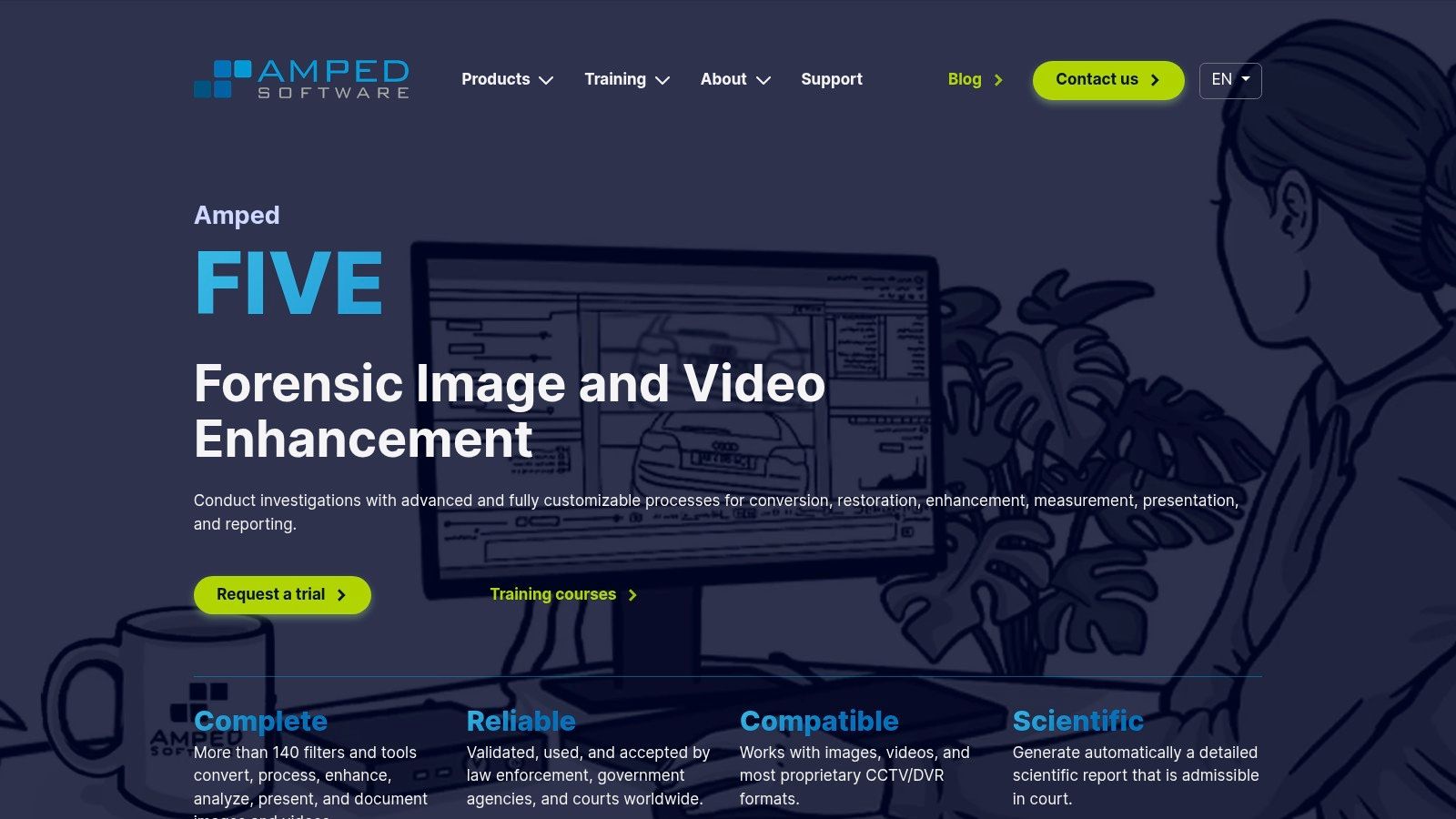
Unlike general-purpose video editors, every action taken in Amped FIVE is documented in a detailed, reproducible audit trail. This chain-of-custody for processing steps is critical for legal proceedings, ensuring that enhancements like stabilization, deblurring, or perspective correction are scientifically sound and can be defended during testimony. Its ability to convert obscure DVR formats without quality loss is another key differentiator, solving a common bottleneck for investigators. While its capabilities are extensive, it is enterprise-grade software with pricing available upon request and is primarily Windows-based. Its focus on traditional enhancement complements modern needs for source verification, and you can learn more about use cases for video integrity analysis here.
Key Features & Considerations
| Feature | Description | Use Case |
|---|---|---|
| Reproducible Workflow | Every filter and adjustment is logged, generating a scientific report suitable for court. | An investigator enhances a blurry license plate; the report details the exact algorithm and parameters used, which can be verified by opposing experts. |
| Proprietary Format Support | Includes Amped Conversion Hub to handle hundreds of proprietary CCTV/DVR video formats. | A detective receives footage from an old, unbranded security system and can convert it without transcoding errors or quality degradation. |
| Advanced Enhancement | Over 140 filters for stabilization, deblurring, noise reduction, and photogrammetry. | Clarifying a suspect's face in a shaky, low-light video or measuring the height of a person in the footage for identification. |
| Courtroom Acceptance | Widely used and trusted in ISO-accredited forensic labs and legal systems globally. | A prosecutor presents video evidence enhanced with Amped FIVE, confident that the methods used meet established scientific standards. |
- Pros: Strong legal and scientific validation, comprehensive toolset for the entire forensic process, excellent training and support ecosystem.
- Cons: Enterprise-level pricing model requires direct sales contact, primarily a Windows-only platform, can be resource-intensive for complex enhancement jobs.
- Website: ampedsoftware.com/five
3. Axon – Axon Investigate (formerly iNPUT‑ACE)
Axon Investigate, the successor to the highly regarded iNPUT-ACE, is a powerful forensic video analysis software platform designed to streamline the entire investigative workflow. Its primary focus is on managing, organizing, and presenting video evidence from multiple sources in a forensically sound manner, making it an essential tool for detectives and analysts handling complex cases with large volumes of footage. The platform excels at project-based organization and creating court-ready deliverables.
Unlike tools built purely for enhancement, Axon Investigate's core strength is its ability to reliably play back and interrogate diverse proprietary video formats while preserving crucial metadata like timestamps. This ensures that the original evidence is never altered, providing a solid foundation for analysis and courtroom presentation. The software is built for investigators first, prioritizing workflow efficiency and accurate evidence representation over complex, granular image processing. Its pricing is tailored for agency procurement and is available through direct sales consultation.
Key Features & Considerations
| Feature | Description | Use Case |
|---|---|---|
| Project-Based Workflow | Organizes all video files, notes, and exports related to a single case into one cohesive project. | An investigator combines footage from a dozen different security cameras, cell phones, and bodycams for a major incident into a single, manageable case file. |
| Forensically Sound Playback | Plays proprietary video formats directly without conversion, accessing original metadata. | A detective verifies the exact time a crime occurred by playing a DVR file and viewing its embedded, unalterable timestamp data directly within the software. |
| Courtroom Presentation Tools | Features tools for sub-clipping, tagging, creating timelines, and generating reports for trial. | An analyst creates a synchronized video timeline of a suspect's movements across multiple camera views to present a clear, compelling narrative to a jury. |
| Lossless Export | Exports clips and reports in standard, lossless formats to ensure evidence integrity is maintained. | Evidence is shared with the prosecutor's office in a high-quality, uncompressed format that can be easily played on standard systems without special software. |
- Pros: Developed by certified forensic video analysts, significantly speeds up workflows with multi-source evidence, excellent for courtroom presentation.
- Cons: Enhancement capabilities are less extensive than specialized suites, pricing is not publicly listed and targets agency sales cycles.
- Website: www.axon.com/products/axon-investigate
4. Cognitech – TriSuite64 / Video Investigator / MC2 Cloud
Cognitech has been a long-standing name in the forensic video analysis software space, offering its patented and court-accepted TriSuite64 package. This suite is a modular system composed of Video Investigator for enhancement and analysis, AutoMeasure for advanced photogrammetry, and VideoActive for real-time processing. Its key differentiator is a deep-rooted scientific foundation, with many of its algorithms, like FrameFusion for resolution enhancement, having been developed through decades of research.
The platform is engineered to address complex challenges in video evidence, providing powerful tools for deblurring, denoising, and demultiplexing tangled video streams. A significant modern development is the My Cognitech Cloud (MC2), which offers browser-based access to the full software suite. This cloud deployment model makes the powerful tools accessible without the need for high-specification local hardware or physical software dongles, increasing flexibility for agencies and individual experts. Pricing and specific software bundles are available by contacting their sales team directly.
Key Features & Considerations
| Feature | Description | Use Case |
|---|---|---|
| Advanced Enhancement Algorithms | Patented technologies like FrameFusion and various deblurring filters improve clarity in low-quality footage. | An analyst uses FrameFusion to combine information from multiple frames, creating a clearer, higher-resolution image of a suspect's face. |
| Photogrammetry and 3D Measurement | AutoMeasure module allows for precise 3D measurements of objects, people, and scenes directly from video or photos. | Investigators calculate the height of a suspect in a robbery video or determine the speed of a vehicle involved in a collision using video evidence. |
| Cloud-Based Accessibility | The MC2 Cloud platform provides full access to the TriSuite64 tools through a web browser, reducing hardware dependencies. | A forensic expert working remotely can process and analyze large video files on a standard laptop by leveraging cloud computing power. |
| Real-Time Processing | The VideoActive component is designed for live capture, real-time processing, and sorting of complex video feeds. | Law enforcement monitors a live surveillance feed, applying stabilization and enhancement in real-time during an ongoing incident. |
- Pros: Long history of courtroom acceptance, powerful and scientifically validated algorithms, flexible cloud option reduces hardware costs.
- Cons: Advanced modules can have a steep learning curve, licensing and pricing information requires direct contact with sales.
- Website: cognitech.com
5. Magnet Forensics – Magnet DVR Examiner / Magnet Witness
Magnet Forensics offers a specialized solution focused on the initial, critical stage of evidence gathering with its forensic video analysis software. Their primary tool, Magnet DVR Examiner, is engineered to perform direct, forensically sound acquisition from DVR hard drives. This capability often bypasses passwords and recovers deleted or fragmented video, addressing a significant challenge for investigators dealing with damaged or inaccessible systems. The broader Magnet Witness platform builds upon these acquisition strengths, providing a more comprehensive environment for review, analysis, and managing large volumes of video evidence from multiple sources.
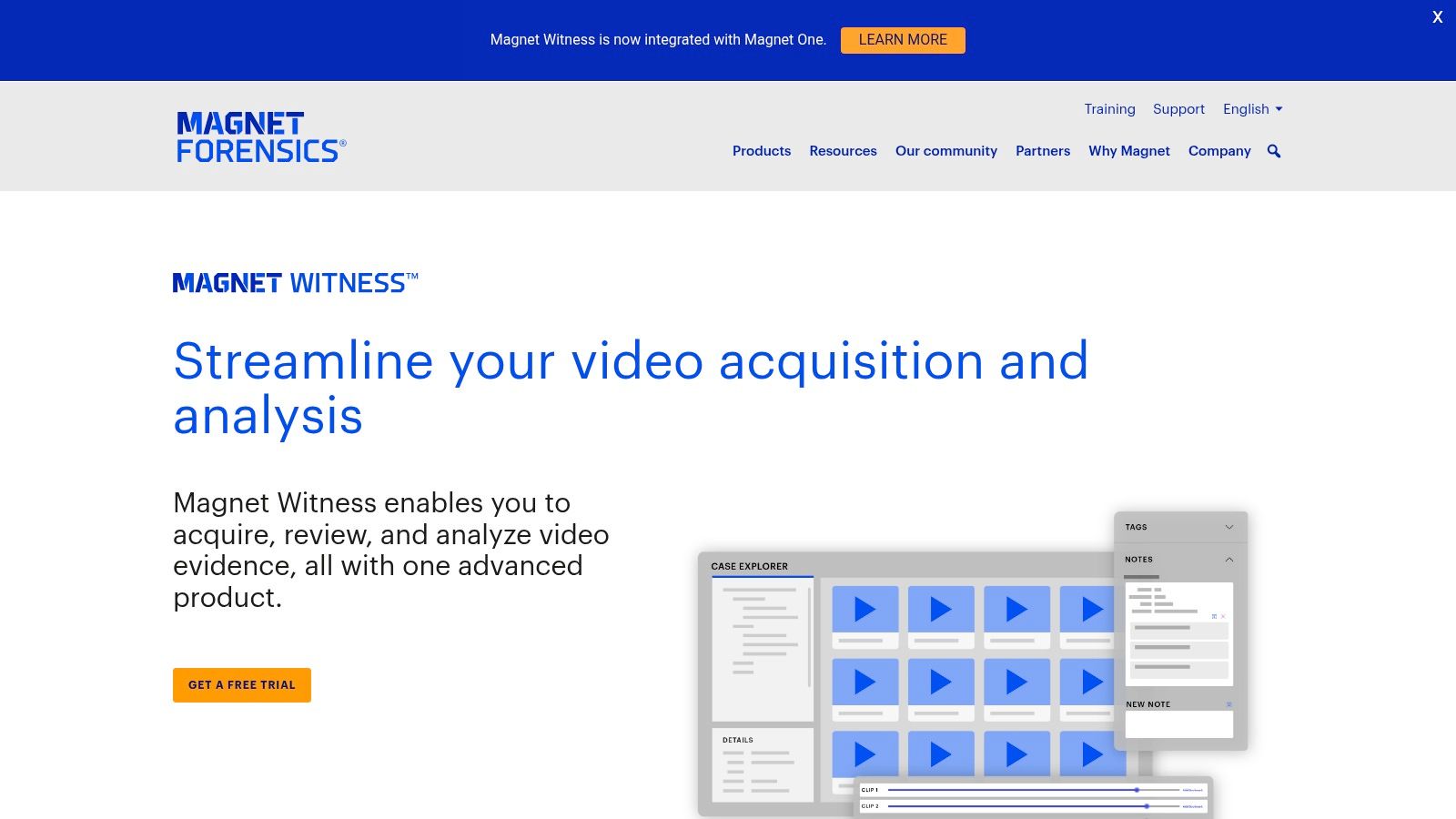
The key differentiator for this suite is its focus on the file system level of DVRs. Instead of just playing or converting video, DVR Examiner reconstructs the proprietary file system to extract data directly, ensuring maximum data integrity and the potential to recover footage that would otherwise be lost. Magnet Witness then allows teams to synchronize playback from multiple angles, annotate key events, and create concise reports for courtroom presentation. Pricing is available through a direct sales quote, and the software is backed by a robust training and certification ecosystem.
Key Features & Considerations
| Feature | Description | Use Case |
|---|---|---|
| Direct DVR Acquisition | Connects directly to a DVR's hard drive to bypass passwords and access the native file system for data extraction. | An investigator recovers crucial footage from a fire-damaged DVR where the system interface is no longer functional. |
| Deleted Video Recovery | Scans the drive to identify and recover video clips that have been deleted or partially overwritten. | A detective uncovers footage of a suspect tampering with the security system, which the suspect had attempted to erase from the DVR. |
| Synchronized Review | The Magnet Witness platform allows for synchronized, timeline-based playback of multiple video streams. | An analyst reviews footage from four different cameras simultaneously to track a subject's movement through a building. |
| Integrated Workflow | Provides tools for acquisition, review, sub-clipping, and exporting evidence into standard, playable formats for reporting. | A forensic unit processes video from dozens of different DVRs for a major case, standardizing all evidence into a single cohesive package. |
- Pros: Exceptional at recovering video from inaccessible or damaged DVRs, strong focus on forensically sound acquisition, excellent training resources.
- Cons: Acquisition from very new or obscure DVRs may require software updates, advanced features are often tied to specific license tiers and support plans.
- Website: www.magnetforensics.com/products/magnet-dvr-examiner/
6. Salient Sciences – VideoFOCUS
VideoFOCUS Pro from Salient Sciences is a mature multimedia forensics suite designed for streamlined video, image, and audio analysis. As a comprehensive piece of forensic video analysis software, it is built to guide both novice and expert analysts through a logical workflow, from initial import to final presentation. Its strength lies in balancing a robust feature set with a user-friendly interface, making advanced analysis more accessible.
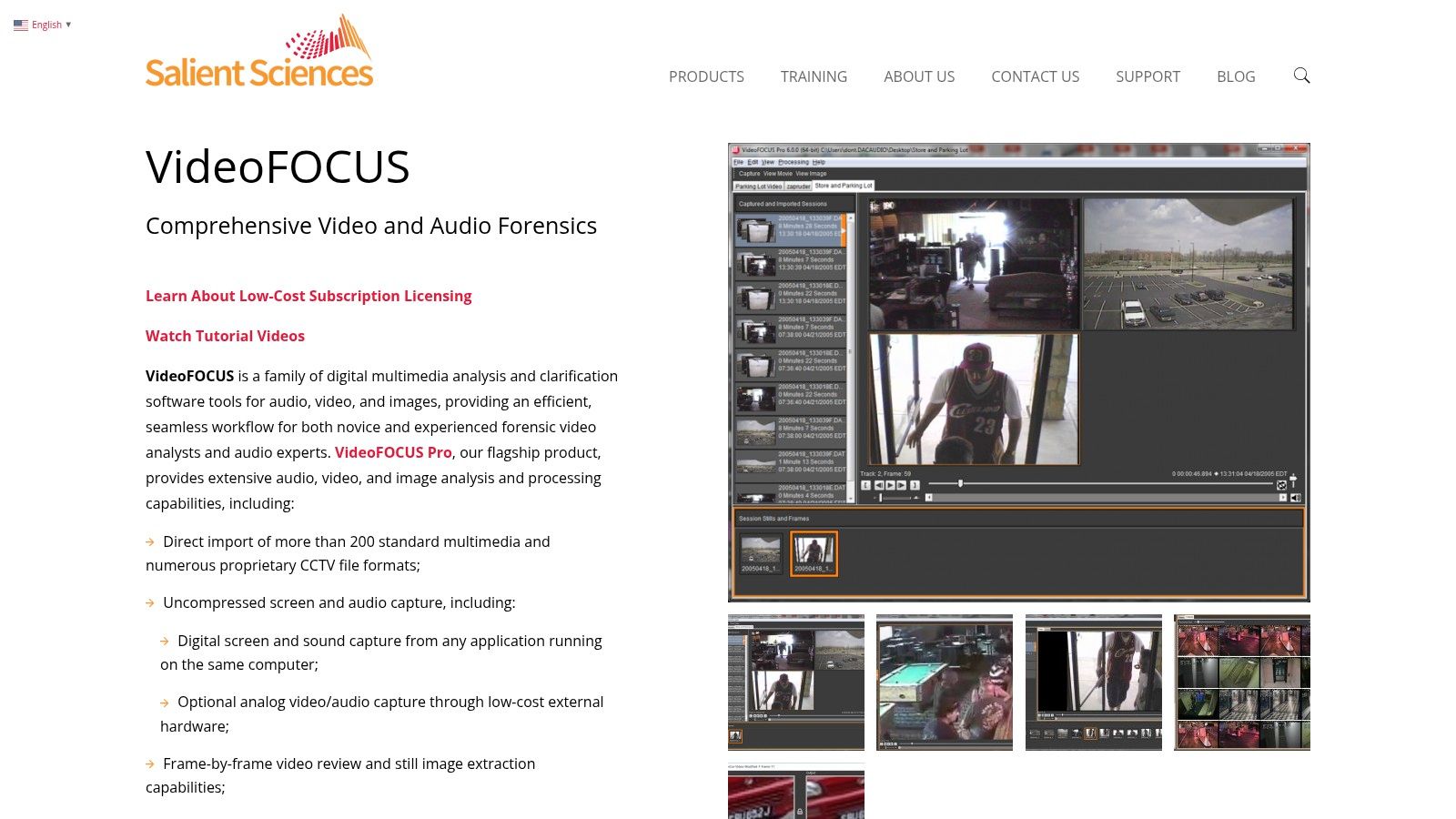
The platform supports a wide range of standard and proprietary video formats, addressing the common challenge of dealing with diverse CCTV systems. It provides essential tools for frame-by-frame review, still image extraction, and various clarification filters to improve visual detail. Unlike enterprise-only solutions, VideoFOCUS offers both subscription and perpetual licensing models, providing flexibility for different agency budgets. While its enhancement capabilities are not as exhaustive as top-tier suites, it serves as a powerful and cost-effective tool for a wide range of investigative tasks.
Key Features & Considerations
| Feature | Description | Use Case |
|---|---|---|
| Broad Format Support | Imports over 200 standard and numerous proprietary CCTV, DVR, and other video formats. | An analyst receives surveillance footage from three different businesses, each using a unique system, and can load them all into one project. |
| Integrated Workflow | Provides a complete toolset within a single interface for import, clarification, analysis, and export. | A user can ingest raw footage, apply a deinterlacing filter, stabilize a shaky segment, and export an evidential clip without switching applications. |
| Frame-Level Analysis | Allows for precise frame-by-frame review, still image extraction, and spatial/temporal adjustments. | An investigator needs to isolate the exact frame where a weapon is visible in a fast-moving video, then export it as a high-quality still for a report. |
| Flexible Licensing | Available through both subscription-based and perpetual licenses to suit different procurement needs. | A smaller police department can acquire the software via an annual subscription, avoiding a large, upfront capital expenditure. |
- Pros: Mature and stable tool with available training, regular updates, and a subscription model that can lower initial costs.
- Cons: A smaller vendor ecosystem compared to larger suppliers, and its range of enhancement filters is narrower than premium suites like Amped FIVE.
- Website: www.salientsciences.com/product/videofocus
7. MotionDSP (Cubic) – Forensic / Forensic Studio / Forensic Pro
MotionDSP, acquired by Cubic, offers a tiered suite of GPU-accelerated forensic video analysis software designed for rapid enhancement and redaction. Its standout feature is a transparent, subscription-based pricing model, making it accessible for agencies and organizations that need powerful tools without the lengthy procurement process of enterprise-only solutions. The software is built for speed, leveraging local workstation GPUs to deliver real-time previews of enhancement filters.
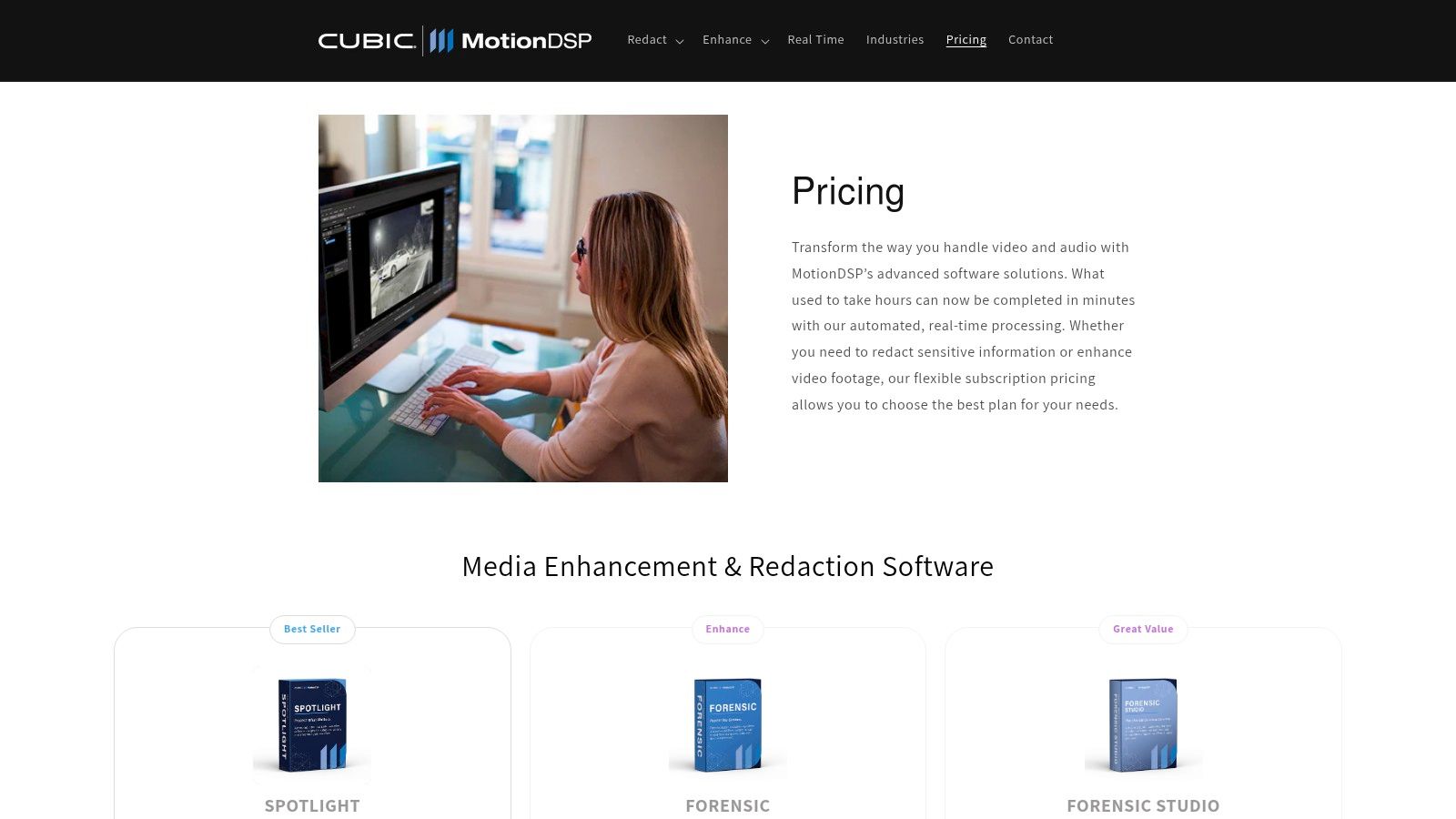
The product lineup is clearly defined: Forensic for core enhancement, Forensic Studio adds automated and manual redaction tools, and Forensic Pro includes advanced capabilities like live IP stream processing and KLV metadata handling for ISR (Intelligence, Surveillance, and Reconnaissance) applications. This structure allows users to select the feature set that directly matches their needs, from local law enforcement preparing evidence for public release to defense contractors analyzing drone footage. While highly effective for its core tasks, its reporting and audit trail features are less extensive than tools built specifically for courtroom testimony, positioning it as a powerful operational tool rather than a comprehensive judicial evidence platform.
Key Features & Considerations
| Feature | Description | Use Case |
|---|---|---|
| GPU-Accelerated Enhancement | Utilizes local GPU power for live previews of filters like stabilization and sharpening. | An analyst applies a deinterlacing filter to jittery bodycam footage and sees the corrected result instantly, speeding up the clarification process. |
| Tiered Product Suite | Three distinct versions (Forensic, Studio, Pro) with clear feature and pricing separation. | A police department's public information officer chooses Forensic Studio specifically for its automated face and license plate redaction tools. |
| Automated & Manual Redaction | Forensic Studio includes tools to automatically track and blur faces, objects, or audio. | Preparing video for media release by automatically obscuring the faces of minors or undercover officers throughout the entire clip. |
| Live & Advanced Data Support | Forensic Pro can record and enhance live IP video streams and process KLV metadata. | An intelligence analyst processes live drone video feed, using embedded location data to create an accurate mosaic map of the surveyed area. |
- Pros: Transparent monthly/annual subscription pricing, fast onboarding and deployment, GPU optimization delivers excellent performance for enhancement and redaction tasks.
- Cons: Narrower forensic reporting and audit features compared to courtroom-centric tools, primary focus is on operational enhancement rather than full digital evidence management.
- Website: motiondsp.com/pages/pricing
8. CaseGuard Studio
CaseGuard Studio is an all-in-one redaction platform designed primarily for public agencies and enterprises handling sensitive data for disclosure. While its core function is redaction, it includes a practical suite of video enhancement tools, positioning it as a useful piece of forensic video analysis software for workflows centered on Freedom of Information Act (FOIA) requests and public release. Its primary differentiator is its focus on preparing evidence for safe public consumption rather than deep forensic investigation.
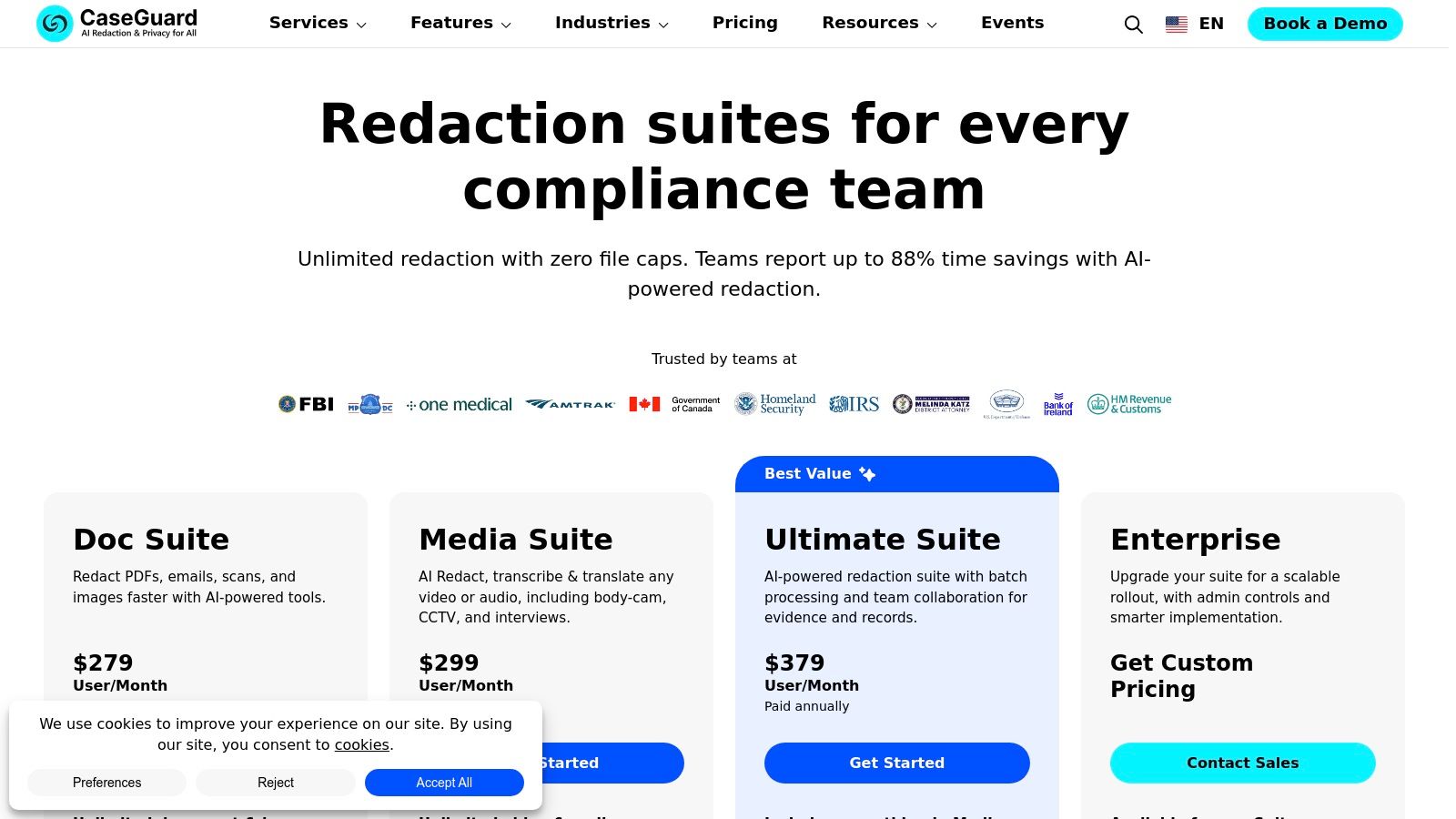
The platform uses AI to automatically detect and redact faces, license plates, screens, and other personally identifiable information (PII) across video, audio, and documents. For forensic analysts, this means evidence can be quickly sanitized before being shared with other parties. The inclusion of over 35 enhancement effects, such as sharpening and brightness adjustments, allows users to clarify footage before redaction, ensuring a streamlined process from analysis to release. Unlike specialized forensic suites, CaseGuard offers transparent, tiered pricing on its website, simplifying the procurement process for government and corporate entities.
Key Features & Considerations
| Feature | Description | Use Case |
|---|---|---|
| AI-Powered Redaction | Automatically detects and obscures faces, license plates, people, and custom objects in video. | A police department processes bodycam footage for public release, automatically redacting the faces of minors and bystanders to protect their privacy. |
| Multi-Format Support | A single platform for redacting video, audio (including transcription), documents, and images. | An agency receives a FOIA request that includes videos, audio recordings, and PDF reports; all can be processed within the same software environment. |
| Basic Enhancement Tools | Includes over 35 effects like sharpening, brightness, contrast, and stabilization. | An analyst brightens a dimly lit video to better identify objects for redaction before submitting the footage as evidence in a civil case. |
| Transparent Pricing | Published, tiered subscription plans are available directly on the website. | A small municipal office can easily budget for and purchase the software without a lengthy sales negotiation or custom quote process. |
- Pros: Transparent pricing with multiple tiers simplifies purchasing, well-suited for FOIA/public-release and disclosure workflows, comprehensive redaction across multiple media types.
- Cons: Enhancement toolkit is practical but narrower than dedicated forensic enhancement suites, cloud-adjacent features may raise policy or hosting concerns for sensitive cases.
- Website: caseguard.com
9. VideoCleaner (Forensic Protection)
VideoCleaner is a free, open-source toolkit that has become a staple in the forensic video analysis software community, particularly for those with limited budgets or as a supplementary tool in established labs. Offered by Forensic Protection, it operates as a collection of scripts and filters within a virtualized environment, providing powerful enhancement and clarification capabilities. Its strength lies in its accessibility and transparent, community-vetted processes.
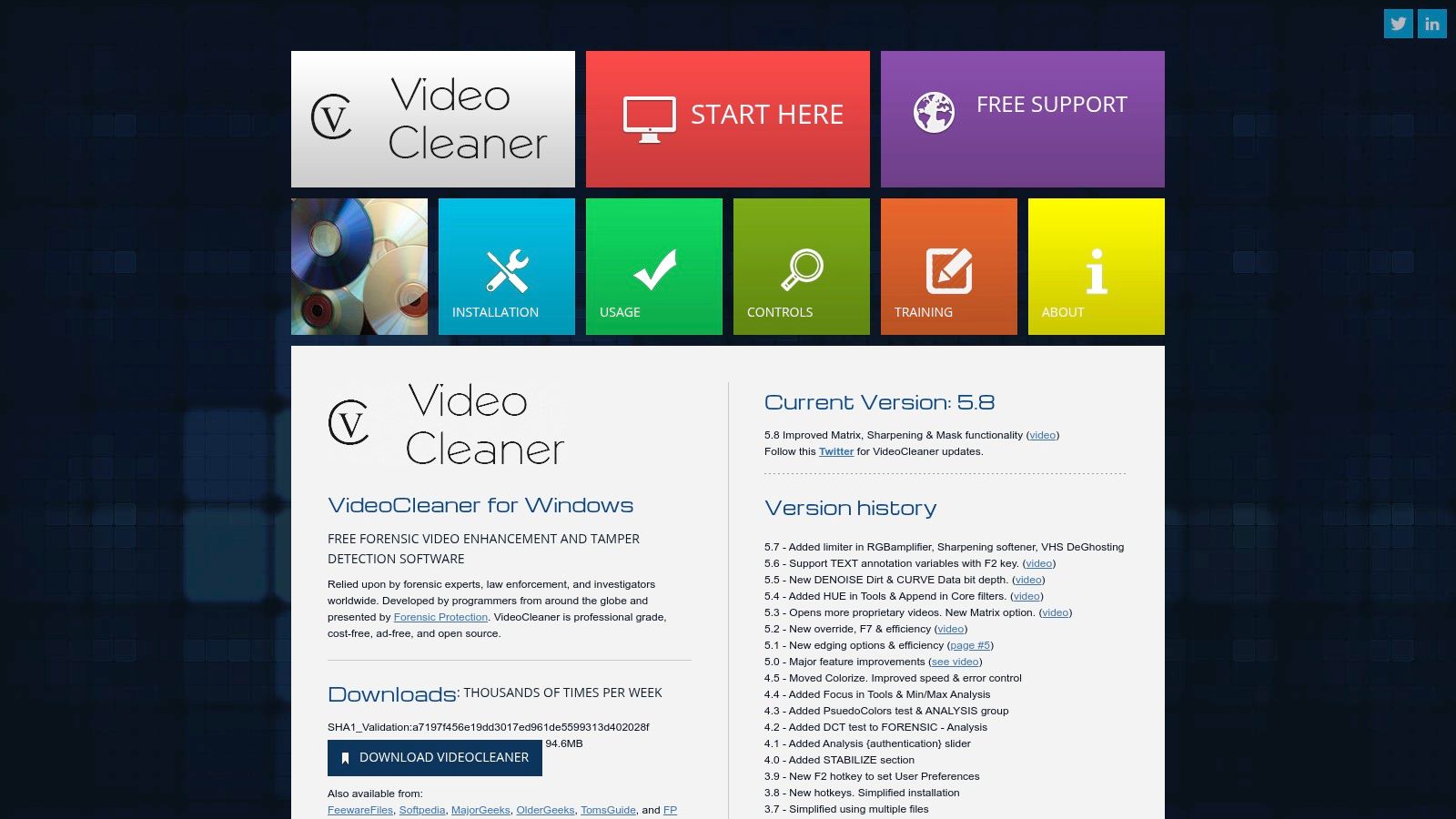
Unlike its commercial counterparts, VideoCleaner's open-source nature means its underlying methods can be inspected and understood, which can be a significant advantage in certain legal contexts. It bundles a variety of established filters for common tasks like denoising, deblurring, and sharpening into a single, user-friendly interface. While it lacks the automated, court-ready reporting of enterprise systems, its effectiveness as a no-cost enhancement solution has earned it a respected place among investigators and analysts. It is a Windows-only platform available as a free download.
Key Features & Considerations
| Feature | Description | Use Case |
|---|---|---|
| Comprehensive Filter Set | Includes a wide range of filters for sharpening, deblurring, denoising, masking, and color correction. | An analyst needs to clarify a dimly lit video and uses a combination of denoise and contrast filters to reveal critical details on a suspect's clothing. |
| Open-Source Transparency | Built on well-documented, open-source components and scripts that are community-vetted. | An expert witness can explain the exact mathematical process behind an enhancement because the filter’s source code is publicly available. |
| Basic Authentication Tools | Provides tools for metadata viewing and basic checks to identify potential signs of video tampering or manipulation. | A first responder quickly examines a video file’s metadata to verify its creation date and time before beginning any enhancement work. |
| Cost-Free Accessibility | Available as a free download, removing financial barriers for smaller agencies, independent investigators, or academic use. | A small police department without a dedicated forensics budget can download and use VideoCleaner to process evidence from a local theft case. |
- Pros: Completely free to download and use with active updates, strong community support, and transparent, open-source methodology.
- Cons: Windows-only platform, lacks the formalized audit trails and reporting of commercial tools, and some legacy components may struggle with modern high-resolution formats.
- Website: videocleaner.com/download.html
10. AWS Marketplace – Medex Video Authentication Platform (Marketplace listing)
For agencies leveraging cloud infrastructure, the Medex Video Authentication Platform, available on the AWS Marketplace, offers a streamlined procurement and deployment path for powerful forensic video analysis software. Medex, now part of Magnet Forensics, focuses specifically on video authenticity and provenance. The platform is designed to automatically inspect video files to detect manipulations, identify the recording device, and flag edits, making it a critical tool in the age of digital misinformation.
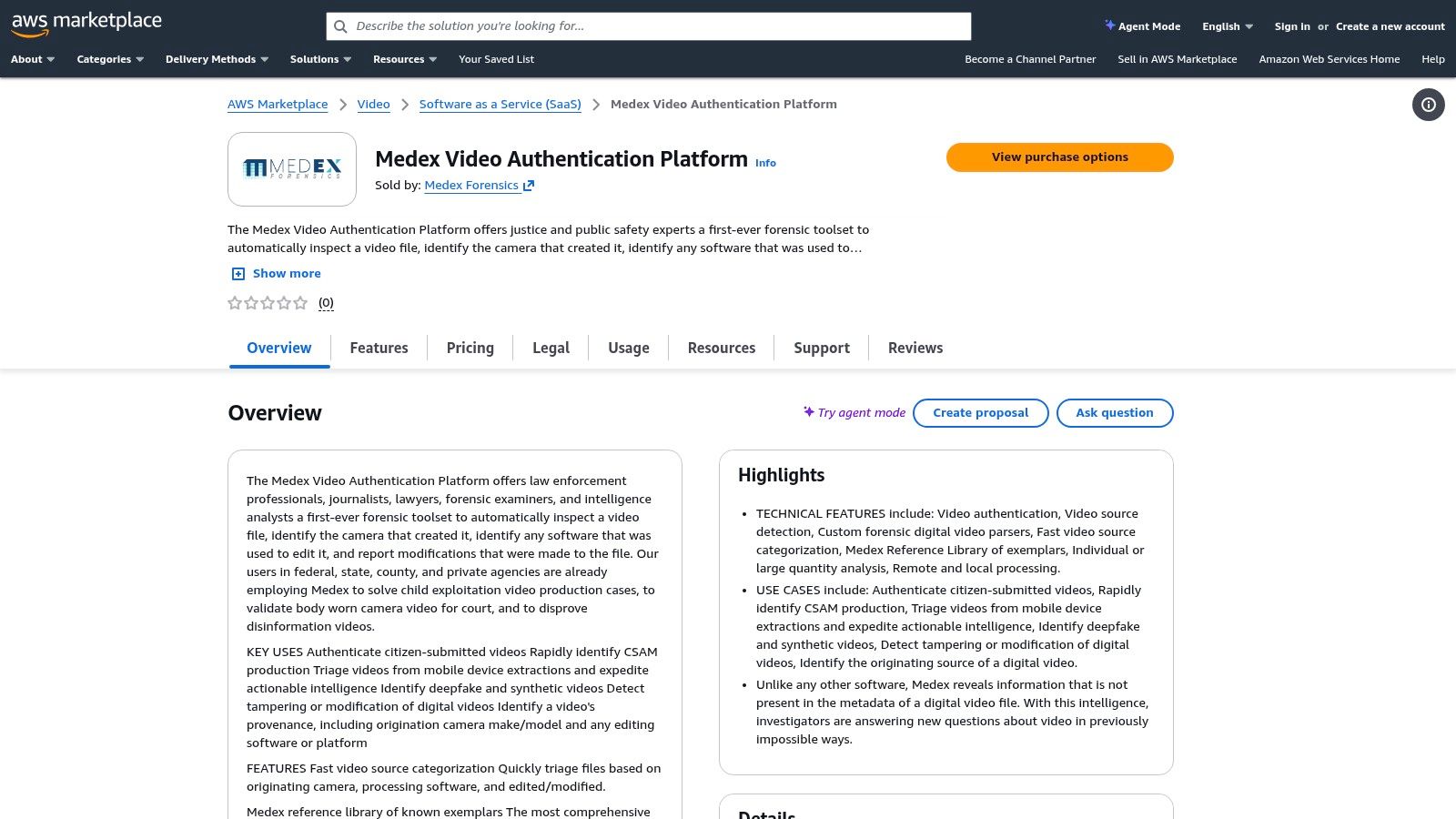
Its primary strength is its purpose-built automation for source integrity checks, contrasting with tools focused on visual enhancement. By deploying as a SaaS solution on AWS, organizations can achieve scalable processing without managing on-premises hardware. This model is particularly useful for public-sector bodies that have standardized procurement through the AWS Marketplace. The platform’s automated approach provides a first line of defense in understanding a video's origin, which is a foundational step in any robust process for video evidence authentication. Note that while Medex is now part of Magnet, marketplace listings may occasionally lag behind vendor rebranding.
Key Features & Considerations
| Feature | Description | Use Case |
|---|---|---|
| Automated Authentication | Automatically analyzes video files to detect signs of tampering, edits, or deepfake manipulations. | An intelligence analyst receives a video from an unverified source and uses the platform to quickly assess if it has been altered before acting on it. |
| Provenance Analysis | Uses proprietary parsers and a large reference library to determine the original camera or software used to create the video. | A law enforcement agency needs to confirm if a video file was genuinely recorded on a specific smartphone model as claimed by a witness. |
| SaaS on AWS | Deployed as a Software-as-a-Service solution on AWS, enabling scalable, cloud-based processing. | A large government agency can deploy the tool across multiple departments without individual hardware installations, paying through existing AWS budgets. |
| Marketplace Procurement | Available directly through the AWS Marketplace, simplifying the purchasing and billing process for public and private sector entities. | A local police department's IT team procures the software through their pre-approved AWS vendor account, speeding up acquisition. |
- Pros: Procurement via AWS Marketplace aligns with many public-sector purchasing processes, purpose-built to detect edits, manipulations and deepfakes.
- Cons: Cloud deployment may require CJIS/GovCloud architectural review for sensitive evidence, marketplace listing details may lag vendor rebranding/integration activity.
- Website: aws.amazon.com/marketplace/pp/prodview-pmsw7glhac73w
11. Magnet Forensics – Magnet Verify
Magnet Verify represents the evolution of Medex, integrating into the Magnet Forensics ecosystem to tackle the growing challenge of digital media authenticity. Rather than focusing on traditional clarification, this forensic video analysis software specializes in source verification and manipulation detection. It is engineered to identify synthetic media, deepfakes, and other alterations, providing examiners with the tools to confirm the provenance and integrity of video and image evidence.
The platform's core function is to analyze the underlying data of a media file, looking for telltale signs of tampering that are invisible to the naked eye. This includes inspecting metadata, compression artifacts, and file structure to trace a file's origin and processing history. Magnet Verify generates detailed reports designed to support expert testimony, strengthening the admissibility of digital evidence in court. As it is a specialized tool, pricing and packaging information is available upon direct contact with their sales team. Its focused approach complements traditional enhancement suites by ensuring the evidence being analyzed is authentic from the start.
Key Features & Considerations
| Feature | Description | Use Case |
|---|---|---|
| Synthetic Media Detection | Utilizes advanced algorithms to detect signs of AI-generated content, deepfakes, and digital alterations. | An investigator receives a video implicating a suspect but uses Verify to determine it was a deepfake created to mislead the investigation. |
| Provenance Tracing | Analyzes file metadata and structure to identify the source camera or device and trace the file's history. | Determining if a video file submitted as evidence was captured on a specific model of smartphone, or if it was re-encoded or edited. |
| Admissibility-Focused Reporting | Generates comprehensive reports that clearly document findings on authenticity and manipulation for legal proceedings. | A forensic expert presents a report in court detailing why a piece of video evidence is authentic and has not been tampered with. |
| Image Authentication | Extends video verification capabilities to still images, checking for signs of photoshopping or other manipulations. | Confirming that a crucial photograph in a civil case has not been altered to misrepresent the scene or individuals involved. |
- Pros: Directly addresses emerging deepfake and synthetic media risks, backed by Magnet’s strong support and training ecosystem, integrates well with a broader digital forensics workflow.
- Cons: Not a general enhancement suite-it complements, not replaces, tools like Amped FIVE; product availability may vary post-acquisition.
- Website: magnetforensics.com/blog/introducing-magnet-verify-the-next-evolution-of-medex
12. Veritone – Investigate / Redact
Veritone shifts the focus of forensic video analysis software from pixel-level enhancement to AI-powered evidence management and redaction at scale. Designed for public-sector agencies, its platform automates the time-consuming process of identifying and obscuring personally identifiable information (PII) across vast volumes of video and audio evidence. This makes it an essential tool for preparing evidence for disclosure, complying with FOIA requests, and managing large-scale digital investigations.
The platform's strength lies in its ecosystem of AI models that automatically detect faces, objects, and keywords, enriching media with searchable metadata. Unlike traditional forensic tools that require manual frame-by-frame analysis, Veritone accelerates the review workflow by allowing investigators to quickly locate critical moments within hours of footage. Its cloud-native architecture, aligned with CJIS and FedRAMP standards via AWS GovCloud partners, provides a secure and scalable solution for agencies handling sensitive data. Procurement is available through the AWS Marketplace or direct sales, with pricing provided upon request.
Key Features & Considerations
| Feature | Description | Use Case |
|---|---|---|
| Automated AI Redaction | AI models automatically identify and track faces, license plates, and other PII for bulk redaction. | A police department needs to release bodycam footage for a public records request; the platform automatically blurs all non-involved individuals. |
| Centralized Evidence Hub | Provides a single, searchable repository for all digital evidence, enriched with AI-generated metadata. | An investigator uploads evidence from multiple sources and uses AI to search for a specific vehicle or spoken phrase across all files simultaneously. |
| Secure Cloud Deployment | Offers CJIS and FedRAMP-aligned cloud options, ensuring compliance for law enforcement data. | A federal agency adopts the platform to manage sensitive case files in a secure, audited, and scalable cloud environment. |
| Streamlined Disclosure | Generates audit logs and simplifies the workflow for sharing redacted evidence with legal teams or the public. | A prosecutor's office prepares and shares redacted video evidence for discovery, with a complete log of all actions taken. |
- Pros: Massively accelerates redaction and evidence review workflows, scales effectively for large evidence volumes, simplifies procurement for government agencies.
- Cons: Focuses on management and redaction over granular forensic enhancement, optimal use requires training, and pricing is quote-based rather than transparent.
- Website: go.veritone.com/redact
Forensic Video Analysis — 12-Tool Comparison
| Product | Core features | Target audience / use case | Strengths (unique selling points) | Limitations & pricing / deployment |
|---|---|---|---|---|
| AI Video Detector | Multi-signal deepfake detection (frame/audio/temporal/metadata); supports MP4/MOV/AVI/WebM ≤500MB; instant confidence scores (~<90s) | Newsrooms, legal & law‑enforcement, enterprises, platforms, educators, researchers, everyday users | Privacy-first (no video storage); fast, explainable confidence scores; continual model updates; public API & no-signup basic use | Free basic detection; paid API/enterprise plans for scale; 500MB file limit; probabilistic output (not legal proof); cloud SaaS |
| Amped FIVE | End-to-end forensic enhancement: 140+ restoration filters, CCTV conversion, audit trail, court-ready reports | Law enforcement, forensic labs, courtroom experts | Widely court-accepted; reproducible scientific reports; extensive enhancement toolset | Enterprise pricing (contact sales); Windows-centric; high-spec workstation needs |
| Axon Investigate | Forensically sound playback, metadata access, project organization, lossless export | Investigators managing large multi-source video sets; in-court presentation | Built by certified forensic analysts; streamlines evidence review and presentation | Agency-focused sales; enhancement features limited vs dedicated suites |
| Cognitech TriSuite64 (MC2) | Advanced enhancement (FrameFusion), 3D photogrammetry, real-time processing, cloud (MC2) option | Forensic labs and courts requiring measurement, advanced enhancement, real-time processing | Deep feature set with long court acceptance; cloud reduces workstation burden | Steeper learning curve; pricing/licensing via sales; complex modules |
| Magnet DVR Examiner / Magnet Witness | Direct DVR filesystem acquisition, deleted-video recovery, export, synchronized multi-video review (Witness) | DVR/CCTV evidence teams and investigators handling large-scale acquisitions | Purpose-built DVR recovery; strong training and documentation | Some features tied to support/licenses; new DVRs may need profiling; contact sales |
| Salient Sciences – VideoFOCUS | Imports 200+ formats, frame-by-frame review, audio/video clarification; subscription or perpetual | Mid-sized forensic teams and analysts seeking mature mid-tier suite | Mature product with training; subscription lowers upfront cost | Smaller vendor ecosystem; narrower enhancement breadth vs top-tier suites |
| MotionDSP (Forensic / Studio / Pro) | GPU-optimized enhancement with live preview; automated/manual redaction (Studio); live IP/KLV (Pro) | Analysts needing fast local enhancement and redaction workflows | Transparent subscription pricing; fast GPU performance; quick onboarding | Less courtroom reporting/audit features; focus on enhancement/redaction not full DEMS |
| CaseGuard Studio | AI-driven video/audio/document redaction, 35+ enhancement effects, end-to-end disclosure workflows | Public agencies and enterprises handling FOIA/public-release and disclosure | Transparent tiered pricing; redaction-first platform; multi-media redaction | Enhancement narrower than dedicated forensic suites; cloud features may raise policy concerns |
| VideoCleaner (Forensic Protection) | Free enhancement filters (denoise, deblur, sharpen), basic tamper checks, metadata view | Budget-constrained labs, community users, adjunct to commercial tools | Free to use; active community and updates; transparent scripts/docs | Windows-only; some legacy components; limited formal reporting/audit trail |
| Medex Video Authentication (AWS Marketplace) | Automated provenance/authentication, proprietary parsers, large reference library; SaaS on AWS | Agencies procuring via AWS; cloud-first evidence/authentication teams | Procurement via AWS Marketplace; scalable SaaS; provenance-focused detection | Cloud may require CJIS/GovCloud review; listing details may lag vendor changes |
| Magnet Verify | Detects alterations/synthetic media, provenance tracing, admissibility-focused reporting | Evidence teams needing image/video authentication; complements enhancement suites | Backed by Magnet support/training; targets deepfake/synthetic risks | Packaging/availability may vary post-acquisition; contact sales; not an enhancement suite |
| Veritone Investigate / Redact | Centralized evidence search, AI metadata enrichment, automated redaction; CJIS/FedRAMP cloud options | Public-sector agencies, large-scale review, FOIA/discovery workflows | Scales to large datasets; rich AI model ecosystem; AWS procurement routes | Emphasis on management/redaction vs pixel-level forensic enhancement; pricing by quote; training recommended |
Making the Final Cut: A Strategic Approach to Software Selection
The landscape of video evidence has fundamentally changed. What was once a straightforward process of clarifying, enhancing, and presenting footage now involves a critical, preliminary step: authentication. Navigating the extensive market for forensic video analysis software requires more than just comparing feature lists; it demands a strategic assessment of your specific operational needs, existing workflows, and the evolving nature of digital media threats. As we've explored, the ideal solution is rarely a single, all-encompassing platform but rather a carefully selected toolkit tailored to your mission.
The journey from a raw video file to court-admissible evidence is complex. Your choice of software must align perfectly with your stage in that journey. For deep, scientifically validated enhancement and meticulous chain-of-custody reporting, established powerhouses like Amped FIVE and Cognitech TriSuite64 remain the gold standard for law enforcement and forensic labs. For teams managing vast repositories of evidence from diverse sources like CCTV and body-worn cameras, platforms such as Axon Investigate and Magnet Witness provide the integrated ecosystem needed for efficient triage and case management.
However, the proliferation of AI-generated and manipulated content introduces a challenge that these traditional tools were not primarily designed to address. The core question is no longer just "What does the video show?" but has become "Is the video real?" This is where a new class of specialized software becomes indispensable.
Matching Capabilities to Your Core Mission
Choosing the right tool is a process of introspection. Before committing to a solution, your organization must clearly define its primary objectives. We can categorize the selection process based on the most common operational needs:
For Court-Admissible Enhancement & Reporting: If your primary function is preparing evidence for legal proceedings, your focus must be on tools with a scientifically rigorous, repeatable workflow. This means prioritizing software that offers peer-reviewed algorithms, comprehensive reporting, and a strong history of courtroom acceptance.
- Top Contenders: Amped FIVE, Cognitech TriSuite64, Salient Sciences VideoFOCUS.
- Key Consideration: The learning curve can be steep, and the cost is significant, but the output is designed to withstand intense legal scrutiny.
For Large-Scale Evidence Triage & Management: If you are a large agency or enterprise security team dealing with high volumes of incoming video, workflow efficiency is paramount. You need a platform that streamlines ingestion, review, redaction, and collaboration across teams.
- Top Contenders: Axon Investigate, Magnet DVR Examiner, CaseGuard Studio.
- Key Consideration: Look for strong integration capabilities with your existing case management systems and robust support for proprietary video formats.
For Proactive Authenticity Verification: If you are a journalist, fact-checker, or legal professional who needs to quickly validate the integrity of a video before acting on it, a dedicated detection tool is essential. The priority here is speed, accuracy, and the ability to detect subtle traces of digital manipulation and AI generation.
- Top Contender: AI Video Detector.
- Key Consideration: This is not a replacement for traditional enhancement but a crucial first step. AI Video Detector's privacy-centric model and multi-signal analysis provide a rapid, reliable verdict on authenticity, preventing the spread of disinformation or the contamination of a legal case with fraudulent evidence.
The Final Verdict: Building a Modern Forensic Toolkit
Ultimately, selecting the right forensic video analysis software is an exercise in building a modern, layered defense against visual misinformation. Your foundational tools for enhancement and analysis remain critical. Yet, in today's environment, failing to integrate a specialized, AI-powered authentication tool is like building a fortress without a gatekeeper. You leave your entire workflow vulnerable to the most sophisticated threats.
By understanding your unique requirements-whether for courtroom presentation, large-scale case management, or rapid-response verification-you can assemble a powerful, complementary toolkit. Start by identifying your most frequent use case, evaluate the solutions that excel in that domain, and then consider how a specialized tool like AI Video Detector can fortify your process. This strategic, needs-based approach ensures you are not just acquiring software, but investing in the long-term integrity and reliability of your visual evidence.


