

Verify Video Authenticity: A Four-Signal Workflow

A 42-second clip lands in your Slack channel at 4:40 p.m. on a Friday. The sender says it shows a city official making an off-the-record threat, or maybe it's an urgent video message from a finance executive authorizing a wire transfer, or perhaps it's dashcam footage submitted for an insurance dispute. Your editor, partner, or compliance lead wants one word back before 5:00 p.m.: real or fake.
That pressure is where forensic mistakes begin. Synthetic video has scaled far faster than most review desks have built procedures to handle it. The Europol Innovation Lab 2022 report on deepfakes, citing a December 2020 study by Sensity, recorded 85,047 deepfake videos on popular streaming websites and noted that the total was doubling every six months. The same report cited Sensity's September 2019 finding that 96% of identified fake videos involved non-consensual pornography, while flagging emerging criminal threats including CEO fraud and tampering with digital evidence.
When you need to verify video under deadline, forcing a binary verdict turns a manageable risk into a career-defining mistake. A defensible desk workflow doesn't hunt for one smoking gun or trust a single green checkmark. Instead, you treat authentication as a layered risk assessment across four independent evidence families, ending in one of three honest outcomes: verified, suspicious, or inconclusive.
The Four Signals That Decide a Video Verdict
No single artifact proves a video is authentic, and no single flaw proves someone fabricated it. An AI generator can render a crisp face that fools a visual classifier while leaving a flat, metallic frequency cutoff in the audio track. Conversely, an ordinary iPhone clip uploaded through two messaging apps can lose its original timestamps and pick up blocky compression seams that make an automated detector scream deepfake.
That's why modern forensic desks gather four separate families of evidence and weigh them side by side. As a 2025 Springer review on deepfake detection and provenance notes, individual detectors often generalize poorly to unfamiliar generators and editing workflows, small deliberate perturbations can flip a synthetic clip into an "authentic" classification, and provenance tools like metadata or watermarks can be stripped or altered. Framing verification around layered signals protects your team when any one method fails.
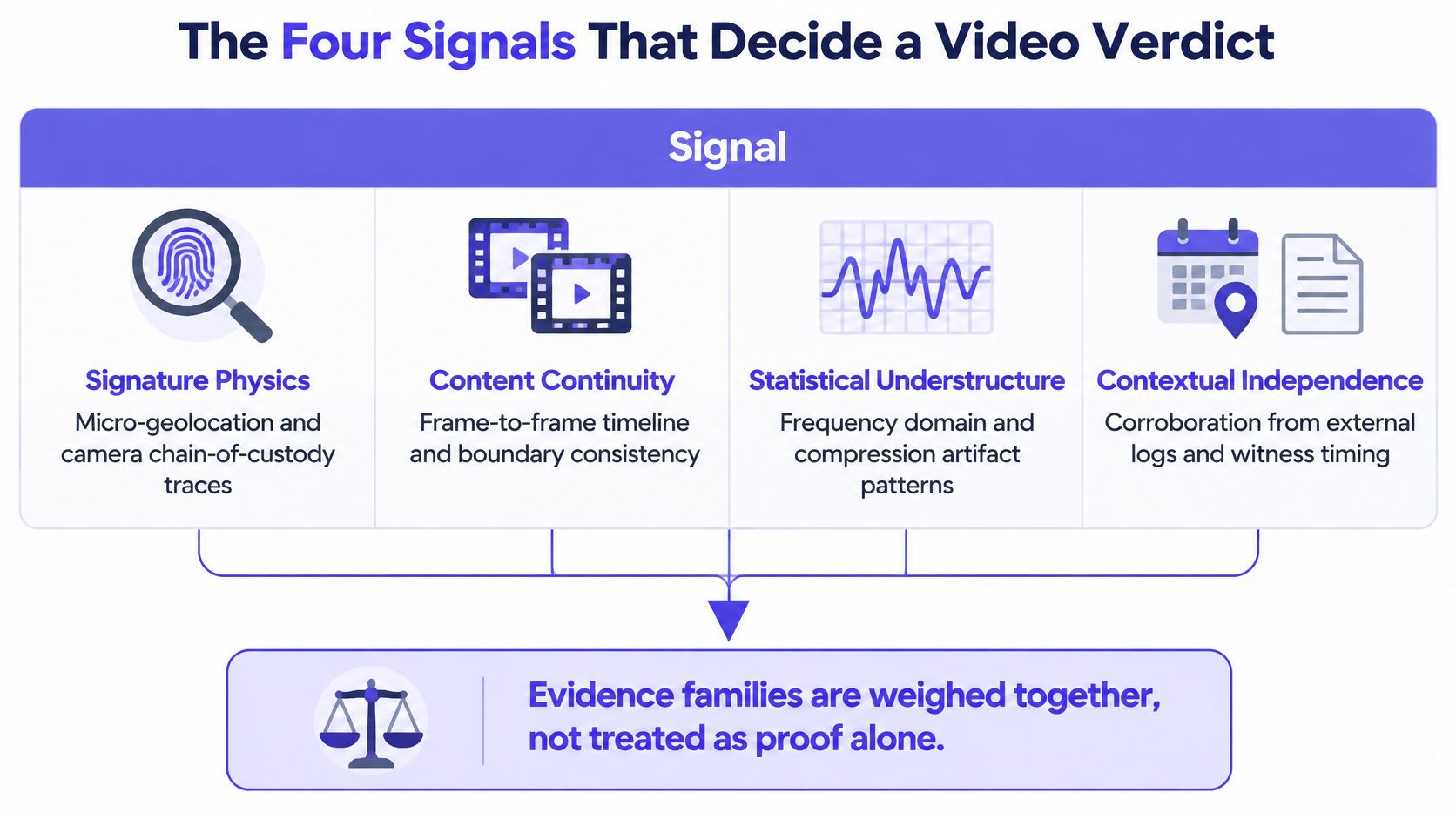
Each evidence family inspects a different physical or mathematical layer of the file. Before opening any tool, map out what each signal tests and where it goes blind.
| Signal | What it examines | Typical flags | What it can prove | Blind spot |
|---|---|---|---|---|
| Frame-level visual | Single frames and face regions | GAN checkerboard texture, diffusion smearing, warped ears or jewellery, mismatched eye reflections, blending seams at jaw and hairline | Whether pixels carry synthesis artifacts | Heavy compression and low resolution erase the artifacts |
| Audio forensics | Speech track, room tone, lip sync | Spectral cutoffs and holes above 8 kHz, vocoder buzz, missing breath sounds, lip-sync offset of two or more frames | Whether the voice track is synthetic or re-dubbed | Music beds, noise reduction and phone audio hide cues |
| Temporal consistency | Motion across consecutive frames | Flicker, identity drift, background warping on head turns, unnatural blinking rhythm, motion discontinuities at cuts | Whether the face was generated or swapped over time | Fast pans, strobe lighting and frame interpolation create false flags |
| Metadata and container | Container, codec, encoder strings, timestamps, GOP structure | Missing or contradictory timestamps, unexpected encoder software, codec changes mid-file, key-frame spacing inconsistent with the claimed device | Whether the file is the original or a re-encode | Metadata is stripped or rewritten in ordinary editing and platform upload |
Why Clean Scores Never Equal Proof
Analysts run into trouble when they invert a negative test result. Seeing zero blending seams around a speaker's jawline doesn't confirm a camera captured that scene. It only tells you the pixel layer didn't trip your visual checks.
A clean result from one signal means that specific test didn't trigger, not that the footage is real.
Every time you verify video for publication or legal review, keep that asymmetry in front of your decision makers. You can sometimes prove manipulation through converging technical evidence, yet proving authenticity almost always requires external corroboration or an unbroken camera original.
Weighting the Four Families on the Desk
Not all four signals carry equal weight when you assemble a verdict. On a standard talking-head or handheld submission, frame-level visual analysis and audio forensics form the core inspection pair because they examine the raw media payload directly.
Temporal consistency becomes the decisive tie-breaker whenever a human face is on screen. Face-swap pipelines and diffusion generators still struggle to keep micro-expressions, lighting speculars, and background geometry locked together across 30 frames per second.
Metadata and container forensics sit in a corroborating role. Intact, consistent camera signatures strengthen a clean media scan, while contradictory timestamps or unexpected editing software tell you to dig deeper into provenance rather than declaring the clip synthetic on sight.
How to Verify a Video Step by Step
A repeatable sequence keeps analysts from jumping straight to a visual gut check and contaminating the evidence along the way. Run these nine steps in order on every high-stakes clip, and never analyze a re-saved or screen-recorded copy when the original file is available.
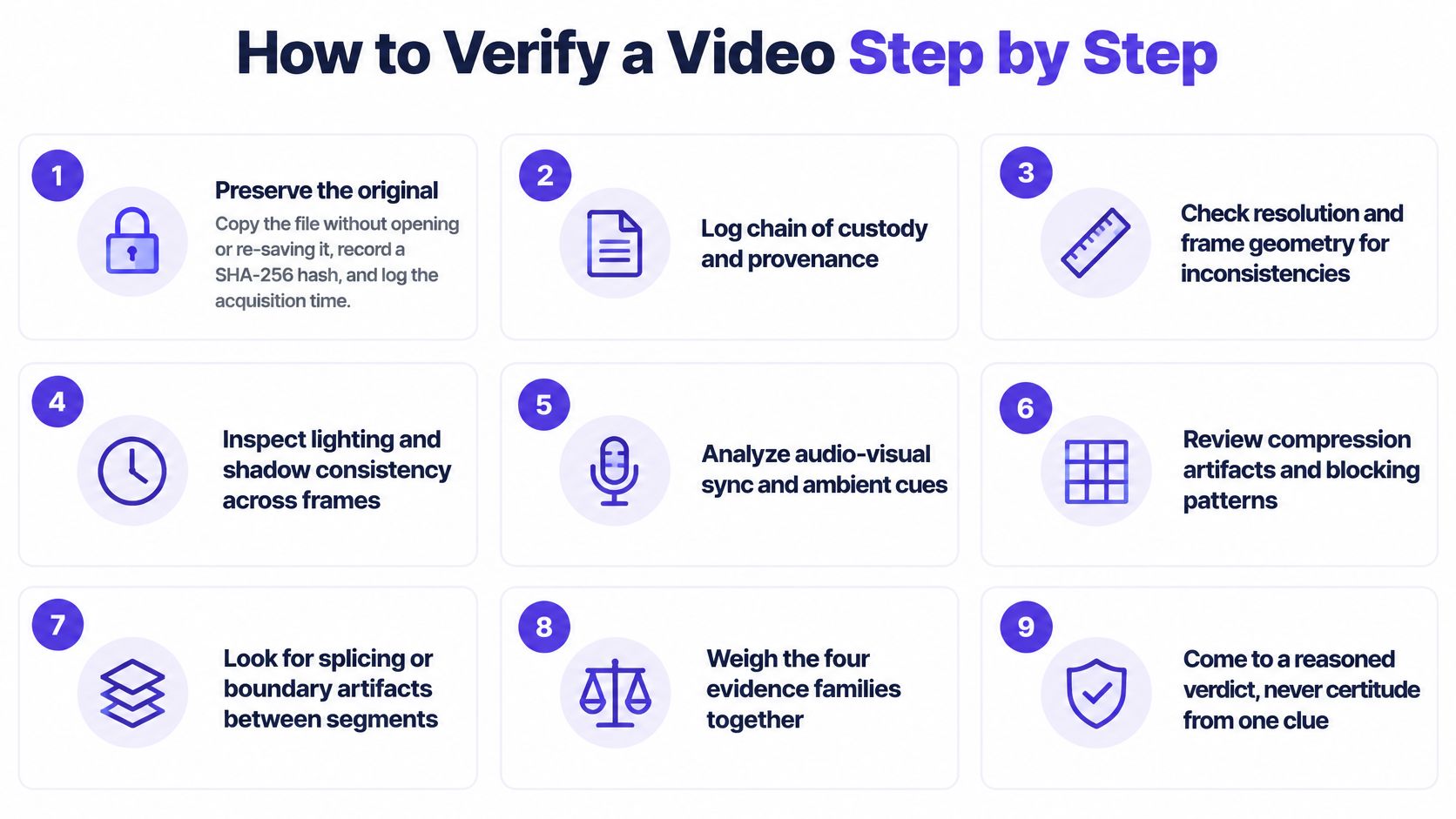
Securing the File and Container Evidence
- Preserve the original file untouched. Copy the raw file into a read-only working folder without opening it in a media editor or letting a messaging client re-save it. Generate a SHA-256 cryptographic hash using
sha256sumon Linux,shasum -a 256on macOS, orGet-FileHashin PowerShell, then log the acquisition timestamp, sender identity, and chain-of-custody notes. Teams skip hashing more than almost any other step, which makes it impossible to prove later that the file you audited is the exact file you received. - Extract container metadata before decoding pixels. Run
ffprobeorExifToolto pull creation timestamps, encoder strings, device identifiers, time base, frame count, and stream relationships, and record the exact version number of every tool you use. As DFRWS research on forensic analysis of video file formats demonstrates, container structures, acquisition parameters, and software signatures can distinguish original camera recordings from post-processed files. If the file carries embedded C2PA content credentials, validate the cryptographic manifest here before treating those credentials as provenance. - Inspect low-level codec traces. Use
ffprobe -show_framesorMediaInfoto inspect the Group of Pictures (GOP) structure, key-frame spacing, quantization behavior, and stream continuity. An authentic smartphone clip usually keeps predictable key-frame intervals throughout, whereas spliced footage can show sudden codec shifts or irregular key-frame cadence right where a segment was inserted.
Inspecting Pixels Audio and Motion
- Scan frames at fixed intervals and across every cut. Sample frames systematically through the timeline, then inspect every single frame immediately before and after a scene cut or transition. Isolate faces to examine skin texture, ear geometry, eye specular highlights, and jawline edges for blending seams.
- Isolate and audit the audio stream. Demux the audio track into a spectrogram viewer such as Audacity or Sonic Visualiser. Check for unnatural frequency cliffs above 8 kHz, steady vocoder hum in quiet room tone, missing breath intakes between long sentences, and frame-by-frame lip-sync offsets.
- Run temporal and optical-flow checks. Step across consecutive frames and run motion-continuity or optical-flow analysis to flag identity drift, frame-to-frame luminance flicker, or static backgrounds that ripple when a subject rotates their head.
Scoring and Documenting the Audit Trail
- Record all four signal scores separately. Resist the urge to blend four numbers into one tidy average. A 99% clean audio track cannot cancel out a glaring temporal face-swap seam, and averaging hides the disagreement an editor needs to see.
- Assign a formal three-tier verdict. Map the combined signal pattern to verified, suspicious, or inconclusive based on signal agreement and provenance strength, and re-run the analysis on the original file if a platform copy is all you tested first. When you need to trace where an uncredited clip originally surfaced before locking in your verdict, a structured video source identification workflow helps connect the file back to its earliest public post.
- Write the forensic handoff report. Include the SHA-256 hash, tool names and versions, separate scores for each signal family, your verdict, and a blunt limitations statement explaining what compression, cropping, or missing provenance prevented you from testing. Skipping the limitations note is the second most common desk failure; without it, stakeholders read an uncertain check as ironclad proof.
Time your own automated and manual pass on a reference clip internally rather than trusting a generic turnaround promise. File length, codec complexity, and resolution change processing times noticeably across desks.
Reading the Results as Verified Suspicious or Inconclusive
Binary "real or fake" stamps look crisp in a Slack thread, yet they fail on the exact clips that matter most. Real-world submissions sit on a spectrum of evidence quality, and pretending an ambiguous clip is definitively authentic or definitively fabricated creates legal and editorial exposure.
Use a structured verdict matrix so every analyst on your team uses the same language for the same evidence pattern.
| Signal pattern | Verdict | What you can say | Next action |
|---|---|---|---|
| All four signals clean, original file and hash preserved | Verified | No signs of manipulation in this file | Publish with the audit trail attached |
| Two or more independent signals flag the same region across frames | Suspicious | Indicators of synthesis present in this region | Escalate to a second analyst, contact the source, request the original |
| Single weak flag with a plausible benign explanation | Inconclusive | Analysis did not resolve authenticity | Request the original file, run reverse search and source interview |
| Metadata stripped but visual, audio and temporal signals clean | Inconclusive, provenance pending | Content shows no manipulation, origin unconfirmed | Confirm with camera original or upload history before publication |
| Signals contradict each other across the four families | Inconclusive | Conflicting evidence, no defensible verdict | Human review, independent second tool, document the disagreement |
| Heavy compression, screen recording or re-upload with weak flags | Inconclusive | Evidence degraded by transcoding | Seek the earliest available copy before concluding |
The Benchmark Confidence Trap
Automated scores are easy to misread because headline benchmark accuracy rarely transfers cleanly to breaking news or legal discovery. A NIST technical overview on synthetic content detection citing a 2023 survey reported that synthetic-video detector accuracy ranged from 62% to 99%, while area under the receiver-operating-characteristic curve (AUC) ranged from 82% to 98% depending on the dataset, manipulation type, compression, and operating conditions.
That spread tells you everything you need to know about raw tool outputs. A detector returning a 95% confidence score on a compressed upload doesn't mean there's a 95% probability the video is authentic or fake in practice. It means the clip resembles examples that scored high under the detector's training distribution.
Calibration and the Asymmetric Cost of Errors
Confidence calibration measures whether a tool's stated probabilities match real-world error rates on your actual footage, not on clean academic benchmarks. Because no threshold eliminates both error types, every organization has to weigh false positives against false negatives before deciding where to draw the escalation line.
- False positive cost in a newsroom: Flagging genuine eyewitness footage as synthetic can kill an accurate scoop or silence a verified whistleblower.
- False negative cost in journalism or finance: Letting a manipulated clip pass as authentic can trigger a libel suit, distort an election story, or authorize a fraudulent wire payment.
- High-stakes escalation rule: Any clip tied to litigation, executive authorization, employment discipline, or front-page publication should require a second human analyst whenever a score lands below verified.
Precision in Your Final Reporting Language
Words matter once your note leaves the verification desk. Write "no signs of manipulation detected" when technical signals come back clean on a file with unverified origin. Reserve "verified authentic" strictly for cases backed by intact provenance, a camera original, or independent eyewitness corroboration.
Hold "AI-generated" or "synthetically manipulated" for files where at least two independent signal families flag the same temporal segment or facial region and benign editing causes have been ruled out.
Where Manipulation Shows Up First in Practice
A producer drops a 12-second user tip on the desk and wants an answer before the rundown. The model score is one layer, not the verdict. I run a targeted manual pass on the spots generators and face-swap tools still break first, then file the clip as verified, suspicious, or inconclusive. A face that looks fine at normal speed does not close the file.
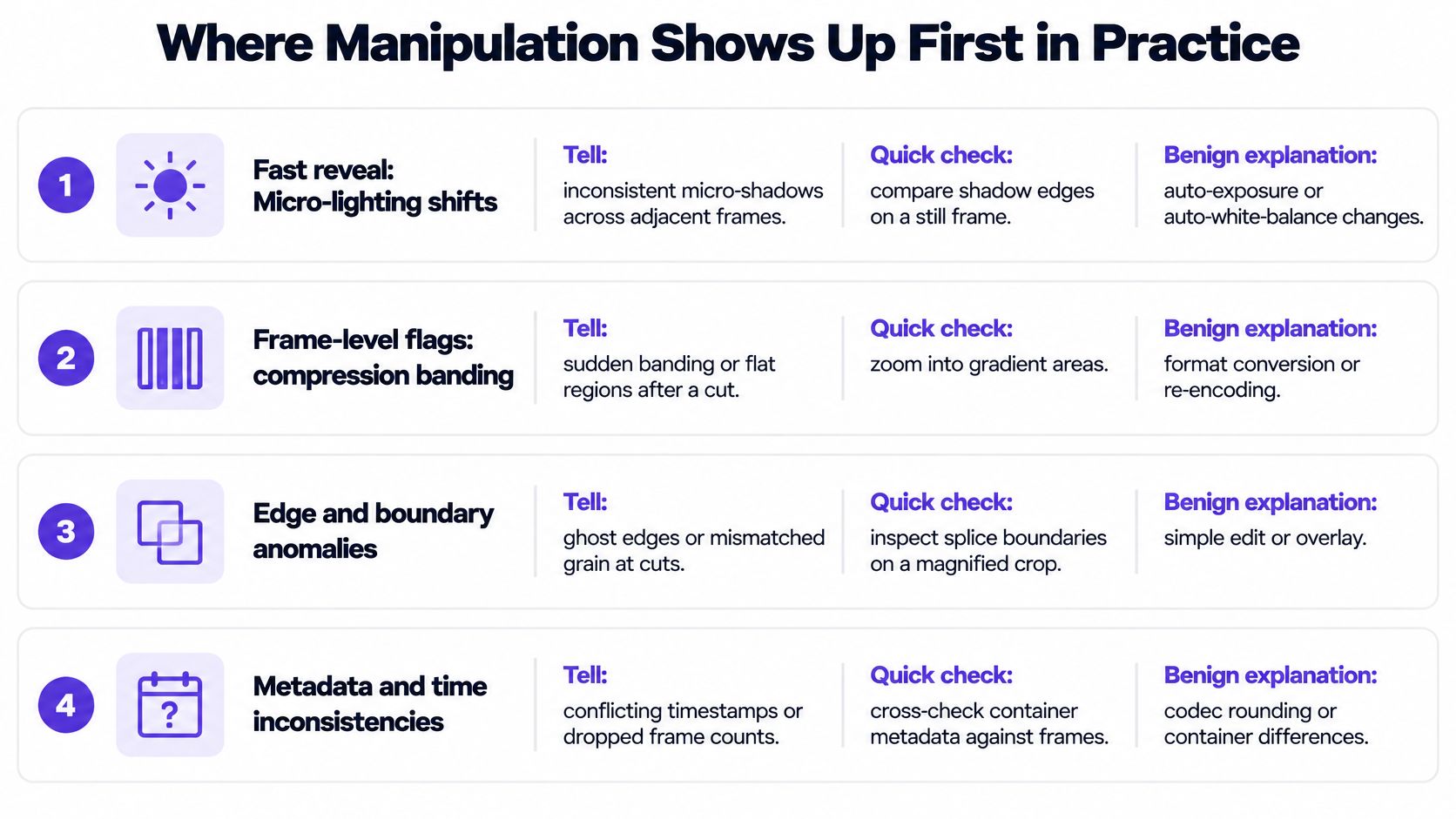
Setting Up Your Manual Scrub
Normal playback hides the breaks. At 24 or 30 frames per second, vision fills in micro-glitches. Load the clip in a frame-accurate player such as VLC, mpv, or Shotcut, zoom to 200 percent on the face and hands, and step one frame at a time with the keyboard shortcut.
Park two stills about one second apart side by side. Texture drift, shadow mismatch, and boundary flicker sit in those stills and disappear once the picture is moving.
Reposted footage breaks the same checks for a duller reason. A tight crop removes the hands. A screen recording turns teeth into a smear. Stabilization bows a door frame that was straight in the camera original. When the signal is damaged rather than synthetic, the honest label is inconclusive.
High-Yield Inspection Checklist
Start with the frame-level cues already on your list: mismatched eye reflections, warped earlobes, and blending halos along the hairline. Then work these seven checkpoints. Every row is a first-pass filter. The third column is why one tell never stands as a verdict.
| Tell | Quick check | Benign explanation |
|---|---|---|
| Teeth and mouth interior | Zoom to 200 percent on the mouth and step frame by frame to see if individual teeth blur into a solid white bar or flicker between frames | Low resolution, motion blur, dark lighting |
| Hands and fingers | Count digits in every frame where hands cross the frame and watch for merging fingers | Gloves, occlusion, motion blur |
| Text and signage | Read small text behind the subject and check whether letters morph across frames | Compression, out-of-focus signage, foreign scripts |
| Background straight lines | Check door frames and window edges for bends or shimmer during camera moves | Lens distortion, rolling shutter, stabilization |
| Blink rate | Count blinks across about 30 seconds and compare them with a typical adult cadence for that lighting | Squinting, strong sunlight, a short clip |
| Lip-sync offset | Play audio and video separately and count the offset in frames | Editing, dubbing, transcoding delay |
| Frame comparison | Compare two frames one second apart to expose flicker | Scene lighting change, auto exposure |
Poor light, stabilization, and hard re-encoding produce the same picture as a weak synthetic edge. Mark the region, note the benign cause you cannot rule out, and leave the clip inconclusive until a second cue lands on the same frames.
Lip-sync needs that extra split. Lawful localization and ordinary post-production move the speech track on purpose, and a few frames of delay after a dub or a transcode is an offset, not an impersonation. Creator guidance such as dubbing safety tips for creators covers how AI voice localization changes timing and leaves audio artifacts. On the verification desk, separate that workflow from a mouth that never forms the phonemes you hear in those same frames.
Two tells on one region, with the benign column cleared, move the file to suspicious and into a second pass. One tell on wrecked footage stays inconclusive.
Verifying Clips That Have Already Been Recompressed
Most viral misinformation never reaches your desk as an untouched .mov straight off an SD card. It arrives as a WhatsApp forward, a cropped TikTok screen recording, or a re-encoded livestream clip passed through three social platforms before anyone asks you to verify video authenticity.
By that point, the technical evidence has already taken heavy damage. Social platforms strip container metadata automatically on upload, aggressive block compression wipes away subtle GAN and diffusion pixel textures, text overlays and color filters introduce artificial edges that mimic tampering, and recording a phone screen with another camera adds moiré patterns and display refresh flicker.
What Compression Does to Detector Reliability
According to Tech Policy Press's analysis of AI deception and detection, low-resolution and heavily compressed reuploads continue to confuse automated detectors, while ordinary edits, overlays, and re-recordings routinely trigger false positives. The same analysis notes a research finding that cross-compression evaluations can reduce state-of-the-art detector AUC by 15% to 40%, alongside the complete loss of container metadata during platform distribution.
Every generation of re-encoding erodes the signal-to-noise ratio your tools depend on. If you want to recognize how macroblocking, mosquito noise, and bitrate starvation mask or mimic synthetic artifacts, reviewing a breakdown of how video compression artifacts affect verification helps separate platform damage from deliberate forgery.
The Degraded-Clip Triage Order
When a clip arrives visibly degraded, flip your usual workflow upside down. Don't start with pixel-level AI detection because low-bitrate artifacts will drown out genuine synthesis cues. Run these four checks first:
- Hunt down the earliest available copy: Extract clean keyframes and run reverse image search across Google Lens, Yandex, and TinEye, alongside platform archive searches, to locate an earlier, higher-resolution upload before transcoding wiped the pixels.
- Cross-check the audio independently: Compare the voice recording against known public speeches, interviews, or alternate camera angles of the same event to see if genuine audio was grafted onto manipulated footage or vice versa.
- Verify time and place externally: Match shadows, sun angles, weather conditions, street signs, and background landmarks against historical weather logs and satellite imagery to test whether the scene happened where and when the uploader claims.
- Interview the source directly: Ask how the clip was captured, what device recorded it, and how it traveled to you, then request the native file via cloud link or email attachment rather than a messaging app.
Setting a Hard Minimum Quality Floor
Every verification desk needs a quality floor where analysts stop guessing. As a practical rule, once a clip drops below roughly 480p with heavy macroblocking and crushed audio, frame-level and spectral signals are too degraded to support a decisive automated verdict.
Evidence floor: Absence of metadata isn't proof of fakery, and degraded input deserves a degraded certainty label rather than a confident score.
Default heavily compressed, low-resolution reposts to inconclusive until you obtain an earlier generation of the file or establish provenance through external reporting.
Checking a Detector Before You Trust Its Score
A tip lands ten minutes before publish, or a clip is about to support a payment. The number on the detector is not the verdict. Treat it as one layer in a risk assessment that has to end as verified, suspicious, or inconclusive.
Vendor pages favor a single accuracy figure. Those numbers usually come from testing a model on the same narrow dataset used to train it. Cross-dataset testing tells a different story. In a CVPR 2022 workshop study on cross-dataset generalization by Nadimpalli and Rattani, the best cross-dataset deepfake model reached only 0.669 AUC on Celeb-DF when evaluated outside its training distribution. A brochure score can collapse on an unfamiliar generator or a compression path the training set never included. I would not let that figure alone move a clip to verified.
Audit Criteria for Any Verification Tool
Put every tool through the same six-point interrogation before it can push a desk toward verified, suspicious, or inconclusive.
| Criterion | What to ask for | Red flag |
|---|---|---|
| Cross-dataset performance | Scores on datasets not used in training | Only single-benchmark accuracy reported |
| Per-condition results | Results split by generator, platform, resolution and compression | One blended accuracy number |
| Threshold metrics | Precision, recall, F1 and false-positive rate at the stated threshold | Only AUC or accuracy shown |
| Robustness | Results on lightly altered or re-encoded fakes | No robustness testing reported |
| Explainability | Which regions or frames drove the score | Black-box score with no visible evidence |
| Operational facts | Formats, size limit, processing time, storage policy, sign-in need | Retention policy unstated |
Raw scores still need a map to real error rates. A closer look at confidence calibration in video detection shows why precision, recall, and false-positive rate at the decision threshold matter more than a headline AUC. If the tool cannot show which frames drove the score, keep the call at suspicious or inconclusive until a person reviews the frames.
Operational Privacy and Access Checks
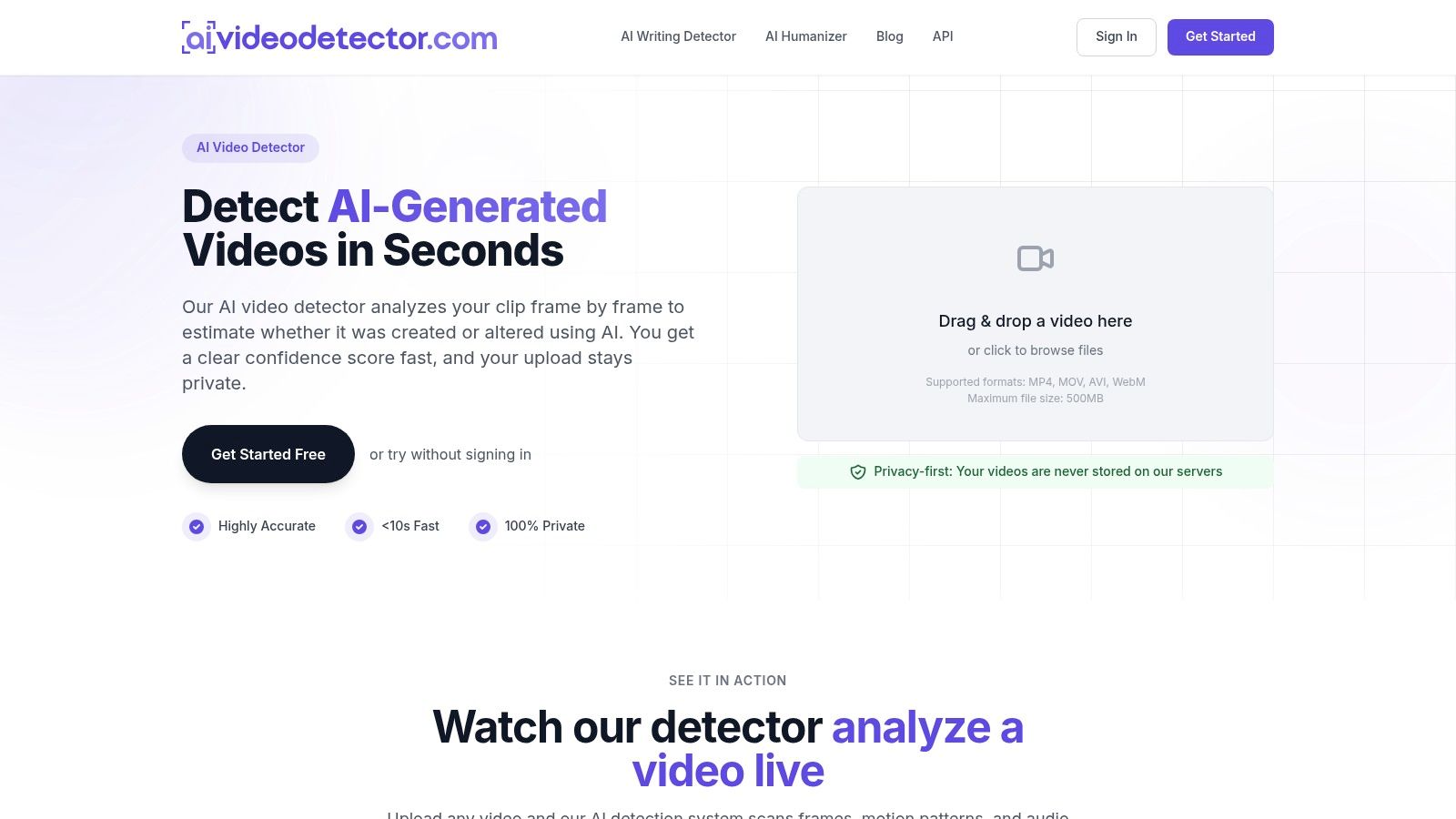
Legal teams and investigative reporters cannot send witness footage to a host that will not state its retention policy. Before a confidential clip goes in, confirm formats, storage, processing time, and whether sign-in is required.
AI Video Detector accepts MP4, MOV, AVI, and WebM video files, processes uploads in real time, and never stores uploaded videos on its servers. Free use of basic detection does not require registration, so an analyst can test a clip without signing in.
Campaign teams spot bot traffic in campaigns before they trust a conversion number. A verification desk has the same job: audit the instrument, then read the score.
Run a Ten-Clip Known-Answer Test
Documentation is not a trial. Build a private ten-clip set whose ground truth you already know: five authentic phone clips run through the social and messaging apps your desk receives, and five synthetic clips from a generator the vendor does not feature in its demos.
Run all ten. Log false alarms and missed synthesis, and mark which failures should force inconclusive rather than verified. The detector supports an analyst's judgement. It does not replace it.
Run the Check Before You Publish or Pay Out
Verification isn't an academic exercise once money, reputation, or legal liability sits on the table. If a clip is heading into a published article, a court filing, a wire-transfer approval, or an HR disciplinary file, run all four signal families on the earliest original file available, document your verdict and audit trail, and require a second analyst to review anything that lands below verified.
When a clip arrives from an unknown tipster or unverified social account, treat it as active triage. Launch provenance outreach, reverse searches, and source interviews in parallel instead of waiting around for a single detector score to rescue a tight deadline.
Your Five-Day Starter Routine
You don't need an enterprise lab budget to put a working verification desk in place this week:
- Day one: Pick one free real-time detector that allows triage without mandatory account creation and assign one primary human reviewer plus a backup escalations lead.
- Days two and three: Run the ten-clip known-answer test across genuine compressed clips and unfamiliar synthetic samples, recording exactly which conditions break the tool.
- Day four: Adopt one shared report template covering the SHA-256 hash, acquisition log, four separate signal scores, three-tier verdict, limitations statement, and escalation contact.
- Day five: Run the complete desk workflow on a live submission and have a second analyst audit the handoff package before release.
Across digital commerce and media alike, teams increasingly pair technical checks with provenance audits, much like audience authenticity checks for DTC brands from Social Cloud separate genuine reach from fabricated engagement. Skipping a 20-minute verification pass feels fast right up until you have to retract a front-page story, defend compromised evidence in court, or explain an unrecoverable wire payout. Every one of those failures costs exponentially more to unwind than checking the file upfront.
Ready to test a clip against a structured four-signal workflow before it hits your broadcast queue, legal brief, or approval desk? Upload an MP4, MOV, AVI, or WebM file to AI Video Detector to run a free basic check right now with no sign-in required and real-time processing that never stores your video on our servers, then pair the output with your hash log, manual frame scrub, and provenance trail.


