

Metadata Description for Checking Video Files

A metadata description is a structured account of a video's subject and claimed file history, but it cannot by itself prove that the pictured scene is real. Checking metadata is useful; treating it as a real-or-fake test isn't.
The popular advice to inspect a video's properties leaves out the hardest question: what does each property establish? A camera date, an editor name, a signed credential, and an empty metadata panel carry different kinds of evidence. Newsroom, legal, and security readers need to distinguish them before turning a file record into a conclusion.
What a Metadata Description Records
A metadata description is more than the caption beneath a video player. It combines an understandable account of the resource with fields that software can store, search, compare, and preserve. For video verification, that means describing both what someone says the clip depicts and what can be established about the particular file received.
A useful description identifies the subject, stated source, language, and intended use. Its structured companions might identify a creator, date, format, identifier, rights statement, or related resource. These fields let colleagues retrieve the right clip without relying on a filename such as final-video-revised.mp4.
The layers a reviewer encounters
Metadata appears in different places, and a reviewer shouldn't collapse them into a single record without retaining their origins.
- Readable description: A sentence explaining the clip's subject and context, written by an uploader, journalist, archivist, or investigator.
- Structured application record: Property-value entries in an evidence system, catalog, or detector log, such as creator, source, language, and rights.
- Embedded technical tags: Container and codec information written inside files such as MP4 and MOV by cameras, editors, or transcoders.
A newsroom journalist might use the readable layer to identify eyewitness footage. A lawyer needs the application record to connect an exhibit with its receipt and handling history. A security analyst reviewing an impersonation clip may start with embedded encoder information to identify which processing steps warrant closer examination.
A description and a technical record can disagree
Consider a hypothetical upload described as footage of a downtown protest, recorded on a phone and submitted directly by its owner. The container instead names desktop editing software and carries a modification time later than the claimed capture.
Those findings aren't necessarily contradictory. The owner may have trimmed the clip before submitting it, or a colleague may have exported it from an editor. The reviewer should ask about that missing step rather than changing the description or declaring the footage fabricated.
Practical rule: Keep the uploader's account, the extracted tags, and the analyst's interpretation distinguishable.
A clean record might preserve the protest description as an uploader claim, record the encoder string exactly as extracted, and add an unresolved question about the export. That gives the next reviewer something testable. A flattened note saying authentic phone footage would discard the distinction the investigation needs.
Metadata Classes and Evidentiary Weight
What each metadata class can and cannot establish
| Class | Typical fields | Alteration | Supports | Does not prove |
|---|---|---|---|---|
| Descriptive | Title, subject, description, language | Easy to rewrite | Claimed subject and intended use | That the scene occurred |
| Provenance | Creator, publisher, rights, custody events | Ordinary records editable; signed records harder to alter undetected | Claimed origin and custody | That every custodian was honest |
| Technical | Container, codec, encoder, bitrate, duration | Changes on transcode | Signs of processing history | That a camera was genuine |
| Temporal | Creation and modification times | Easy in ordinary tags | Whether dates agree | That the device clock was right |
| Spatial | GPS or coverage location | Easy to strip or spoof | A claimed capture place | That the device was there |
| Cryptographic | Signed content credentials and file binding | Often stripped by platforms | Origin and edit history if the signature validates | Absolute authenticity |
| Identifier | Persistent ID and file hash | Hash changes when bytes change | Which file was examined | The meaning of the pictures |
The table separates usefulness from certainty. A descriptive tag can accurately explain a clip while saying nothing reliable about its capture device. A hash can identify the exact bytes examined without establishing whether the recorded event was staged.
Technical fields deserve similar restraint. A forensic study published in 2021 found that editing tools often leave structural metadata traces, but also found that processing by platforms including TikTok and Weibo can invalidate metadata-based forensic methods. An encoder trace therefore needs to be interpreted in the context of how the file reached the reviewer.
Why a signature carries different weight
A plain creation-date tag is an assertion stored in a file. Someone can change the assertion without producing an obvious warning in an ordinary properties panel. A signed content-credential manifest offers a different test: a reviewer can check its signature and whether its binding matches the file being examined.
That distinction makes validated signed provenance stronger evidence of a documented file history, not an unlimited guarantee about the world outside the camera. A valid record can still accompany footage of a staged event, a misleading camera angle, or a screen displaying manipulated imagery.
Re-encoding complicates the technical row. An export may preserve the visible story while replacing the original container structure and encoder information. The evidence available is the file received, not the richer record the reviewer hopes once existed.
Use findings rather than a binary verdict
Prefer bounded language in a report:
- Intact signed provenance: The validated record strengthens the stated origin or editing history.
- Ordinary metadata: The fields provide context that needs corroboration.
- Missing or inconsistent metadata: The record identifies an investigative gap, not proof of synthesis.
For an exhibit or newsroom verification packet, organize these observations as digital evidence, with acquisition details and interpretation kept distinct. That allows another reviewer to challenge the reasoning without losing the underlying observations.
Fields to Keep in a Video Record
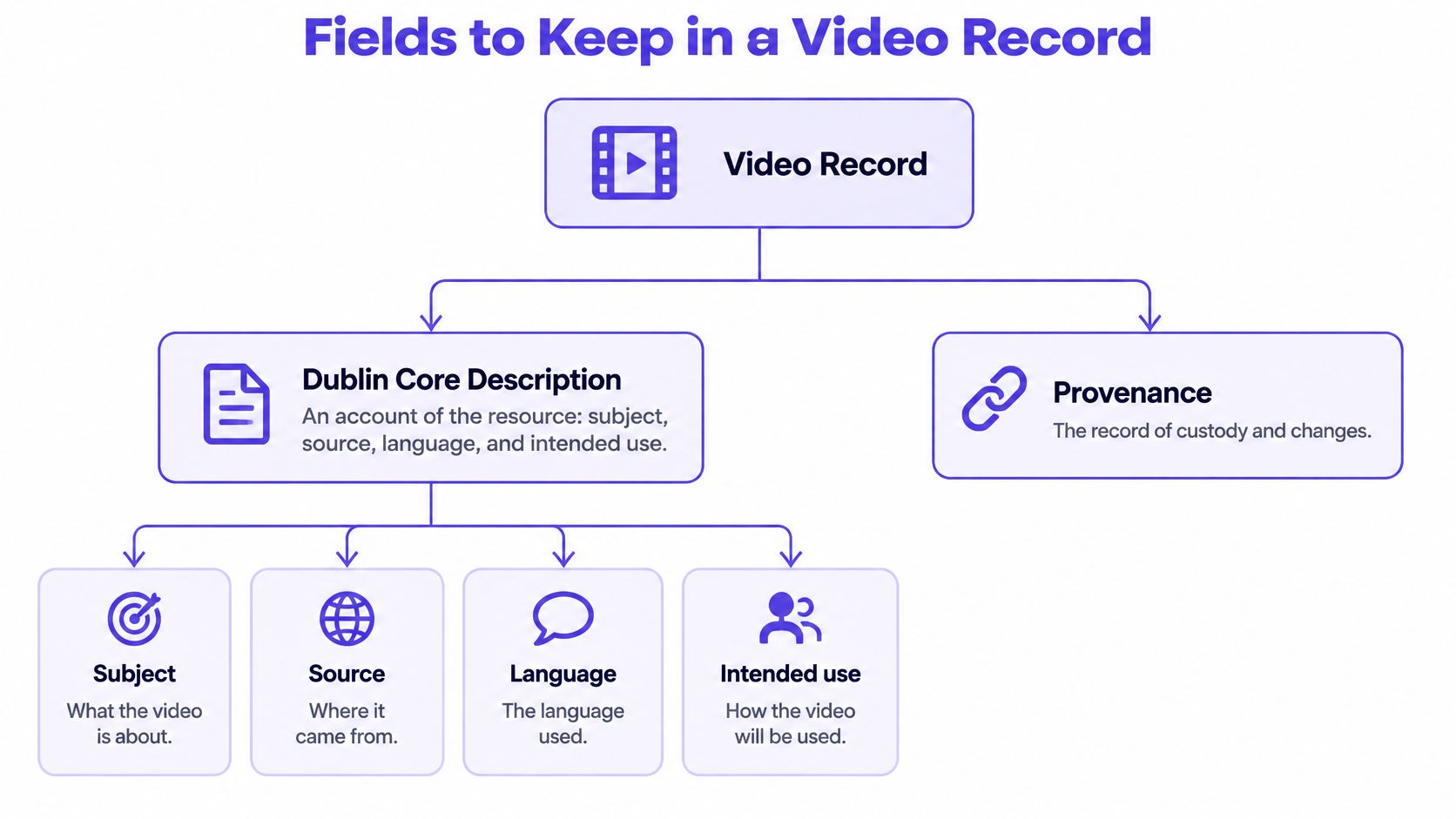
Start with a description a colleague can understand without playing the clip. State its subject, where it was obtained, the language used, and why the organization retained it. Then attach structured fields that support searching, comparison, and custody review.
The Dublin Core Metadata Terms distinguish description, an account of the resource, from provenance, a record of ownership or custody changes significant to authenticity, integrity, or interpretation. For dates, use ISO 8601-1 or a compatible published profile, as recommended in the terms, and prefer persistent, globally unambiguous identifiers.
The record below separates the readable account from custody information.
A worked newsroom record
Suppose a desk receives a clip showing a station fire. Its record could look like this, with claims explicitly attributed rather than accepted.
| Field | Hypothetical entry |
|---|---|
| Description | Eyewitness clip of a station fire; English commentary; retained for verification |
| Creator | Uploader handle, identity not independently confirmed |
| Publisher | Not established |
| Source | Direct submission through the newsroom intake channel |
| Creation time | Capture time supplied by uploader, unverified |
| Modification time | Container value retained exactly as extracted |
| Identifier | Evidence-store identifier and original-file hash |
| Format | MP4 container with H.264 video |
| Rights | Unknown; user submitted |
| Custody | Received by desk; copied to evidence store |
| Intended use | Editorial verification, publication permission unresolved |
Unknown is a useful value. It tells colleagues that a question remains open. A blank field is less helpful because it may mean unknown, not collected, not applicable, or accidentally omitted.
Keep creation and modification values separately. Also distinguish the time a newsroom received a file from the time a device allegedly captured the scene. Those events answer different questions.
Preserve the source and normalize a copy
Store the original embedded metadata separately from normalized application metadata. Normalization makes records easier to exchange, but it shouldn't overwrite the text or tags that arrived with the file.
For each extraction, retain the parser name and version, extraction method, original-file hash, and raw output. Record both the declared meaning and what the analyst observed. For example, the parser observed a container field containing a date; it didn't observe the camera recording the event on that date.
This structure supports a newsroom verification log, a legal chain-of-custody note, or a reproducible detector report. A later analyst can reopen the same file and investigate differences between parser outputs instead of guessing which copy was examined.
An ordinary container date should remain a claim until independent evidence, such as a validated signed manifest or a relevant capture-device record, corroborates it.
Standards and Description Field Names
Different tools may display the same readable account under description, caption, or another property name. The reviewer's job is to preserve both the text and the field that supplied it, rather than assuming all labels carry identical meaning.
The standards history explains why a compact description field appears across otherwise different systems.
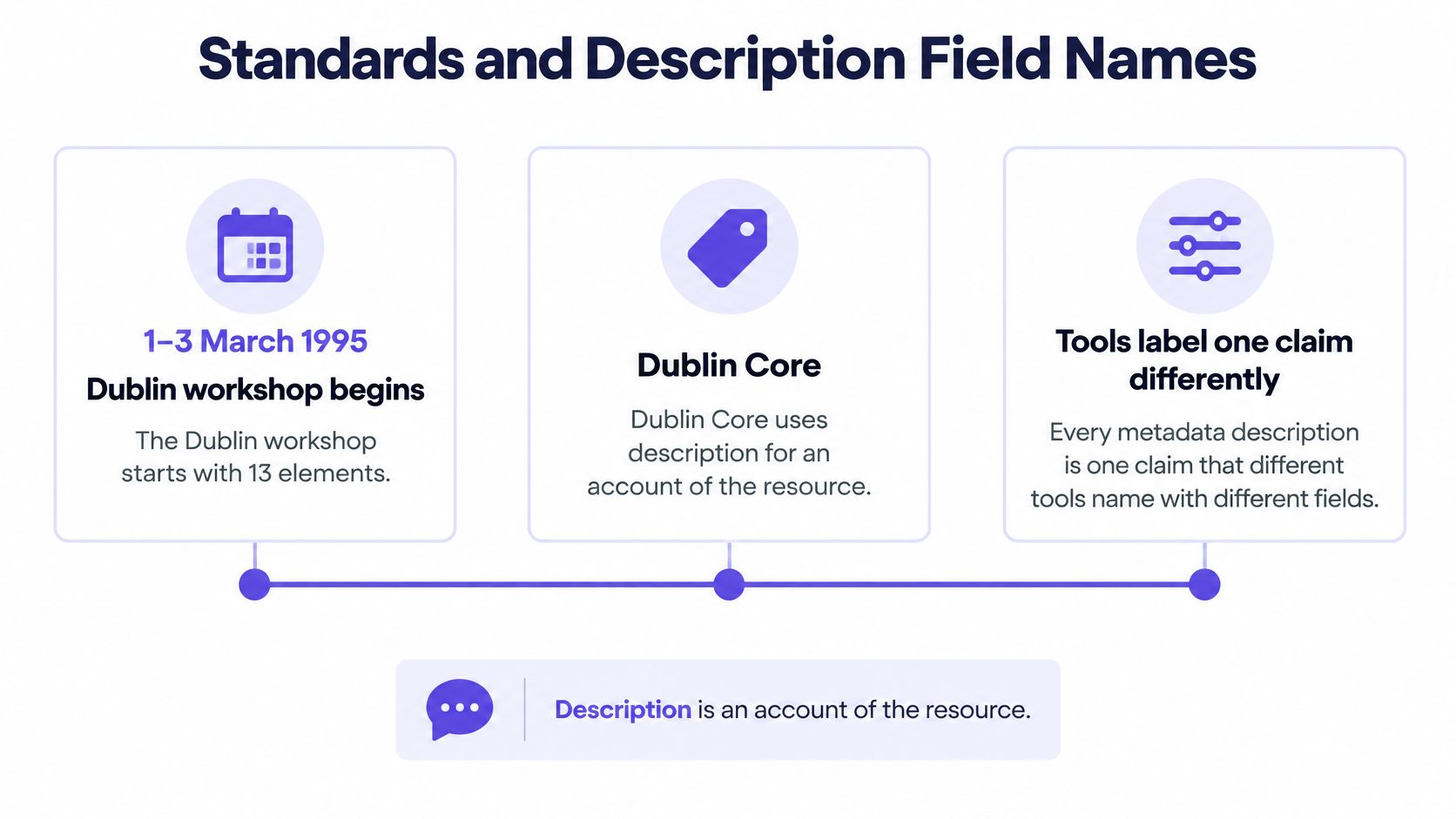
The OCLC/NCSA Dublin workshop of March 1–3, 1995 began with 13 elements, later expanded to 15, to support discovery through a compact shared vocabulary. Its practical contribution wasn't an exhaustive forensic schema. It was a common language for describing resources across institutional and technical boundaries.
Where a video description is stored
| Standard | Field | What it holds | Authenticity role |
|---|---|---|---|
| Dublin Core | description | Account of the resource | Claimed subject, source, language, and use |
| EXIF | ImageDescription | Short device or editor text | Ordinary tag, easy to rewrite |
| IPTC | Caption/Abstract | Human caption | Ordinary tag, easy to rewrite |
| XMP | dc:description | Dublin Core description inside the file | Ordinary tag unless a signature covers it |
| C2PA | Content-credential assertions | Origin and edit history bound to a hash | Stronger only if the signature validates |
| RDF | Resource, property, value | Linked statements such as creator, rights, and format | Interoperable record, not proof |
These are places to inspect, not a promise that every video container carries every field. A tool may also use a friendly display label instead of exposing the underlying property name.
RDF became a W3C Recommendation on February 22, 1999, providing a machine-processable model for linked statements about resources. In a video catalog, that approach lets a file connect to its creator, rights record, source, and related exports without squeezing every relationship into a description sentence.
For a complementary explanation of metadata concepts, the following video provides another presentation format.
Map labels without rewriting evidence
Use a repeatable crosswalk:
- Copy the original: Retain the embedded description exactly, including unusual spelling or punctuation.
- Name its location: Record the standard, property name, and extraction tool.
- Normalize separately: Map author to creator or caption to description in the application record.
- Protect the source: Leave original bytes and their hash untouched.
- Separate custody: Put transfer and handling events in provenance fields.
An eyewitness description remains the same account when a different application displays it as a caption. By contrast, C2PA content credentials require validation of signed assertions, not merely reading a sentence in a panel.
How to Read One Video File History
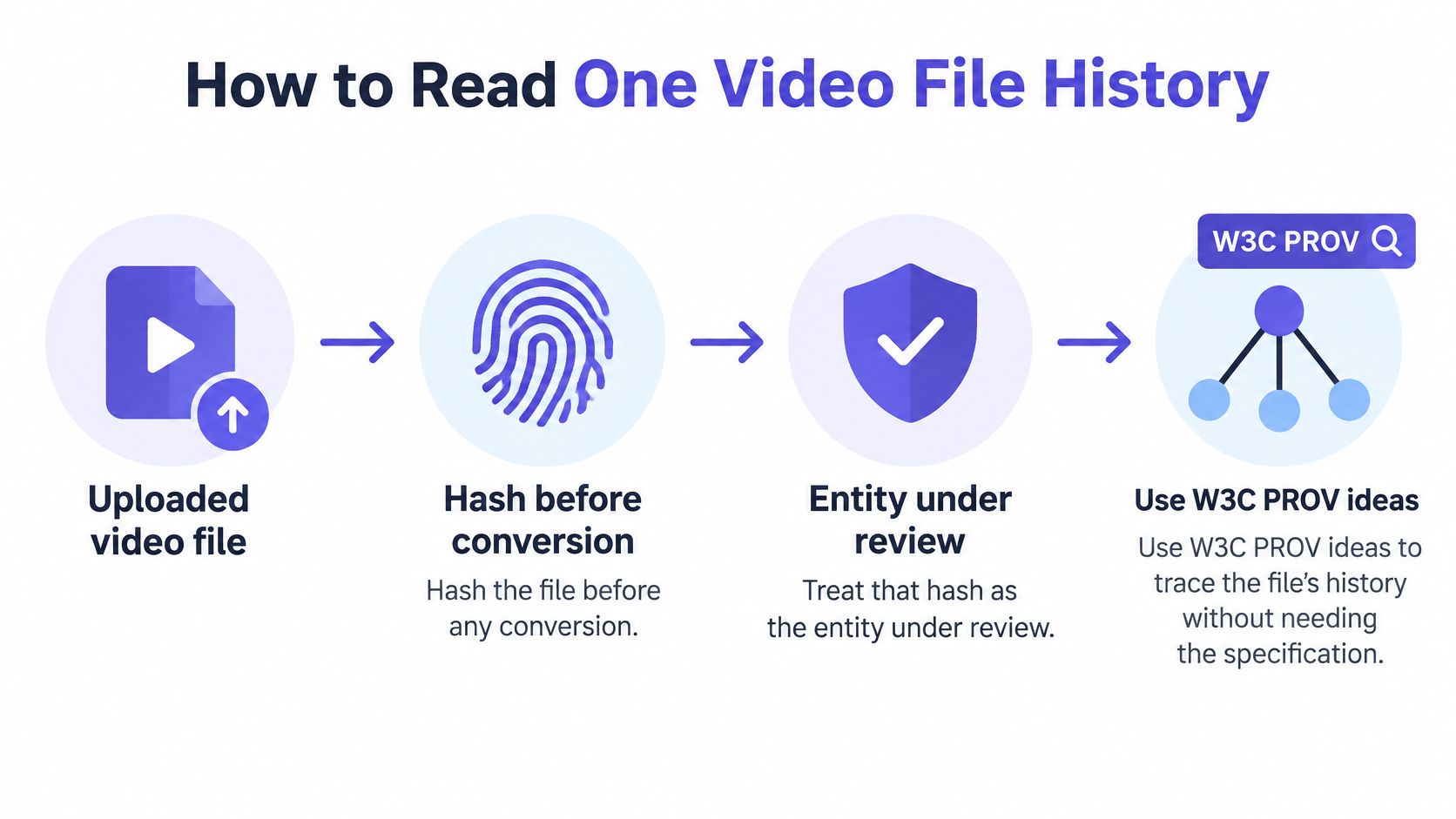
Treat the uploaded file as an object with a traceable history, not as a loose collection of tags. The W3C PROV data model organizes provenance around entities, activities, and agents, and describes its role in assessing quality, reliability, and trustworthiness.
For a reviewer, those terms are concrete. The file is an entity, an export is an activity, and the editor or software responsible is an agent. The diagram illustrates where to begin.
Build an auditable sequence
Hash before conversion. Compute a cryptographic hash, such as SHA-256, before editing or transcoding. Identify the file by that hash in the investigation record, and work from a copy.
Extract and retain. Use tools such as ExifTool and ffprobe to inspect container, codec, dates, location, and encoder information. Check separately for content credentials with a suitable validator. Save raw outputs and tool versions.
Separate assertions from observations. A parser's successful extraction establishes that a field was present. It doesn't independently establish the truth of the value. Filesystem times, device logs, and signed manifests also need their own origins documented.
Name activities and agents. Record capture, editing, transcoding, upload, extraction, and detection when supported by evidence. Attribute each step to the uploader, organization, software, or analyst responsible, leaving unsupported steps unknown.
Connect the objects. Record that a transcode was derived from an earlier file and that an analysis activity generated a report. Keep start or completion times for activities when available.
Retain conflicts with confidence notes. Don't delete a value because another seems more plausible. Explain which claim has support, which remains unverified, and what could resolve the disagreement.
Document the extraction itself. Record who ran the parser, which version they used, when they ran it, and which hash they examined. This is provenance of the provenance.
Resolve a disagreement without inventing a history
Suppose a hypothetical creation tag names an earlier year, while the uploader says the clip was recorded yesterday. Neither claim has a validating signature or corroborating device record. Preserve both and request the earliest available source file.
Consulting a metadata date interpretation guide can help distinguish fields, but field interpretation alone won't resolve an unsupported account. The note should identify the disagreement rather than selecting whichever date suits the investigation.
An observed tag is evidence that the file contains a claim. Corroboration determines how much confidence to place in that claim.
For teams acquiring live streams, preservation planning starts before an incident. Use 3rd-i's discussion of cloud retention tiers for live footage as an operational planning resource, then document which retained source each exported exhibit came from.
The output is a documented file history with visible gaps, not a declaration that the depicted event is authentic.
When a Platform Strips the Record
In AFIP's six-platform metadata-stripping test, five platforms completely stripped C2PA manifests, while Facebook preserved them only in limited creator-oriented flows. A downloaded copy can therefore lack the provenance record that accompanied an earlier version.
That finding challenges a common shortcut: an empty metadata panel doesn't establish that a video was AI-generated. A surviving record also needs its signature and binding checked before it supports a provenance finding.
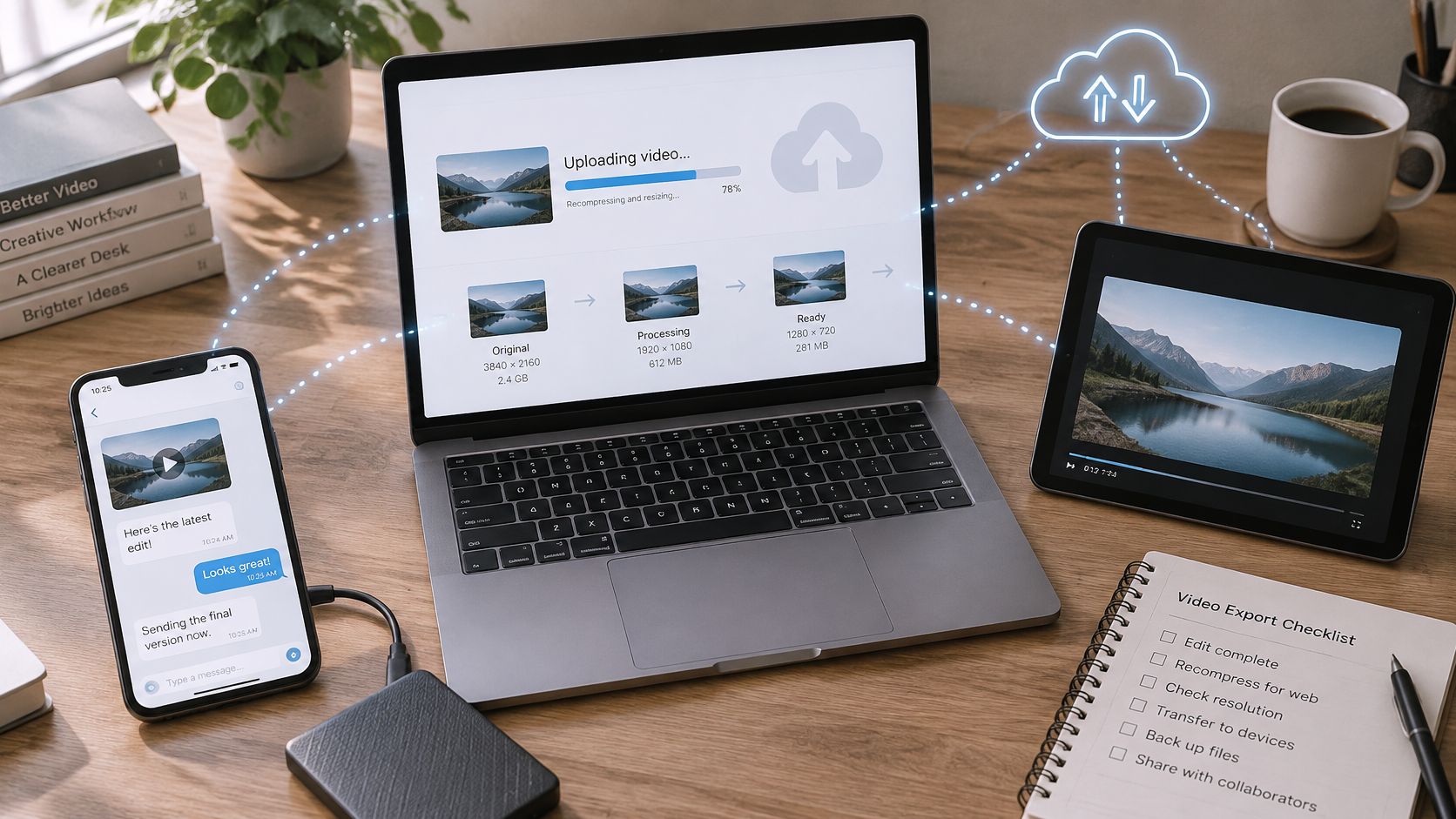
Everyday sharing can move a clip through several devices and applications before an investigator receives it.
Recover the source rather than interrogating a blank panel
An upload, messaging attachment, screen recording, or transcoded export may be a new technical object. The service's encoder can replace the structure the analyst hoped to examine. Extracting the same blank panel repeatedly won't recover fields that aren't in that copy.
Use a targeted recovery sequence:
- Obtain the earliest original: Ask for the camera file or earliest retained export, not another download from the same post.
- Hash every received copy: Keep versions distinct and record who supplied each.
- Request export details: Ask which application was used, whether the clip was trimmed, and whether it passed through messaging or screen recording.
- Compare container and codec: Look for changes between versions that could explain the disappearance of tags.
- Check for sidecars: Ask whether credentials or related records were delivered outside the media file.
- Document transfers: Preserve the route from source to desk, lab, or evidence store.
Don't call the earliest recovered version the original unless its origin is established. Earliest available is a more defensible description when the capture file remains missing.
Report the available evidence
Interim wording should identify what the analyst can use. No usable metadata means the current copy supplies no reliable file-history evidence. Metadata inconsistent with the claimed origin means particular claims disagree. Verified provenance means the relevant signature and binding checks succeeded.
These statuses answer different questions, and none replaces visual, audio, or temporal review. A newsroom may still need to geolocate the scene; an investigator may need an interview or device acquisition; a security team may need to compare the clip with an independently obtained communication.
Preserve a platform copy because it may document what was published or received. Spend the recovery effort on obtaining the earlier file, rather than turning the platform's missing fields into an accusation of fabrication.
Related Signals to Check with Metadata
Each metadata clue should lead to a test outside the tag itself. The field supplies a hypothesis; the independent check supplies a separate finding. Keeping those results apart prevents an ordinary export detail from becoming an unsupported accusation.
Consider a clip described as a live outdoor protest. Even lighting or repeated textures might justify frame inspection, but neither feature alone establishes synthesis. Review the imagery for compositing, unnatural textures, and scene inconsistencies, then record what was found.
Match the clue to the test
| Metadata or record clue | Independent check | Boundary to preserve |
|---|---|---|
| Description claims a live outdoor scene | Inspect frames for lighting relationships, repeated textures, and compositing | An unusual appearance isn't a fabrication verdict |
| Encoder names an editing or generation tool | Review consecutive frames for flicker and broken motion | Tool use doesn't establish how every frame was made |
| Source claims camera-microphone audio | Examine waveform, spectrum, edits, and synchronization | An audio tag doesn't identify the sound's true origin |
| GPS or description names a city | Compare landmarks and visible conditions with the claimed place | Coordinates are not visual confirmation |
| Signed manifest lists an edit | Validate the manifest, then compare the visible result with the asserted edit | Signature validation and content interpretation remain separate |
| Platform download has an empty panel | Review frames, audio, and temporal continuity while seeking the source | Missing fields don't identify the production method |
A flat-looking spectrum, for example, needs an audio specialist's interpretation. Compression, noise reduction, and recording conditions may affect the signal. Don't substitute a visual impression of a spectrogram for an audio-forensic finding.
Keep conclusions tied to specific observations
The same discipline appears in operational data checking. Scrappey's discussion of validation checks for price monitoring pipelines offers a useful analogy: checking a value's format is different from checking whether it makes sense against an independent reference. In video verification, a well-formed date is not confirmation of capture time.
A useful desk note could read:
Original-file hash stored. Creation tag conflicts with uploader account. No valid signature identified. Frame review inconclusive. Status unresolved; earlier file requested.
That note doesn't average unrelated uncertainties into a vague impression. It tells the next reviewer which claim is disputed and which examination remains open.
Linked records help organize the work. A file can connect to its creator claim, source interview, rights record, technical extraction, and analysis report. Those relationships make the investigation easier to audit, but the existence of a link doesn't validate the claim at either end.
Choose the Next Check After Metadata
A status line is a routing decision, not a verdict. Finish the metadata review by naming what the record can support, then send the file to the examination that can answer the remaining question.
Metadata status and the next action
| Status | Say this | Next action |
|---|---|---|
| Verified signed provenance | Signed origin or edit history matches this hash | Keep manifest, hash, and validator details |
| Ordinary metadata only | Tags are context, not proof | Compare claims with source and other signals |
| Inconsistent metadata | Claims disagree; cause unknown | Preserve both values and seek the earlier file |
| No usable metadata | Current copy provides no reliable metadata history; platform or export processing may explain the loss | Do not infer fakery; check frames, audio, and motion |
Use the narrowest status the findings support. If a validator could not complete its checks, do not label the provenance verified. If only the description survives, say that the description survives; leave intact capture history out of the claim until a signed record or earlier file establishes it.
Record one actionable handoff
A handoff needs three items: the examined hash, the metadata status, and the unresolved check outside metadata. A usable entry might read: ordinary metadata only, hash recorded, audio synchronization review assigned to a named colleague.
The same discipline applies when synthetic content was commissioned for a campaign. Material on checking AI-generated product videos before publishing belongs to the production side of the workflow, while verification asks a narrower question: whether the finished video makes misleading visual claims about the product. Keep internal generation and editing records, then review the published frames, claims, and permissions separately.
A disclosure or generation record answers a production-history question. It does not establish that a pictured product performs as shown, that a testimonial is genuine, or that publication permissions are complete.
Use detection as a bounded additional check
When history is missing or partly documented, Metadata Inspection analyzes a video's container, codec, and encoding. AI Video Detector accepts MP4, MOV, AVI, and WebM files and is continuously updated to keep up with emerging generation techniques.
That inspection sits beside frame review, audio examination, and motion analysis. Preserve the submitted file, attach the result to its hash, and record which version was tested so a later reviewer does not confuse a recompressed copy with the earliest available evidence.
The practical decision stays small: preserve the description, state its evidentiary limits, and assign the examination that can address the open question.
Before publishing, submitting an exhibit, or acting on a suspicious video, preserve the earliest available file and complete the status entry above. If synthetic-content concerns remain, run a copy through AI Video Detector, retain the result with the file hash, and document which source, frame, audio, or motion question still needs human verification.