

How to Tell if a Video Is AI Generated in 2026

The counterintuitive answer to how to tell if a video is AI generated is that your eyes aren't a reliable detector. In a controlled study summarized by the Association for Computing Machinery, people distinguished authentic from synthetic media with 51.2% average accuracy, barely above chance. They correctly identified synthetic media only 38.8% of the time, while recognizing authentic media more often, as described in the study on human detection of AI-generated content.
That's why a video that looks normal shouldn't be treated as verified. Hands, eyes, lighting, and lip-sync can give you reasons to investigate, but they can't settle the question. Use them as one part of a process that also checks audio, motion across frames, file information, provenance, and detector results.
Why Visual Inspection Alone Fails
The most popular advice is to scrutinize a person's hands, eyes, and lighting. That advice can help you notice something suspicious, but it fails as a test of authenticity. In a controlled study summarized by the Association for Computing Machinery, participants achieved 51.2% average accuracy across synthetic-media examples. When judging synthetic media specifically, they were right only 38.8% of the time, compared with 64.6% when identifying authentic media.
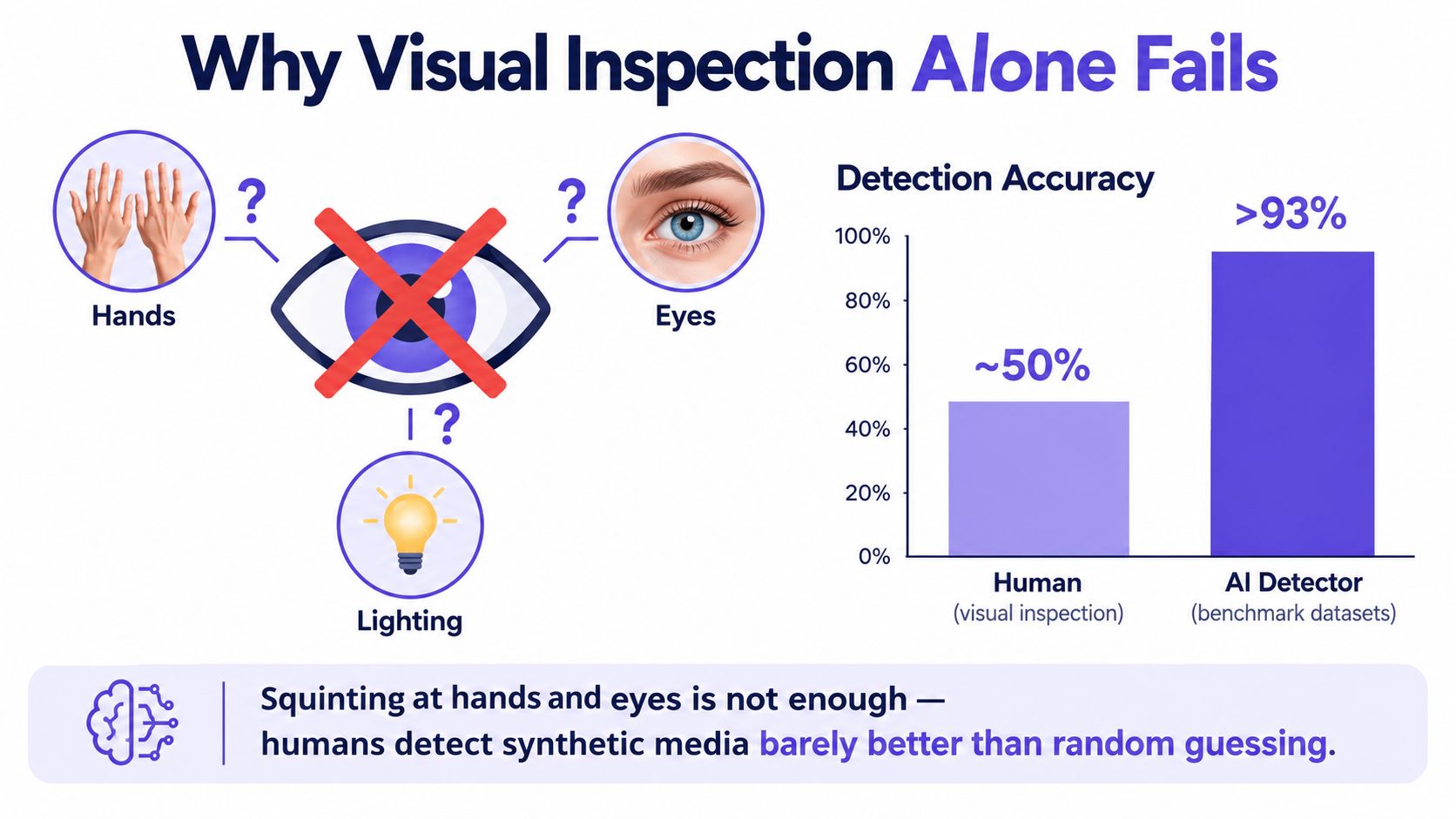
That gap matters. Viewers are more likely to accept a convincing fake than confidently identify one. A video with convincing facial movement, plausible lighting, and clean lip-sync might still be synthetic. Conversely, compression, editing, or ordinary camera problems can make authentic footage look odd.
Visual anomalies are worth recording, not treating as a verdict. Look for changes at the edge of a face, inconsistent shadows, or hands that shift shape as they move. But don't conclude that a clip is authentic just because those details look fine. The absence of an obvious artifact proves only that you didn't spot one.
Practical rule: A visual tell can justify more scrutiny. No visible tell can prove a video is real.
A better mental model is layered verification. Human review helps direct attention to suspicious areas, while audio analysis, frame-to-frame checks, metadata, and automated detectors can test evidence that a quick visual inspection misses. The aim isn't to find one magic clue. It's to see whether independent signals support the same conclusion, and to preserve uncertainty when they don't.
The Layered Verification Workflow
Start by protecting the evidence. Keep the original file if you have it, record where it came from, and calculate a hash so you can tell whether the file changes during review. Then check several kinds of evidence rather than asking a single visual clue to carry the whole decision.
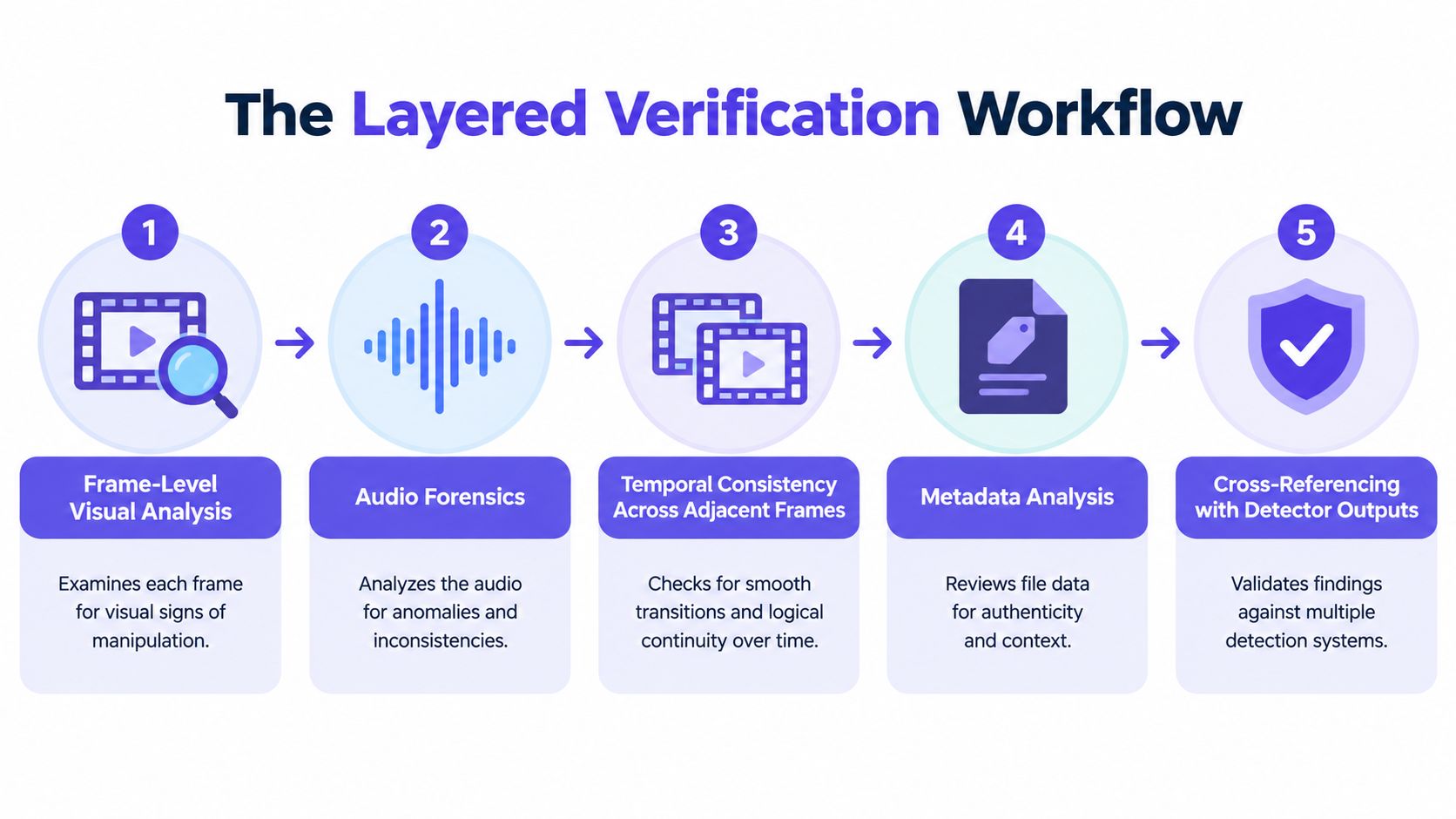
Inspect frames. Sample the clip at regular intervals. Look at faces, skin boundaries, hands, lighting, and background edges. A single still can reveal a suspicious detail, but it can't show whether that detail persists naturally in motion.
Check the audio. Listen for abrupt changes in speaker identity, unnatural reverberation, or spectral discontinuities. Compare mouth movement with the spoken audio. A convincing frame doesn't validate the sound.
Track temporal consistency. Compare adjacent frames, not just a representative image. Check whether facial geometry, reflections, hair, shadows, and objects change smoothly as the subject moves. Temporal analysis can catch inconsistencies that remain invisible in a still.
Review metadata and provenance. Inspect the container metadata and codec history when available, then compare the file with its claimed source and upload context. Metadata can support a provenance assessment, but social platforms may strip or rewrite it, so its absence isn't proof of manipulation.
Use an automated detector as another signal. A detector can flag patterns across frames or in audio that are difficult to assess by eye. Treat its output as supporting evidence, then compare it with the other findings.
Run these checks in a coordinated review. A missing camera tag shouldn't outweigh consistent movement and audio, just as a detector flag shouldn't outweigh contradictory provenance without further investigation. The strongest assessment comes from independent signals that agree, with the original preserved so another reviewer can reproduce the analysis.
Visual and Audio Tells Worth Checking First
Visual clues still matter. They're useful for triage, especially when something changes during movement, but modern generated video can look polished enough that familiar warning signs are absent.
Read the face and the scene together
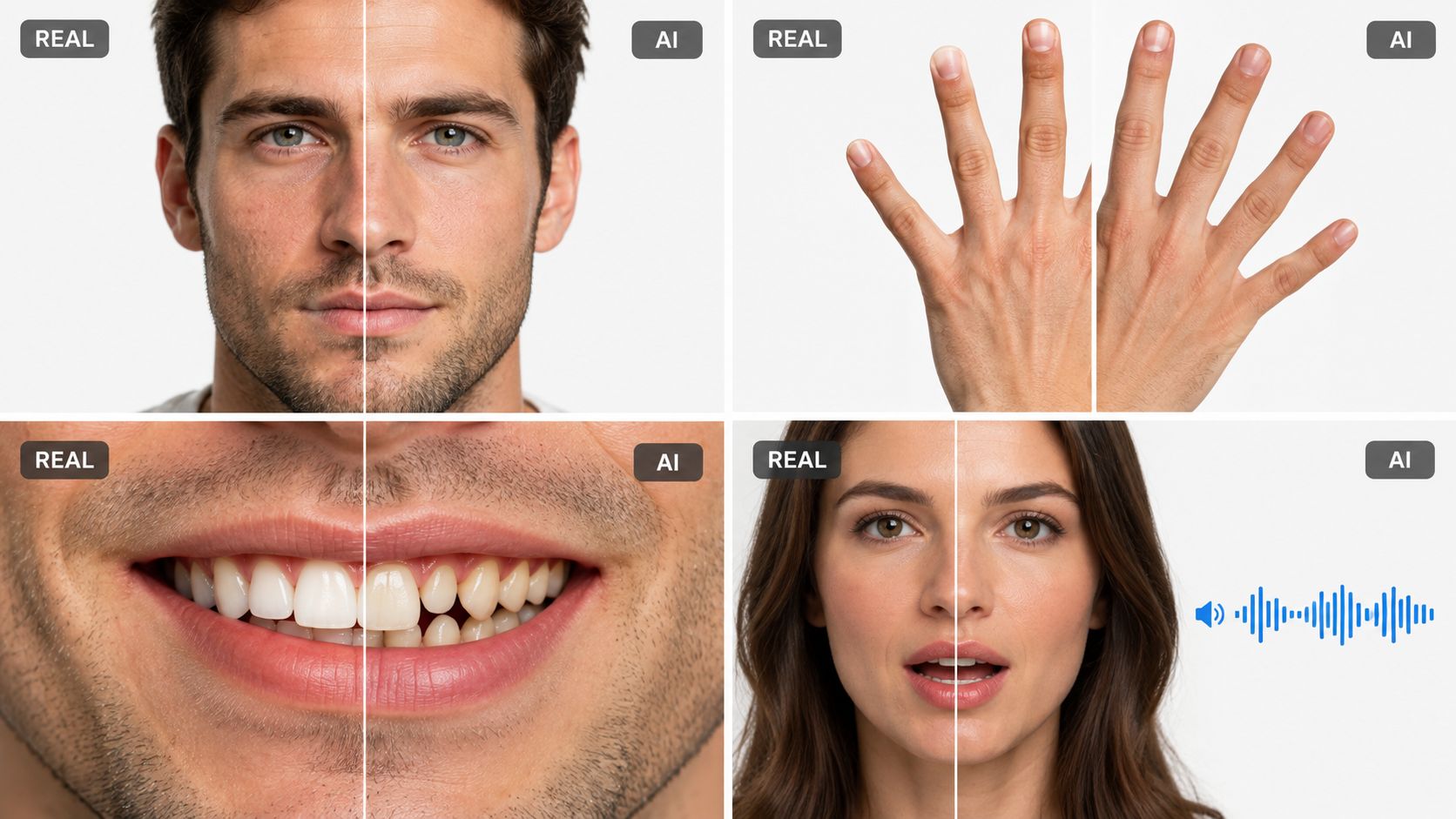
Watch the boundary between a face and its surroundings as the subject turns or moves. Blurring, flicker, or a shifting outline can be a warning. Check whether reflections, hair, and shadows move consistently with the person and the light source. These details may indicate a problem, but editing and compression can also create visual irregularities.
Hands and teeth deserve a closer look when they're clearly visible. Fingers that merge, change shape, or interact strangely with an object are useful reasons to investigate. So are teeth that appear to shift or lose definition as the face moves. But a clean-looking hand or smile doesn't establish authenticity. For a broader discussion of how visual consistency differs from texture alone, see this guide to consistency versus texture in AI video.
Listen while you watch
Don't assess lip-sync with the sound off. Compare mouth movements with syllables and check whether the jaw and face respond plausibly to speech. Then listen for audio clues such as spectral discontinuities, unnatural room reverberation, or abrupt changes in speaker identity. A mismatch is a reason to check further, not a stand-alone verdict: editing and audio processing can also disturb synchronization.
This walkthrough provides a visual reference for the kinds of details to examine during a first pass.
The key is to assess sound and image as a synchronized signal. A convincing face can be paired with altered audio, and plausible audio doesn't prove the video itself is genuine. Note the specific anomaly, where it occurs, and whether it repeats across the clip. Then check it against temporal evidence and the source context.
Reading Detector Confidence Scores Correctly
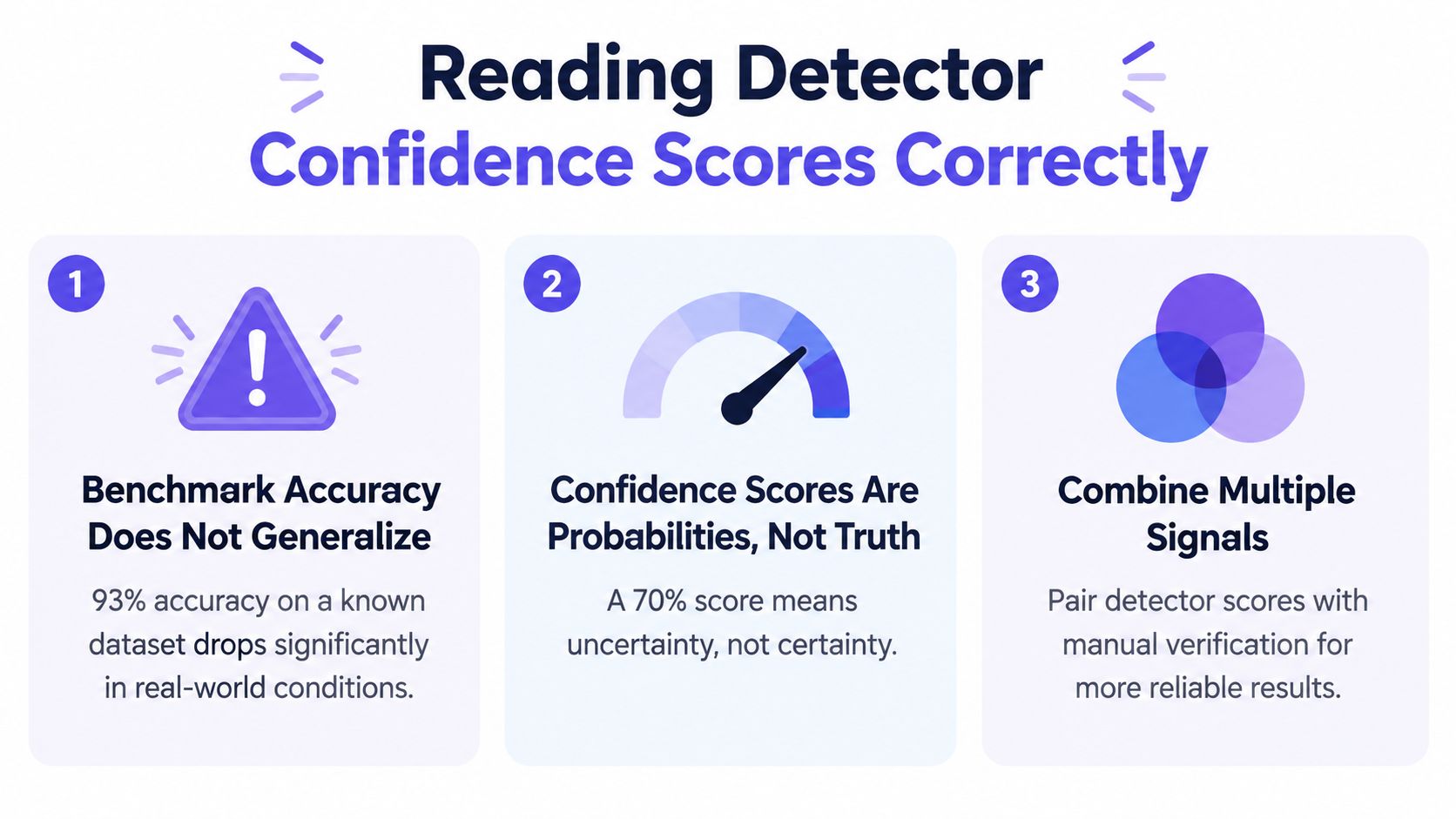
A detector score is not a universal verdict. It reflects how a particular system evaluates a particular file, and its reliability depends on whether the video resembles the material used to evaluate that system.
Detection systems exceeded 93% effectiveness on their original synthetic-video evaluation set, with the best reaching 98.3%. But when tested on videos from unfamiliar tools such as Luma, VideoCrafter-v1, CogVideo, and Stable Diffusion Video, performance fell by 20–30 percentage points. The results are reported in this evaluation of video deepfake detectors. A strong benchmark score, therefore, doesn't promise dependable performance on an unseen generator or a differently processed clip.
Ask what the score was tested against
A confidence score is useful only if you know what it means and how the detector was evaluated. Ask whether the tool reports performance on unfamiliar generators and whether it was tested on the kind of footage you're reviewing, including its compression, resolution, and editing history.
Also ask how often the detector falsely flags authentic video. NIST's media-forensics evaluations use measures such as ROC-AUC and correct-detection rate at a fixed 5% false-alarm rate, a way to compare detection while making the false-positive tradeoff explicit. NIST also recommends testing against newer manipulations, compression, blur, and anti-forensic processing in its forensic-evidence evaluation guidance.
Ask for the operating conditions, not just the headline score. A result without its test conditions can invite false confidence.
Before relying on a detector, check that it provides a confidence score, describes false-alarm performance, and reports testing across generators and degraded footage. If you want a practical explanation of interpreting detector outputs, see this guide to confidence calibration. A high score should prompt a closer look, not end the investigation. A low-confidence result doesn't establish that a clip is real, either. Compare the detector's output with what you know about the source, the audio, and motion across the video.
Provenance, Metadata, and the Compressed Repost Problem
Most clips that reach an investigator have already been through a platform's compression pipeline, a messaging app, or a screen recording. Each pass strips forensic signal and adds artifacts that can mimic manipulation. Verify what you can about the file's history before you trust any visual read on it.
Metadata and codec history reveal a file's path when they survive. Platforms frequently strip or rewrite those fields, so treat missing metadata as neutral, not incriminating. Content Credentials and C2PA signing, when present, can confirm who produced or published a file. They cannot confirm that the event on screen happened. Read this explainer on how C2PA Content Credentials work, then treat provenance as supporting evidence, never the verdict.
Compression also degrades detector performance. Independent reporting on in-the-wild testing of 51 deepfake detection systems found detection rates between 39% and 69%, averaging roughly 55% outside controlled conditions, according to this report on real-world detector limitations. A coin flip is not evidence.
| Source condition | Approx. detection rate | Practical reading |
|---|---|---|
| Controlled benchmark material | Results depend on the test set | A benchmark score applies only to the conditions used to measure it. |
| Reposted or degraded footage | Roughly 55% average across reported in-the-wild testing | Treat the result as uncertain and corroborate independently. |
| Individual in-the-wild test results | 39% to 69% in reported testing | A detector may miss fakes or flag authentic clips. |
When only a repost exists, record its URL, account, caption, and upload context, then hunt for an earlier copy or the original uploader. Log where each version came from and what changed between copies. Teams handling large volumes of source files should follow a consistent cataloging practice; this guide to metadata management shows how to keep your catalog accurate so every file's origin stays traceable.
A compressed repost can still earn a detector's flag or its pass. Neither result clears the clip nor condemns it without source verification behind it.
Matching the Workflow to Your Use Case
The same checks don't carry equal weight in every investigation. Start with the consequence of being wrong, then prioritize the evidence that can address the main risk in your setting.
| Use case | Checks to prioritize | Source and review practice |
|---|---|---|
| Newsroom vetting submitted footage | Temporal consistency, audio, and frame review | Preserve the submitted file and context, then seek the original uploader or an independent recording. |
| Legal and law-enforcement evidence | File preservation, metadata, and chain of custody | Keep the original intact, hash it, document handling, and record the basis for each conclusion. |
| Enterprise fraud and impersonation | Audio-visual synchronization and independent identity verification | Don't authorize a sensitive action based solely on a video call. Confirm through a separately established channel. |
| Education and training content | Provenance and consistency with the claimed source | Compare the clip with the instructor or institution's known channels and check whether a reliable original is available. |
Make the decision fit the risk
For newsrooms, a detector can help prioritize review, but it shouldn't replace source checks or independent corroboration. For legal and law-enforcement teams, preserving the original and documenting each transfer matters as much as visual analysis, because others may need to review how the evidence was handled.
Enterprise security teams should treat a plausible executive video as a prompt to verify identity and intent through a separate channel. Educators can compare disputed lectures with the institution's official materials and look for consistent speaker identity, audio, and provenance. In each setting, automated detection is most useful as triage: it helps flag where to look, while people verify the source and context.
The NIST-style forensic workflow supports this layered approach: preserve and hash the file, inspect metadata and codec history, sample frames, compare lip motion with audio, and assess temporal consistency. AI Video Detector is one option for analyzing video signals, including frames, audio, motion, and metadata. Use its result alongside source verification rather than as a substitute for it.
A Practical Verification Checklist
When someone sends you a suspicious clip, don't start by asking whether it “looks AI.” Preserve what you received, note where it came from, and work through the evidence in a consistent order.
- Preserve the file: Save the original if available, calculate a hash, and record the upload context or sender.
- Review the frames: Sample the clip at regular intervals. Note suspicious changes around faces, hands, lighting, and background edges.
- Listen to the audio: Check for abrupt speaker changes, unnatural reverberation, and possible lip-sync mismatches.
- Compare adjacent frames: Look for changes in facial geometry, reflections, shadows, and objects that don't evolve consistently.
- Inspect provenance: Review metadata and codec history where available, and look for the original uploader or an independent copy.
- Use a detector carefully: Record its confidence and evaluation limits. Don't mistake benchmark performance for guaranteed accuracy on unfamiliar or compressed footage.
- Seek corroboration: Contact the original source through a known channel, compare independent recordings, or check for a known live source.
Temporal modeling is another reason not to base a decision on a single still: a study reported 71.2% accuracy and 0.722 AUC for a TimeSformer using 96-frame clips without fine-tuning, and 78.4% accuracy and 0.801 AUC after fine-tuning on part of the target data, as described in this study of temporal deepfake detection. Those results are specific to that evaluation, but they reinforce a practical point: one frame can't show whether the video holds together over time.
Two mistakes create false confidence: assuming no visible artifacts means a video is real, and treating a detector's high benchmark score as proof on unseen footage. Detector output is triage evidence, not sole proof, especially when a conclusion could affect a person's reputation, a legal decision, or a fraud investigation.
If a video could affect your reporting, a case, or a financial decision, preserve the file and its context before sharing or acting on it. Then verify the source, compare independent signals, and document what the evidence supports, including what remains uncertain.


