

Liveness Detection Explained: How It Works and Its Limits

You're opening a bank app, and it asks you to take a selfie to prove who you are. Many users assume the app is checking one thing, whether your face matches your ID. It's checking two separate things, and confusing them is where most misunderstandings about liveness detection start.
One check asks, who is this? The other asks, is a real person in front of the camera right now? A system can answer the first question correctly and still fail the second completely, by matching a photo of you held up by someone else. That gap is the whole reason liveness exists.
What Liveness Detection Means in Plain Terms
Say a customer opens a bank app and takes a selfie. Face matching compares that selfie with the portrait on their ID. Liveness detection does something different. It checks whether the sample came from a living person present at capture, or from an artifact presented to the camera.
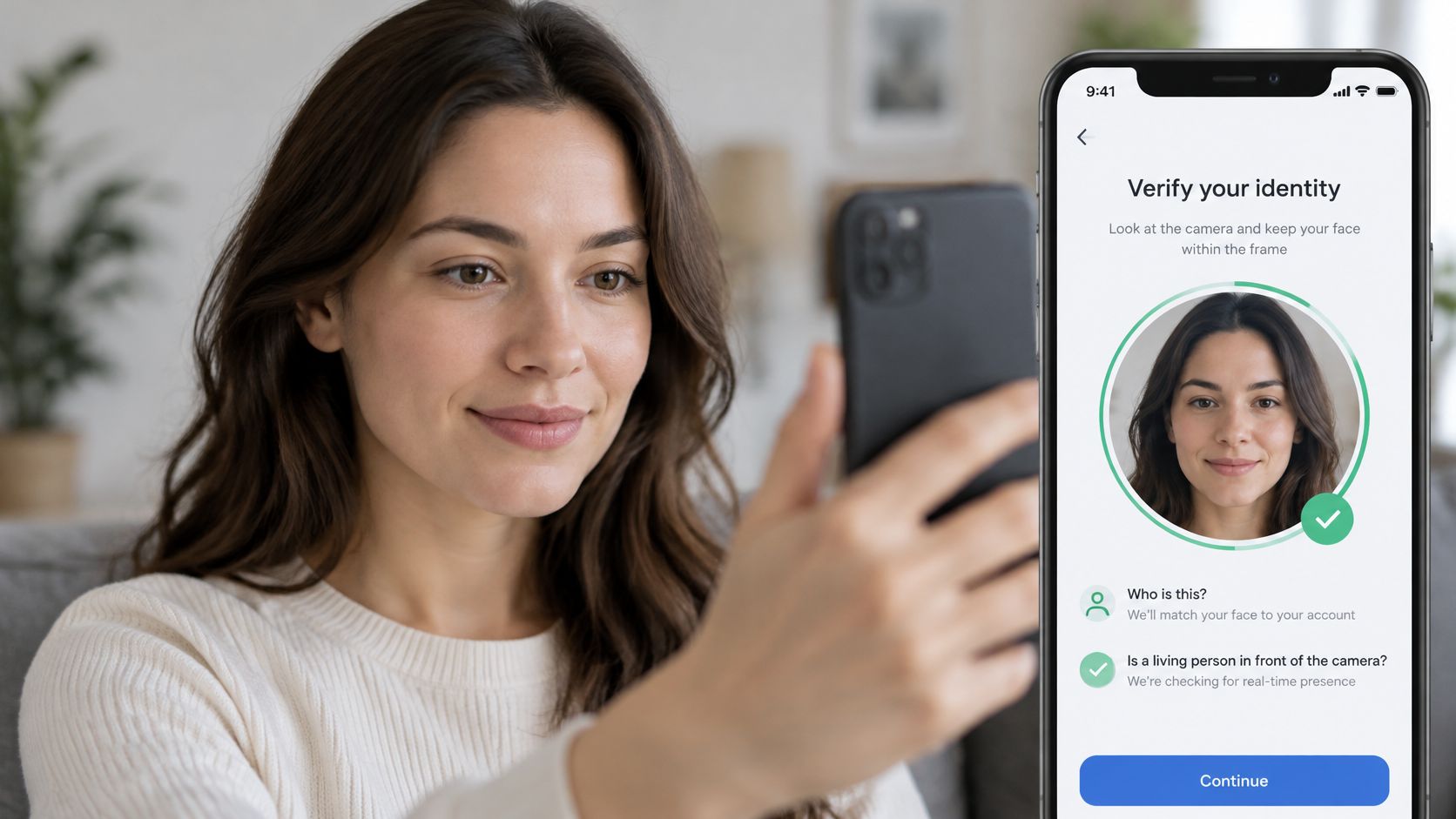
Think of a doorman at a glass door. He checks that the face matches the ID badge, and he also notices whether a person is standing there or whether someone is holding a printed photo up to the glass. Liveness is the second glance. If you're mapping the full onboarding flow that combines both checks, a guide to verifying customer identities walks through how the pieces fit together.
The Artifacts It Has to Stop
The formal name for this field is presentation attack detection, or PAD. The attacks are concrete, not abstract. An attacker might hold up a printed photo, play a replayed video on a tablet, or wear a silicone or 3D mask molded to look like the victim.
This isn't guesswork anymore. The ISO/IEC 30107-3 standard, published on August 23, 2017 and revised on January 10, 2023, set internationally recognized principles for evaluating PAD mechanisms, methods for reporting test results, and a classification of known attack types. That moved liveness from a vague product feature toward a measurable security capability.
A successful liveness result doesn't prove the person is the account holder. A fraudster standing live in front of the camera can pass liveness while the identity claim is still false.
Apply three questions to any product you evaluate:
- Live presence: Does it check for a real person, or only match a face?
- Named attacks: Does it state which attack types it stops?
- Error rates: Does it report how often it gets each decision wrong?
Passive and Active Liveness Compared
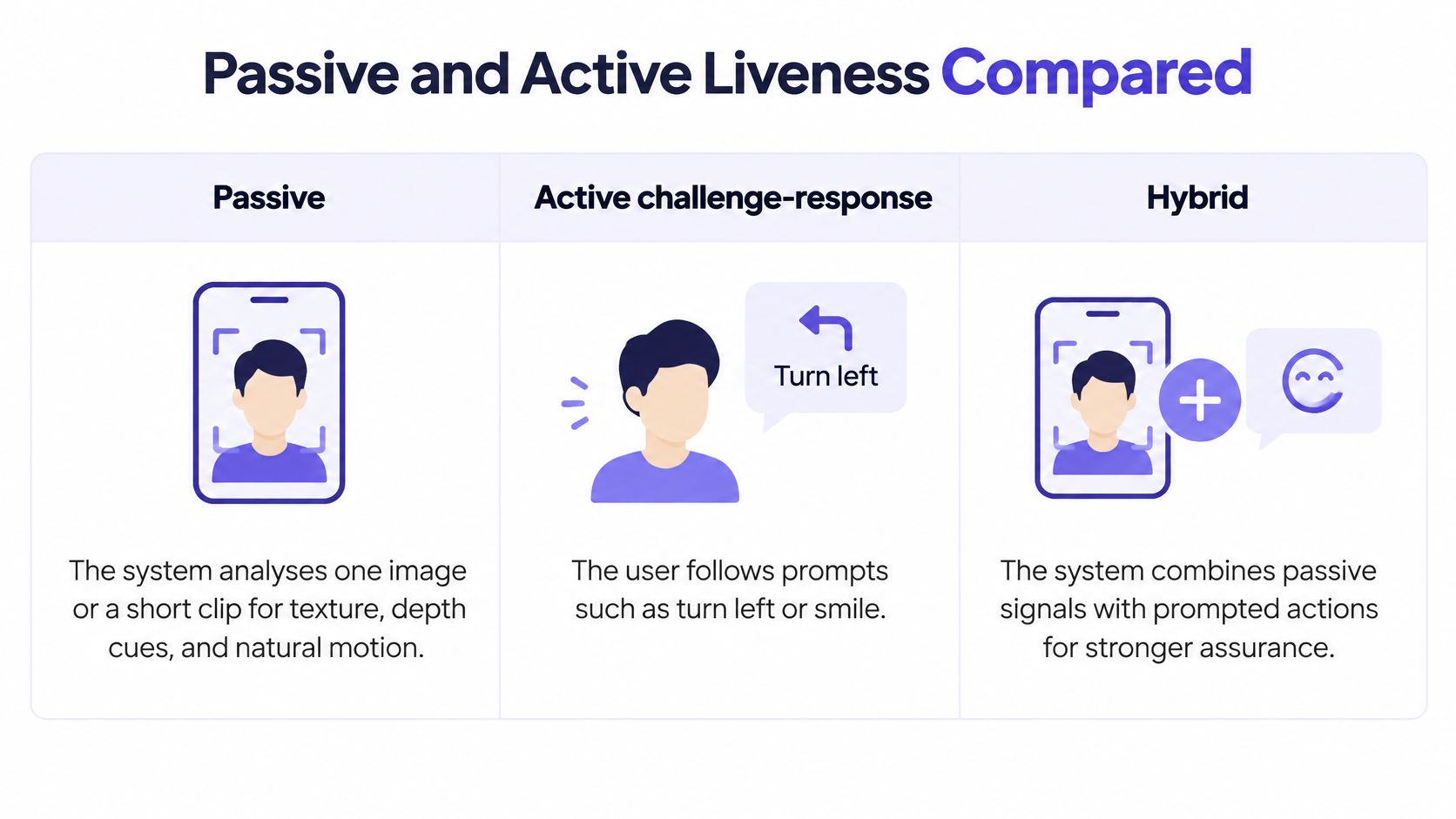
| Method | User action | Catches | Weak spot |
|---|---|---|---|
| Passive | Nothing beyond looking at the camera | Printed photos, screen replays and many masks | Sophisticated injected or synthetic video can pass a single-frame check |
| Active challenge-response | Blink, turn the head, smile or read a random phrase | Pre-recorded replays, because the prompt is unpredictable | More friction; users with poor lighting or limited mobility may fail |
| Hybrid | Short passive scan, with a challenge added only when risk is high | Most attacks at low average friction | Two decision paths that must each be tested and maintained |
The three approaches differ mainly in what they ask of the user.
Passive Checks
A passive system analyses one image or a short clip without asking you to do anything. It looks for skin texture, depth cues, how light reflects off the face, and screen artifacts such as moiré patterns, the shimmering interference you see when you photograph a display. Because there's no task to complete, passive checks suit high-volume onboarding where every extra step loses customers. The weakness is signal. A high-quality synthetic video fed directly into the app may carry none of the screen artifacts a passive model relies on.
Active Challenge-Response
An active check asks you to blink, turn your head, smile, or read a random phrase aloud. Because the prompt is generated fresh for that session, a video recorded yesterday can't answer it. That's a stronger signal against replays. The cost lands on genuine users. Someone with limited mobility, a tremor, poor lighting, or a slow connection may fail a check they should pass, and repeated failures push people to abandon the process or call support.
Hybrid Flows
Most production systems run a hybrid flow. A passive scan runs by default, and a challenge is added only when the risk score rises, for example during account recovery or before a large transfer. Most users see no friction, while risky sessions get the stronger test. If you're weighing vendors and care about how vendors handle the biometric data involved, you can find privacy-focused identity verification options compared side by side.
Decision rule: Use passive checks where friction costs you conversions. Add challenges where a successful spoof would cause real financial or account loss.
How a Challenge-Response Check Runs
A challenge-response check feels simple from the user's side. Underneath, it's a timed sequence where each step exists to close a specific loophole.
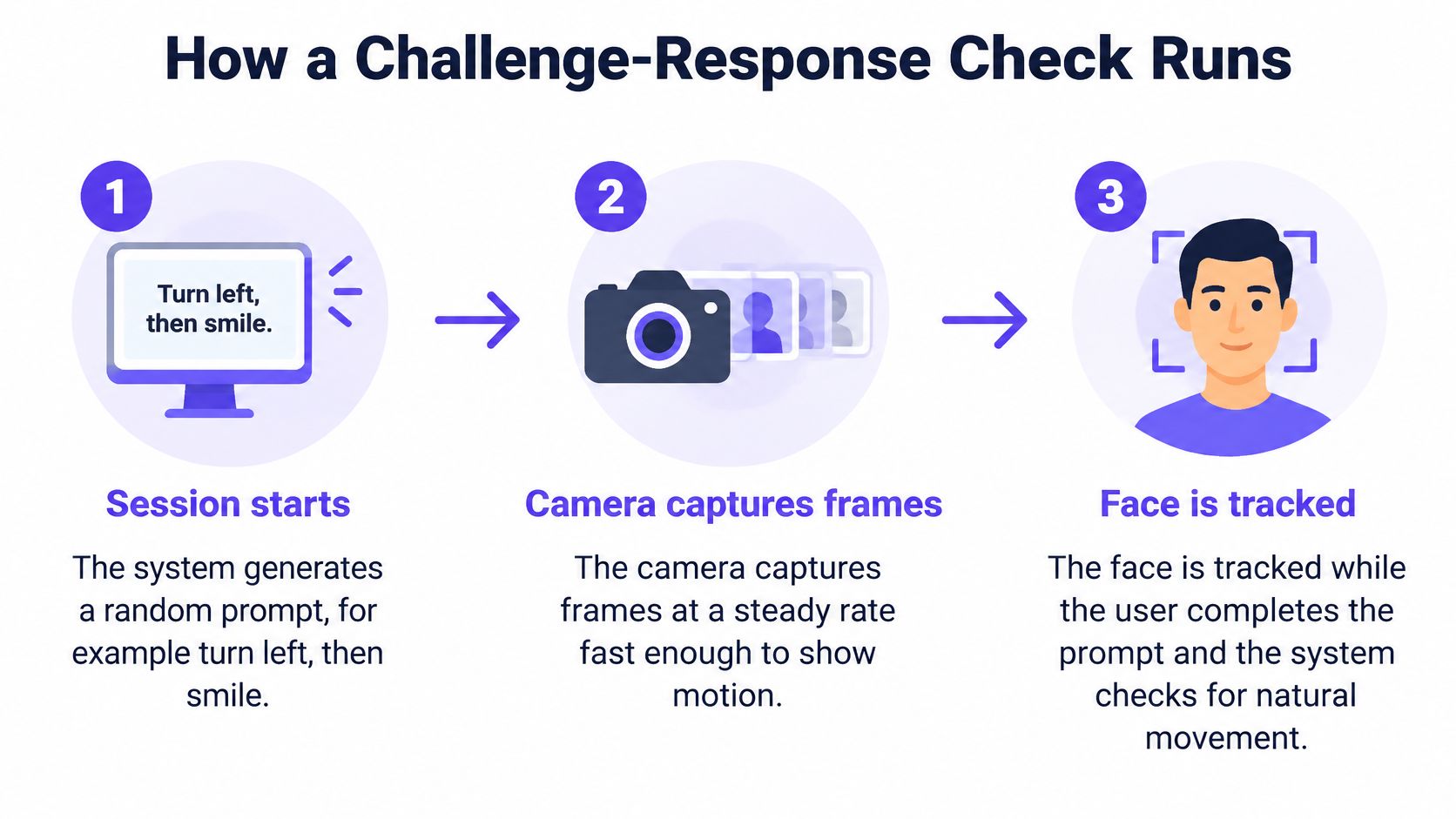
- The session starts. The system generates a random prompt, for example turn left, then smile. Randomness is the point, because an attacker can't prepare a recording for a prompt they haven't seen.
- The camera captures frames. It records at a steady rate fast enough to show motion across frames. Gaps or stutter would make it impossible to tell smooth head movement from a jump cut.
- The face is tracked. Landmarks such as the eyes, nose, and jawline are mapped in each frame. Tracking confirms it's the same face throughout, not frames stitched from different sources.
- The action is verified. The system checks that the movement happened in the right order and inside a short time window. Correct action, wrong order still fails.
- The model scores the sample. It judges whether the motion and surface texture look like a live face rather than a screen or printed sheet. A flat image bent toward the camera doesn't produce the same depth changes as a real head turning.
- The decision is returned. The outcome is accept, reject, or retry. Low light or a shaky connection should trigger a retry, not a fail, because a bad capture isn't evidence of fraud.
- The session is logged. The outcome, score, and prompt used are stored for audit, so a disputed decision can be reconstructed later.
The Two Slips That Cause Most Failures
A fixed or guessable prompt lets an attacker record the right response in advance, which turns an active check into a replayable one. Rotate prompts from a large set and never reuse the same sequence for a returning user.
A time window set too tight rejects genuine users on slow networks, because their frames arrive late even though they responded on time. Measure response time on the device, not on the server, wherever you can. This same session logic underpins regulated onboarding flows, and how KYC video verification sessions are structured shows where the checks sit in that sequence.
Test your own system directly. Hold a phone showing a recorded video of the user up to the camera and run the check. If that session passes, your challenge isn't doing its job, regardless of what the product page claims.
The Error Rates That Decide Trust
A liveness threshold sets a balance: reject too few genuine users, and more attacks may pass; reject more attacks, and more genuine users may be turned away. A low rejection rate alone cannot show that a system resists spoofing.
| Metric | What it counts | Who pays for the error | Reference value |
|---|---|---|---|
| APCER | Attacks accepted as genuine | The organisation and the person being impersonated | Target below 5% per attack type under NIST test guidance |
| BPCER | Genuine users rejected as attacks | Legitimate customers, applicants and journalists | Tends to rise as attack detection becomes stricter |
| FRR | Genuine users rejected by ordinary matching | Legitimate users | 0.1% in the NIST example without liveness controls |
| FAR | Impostors accepted by ordinary matching | The organisation | 0.1% in the NIST example without liveness controls |
| SFAR | Spoof presentations accepted | The organisation, which may look secure on FRR and FAR alone | 98.02% in the NIST example without liveness controls |
| D-EER | Operating point where APCER equals BPCER | Comparison only; not a deployment threshold | No fixed target; it's a comparison point, not a setting |
Why Good Matching Scores Prove Nothing About Spoofing
In a NIST presentation attack evaluation example, a biometric system without liveness controls recorded a false-reject rate of 0.1% and a false-accept rate of 0.1%, yet its spoof false-accept rate was 98.02%. Ordinary matching rarely rejected genuine users and rarely accepted impostors presenting their own faces, but nearly all tested spoof presentations passed.
These metrics answer different questions. FAR measures impostors presenting their own biometric sample; it does not measure whether a system can spot someone presenting another person's face on a screen. A strong matching score alone cannot establish spoof resistance.
The Threshold Trade-Off
A stricter threshold usually lowers APCER, the share of attacks accepted, while raising BPCER, the share of genuine users rejected. The size of that trade-off depends on the system and the samples it encounters. A threshold that looks good on familiar attack types may perform differently on others.
The NIST and FIDO presentation on PAD metrics defines D-EER as the operating point where APCER equals BPCER. It describes a minimum of 100 attempts, including ten attempts for each of ten people, with an attack presentation match rate below 5% for each attack type. D-EER helps compare systems; it is not a production threshold. Set that threshold according to the cost of accepting an attack versus rejecting a genuine user.
Later NIST evaluations found that performance varied by algorithm and attack type. Results were generally better supported for photo-print and replay attacks, protective masks, and flexible silicone masks. Other attack types produced high error rates across tested systems. The false negative rate and what it means for detector results is another useful part of interpreting how often a system misses cases it should flag.
Ask vendors for APCER and BPCER broken out by attack type. A single aggregate accuracy figure can conceal a weak defence against a particular spoof.
Where Liveness Checks Break Down
A person holds a photo up to a phone camera. The face is clear, but no live person is present. That simple example shows why liveness depends on more than image quality: each check looks for evidence of a live capture, and each can miss a different kind of attack.
Four Attack Routes
- Printed photos: A flat print may fool a check based on a single frame or weak texture cues. Depth or motion checks can help, but their results depend on how well they distinguish a real face from a moving print.
- Replayed video: A recording on a tablet can show natural-looking movement. A prompt that changes unpredictably is harder to replay convincingly, though it does not address every attack.
- Masks: Silicone and 3D masks can challenge checks that rely on skin texture or facial edges, especially where the material meets real skin.
- Injected video: A virtual camera can replace the physical camera feed. Checks that only examine what appears in the frame may miss the substitution, so the capture path also needs protection.
When a Low Rejection Rate Hides a Weak Defence
A system can reject very few genuine users and still accept many attacks. In open-model comparisons reported in the CelebA-Spoof passive liveness benchmark, one CVPR 2024 challenge model recorded aggregate APCER of 44.8% with BPCER of 2.6%. Another reported APCER of 73.3% and BPCER of 3.1%. The low BPCER figures mean few genuine users were rejected; the much higher APCER figures show that many attacks were accepted.
That is why a low rejection rate alone cannot establish that a liveness check is effective. Test it with unfamiliar cameras, codecs, compression levels, lighting conditions, and display devices. Calibrate confidence scores for the environments where the system will be used.
Whose Face Gets Assessed Reliably
Liveness results can vary across demographic groups. Check and report performance by group rather than assuming a system performs equally for everyone.
Crowded footage also makes assessment harder than a single, centred face. Faces may be smaller, partly obscured, or moving independently, leaving the system with less clear evidence to assess.
Two controls make these limits easier to see:
- Subgroup testing: Report results separately by demographic group, device, and lighting condition before approving a threshold.
- Separate error reporting: Keep false-positive and false-negative rates distinct. Combining them into one accuracy figure can hide whether the system is accepting attacks or rejecting genuine users.
How Liveness Pairs With Deepfake Video Detection
A live identity check and a recorded-video scan examine different evidence. Liveness asks whether a person is present during a live session. Deepfake video detection examines a clip for signs of AI creation or alteration, such as inconsistent facial micro-expressions, synthetic audio patterns, and flickering between frames.
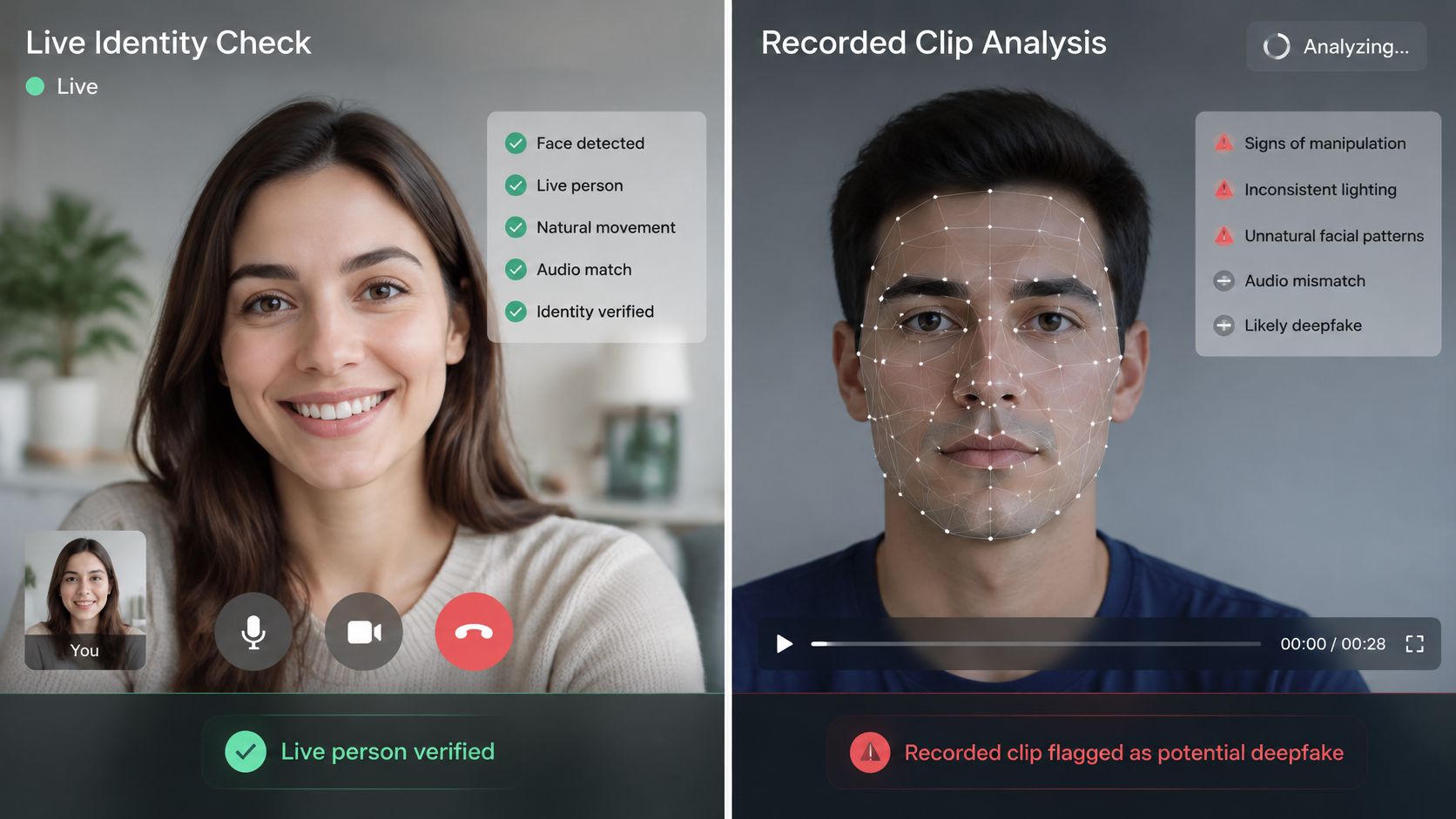
A newsroom receiving a video tip cannot run a liveness prompt on footage that was already recorded. It can instead scan the clip for signs of manipulation, then check C2PA content provenance checks if the file includes credentials to inspect. For an overview of the signals involved, see how deepfake detection examines video.
The checks work best as separate evidence signals. A liveness result can support the claim that someone was present during a session; it does not establish that a different recording is genuine. A video-detection score estimates the probability that a clip was created or altered using AI, not certainty. No detection is 100% perfect, so neither result proves authenticity on its own.
The video below shows how recorded-clip signals are examined in practice.
The Generalization Problem
A 2025 evaluation of deepfake detector generalization found that fine-tuning produced strong in-domain performance but no meaningful zero-shot generalization across previously unseen generative models. The practical lesson is that results on familiar examples may not predict performance on clips produced by unfamiliar tools.
Ask what a confidence score means after a clip has been recompressed, screen-recorded, edited, or captured in poor light. Compression and other changes can alter the visual and audio signals a detector examines. A low rejection rate for genuine clips does not, by itself, show that the system catches spoofed or AI-altered footage. Treat inconclusive results as a real outcome: forcing weak evidence into a pass or fail can lead to false accusations.
Verify a Liveness or Video Result Before You Act
A score is only useful if someone owns what happens next. Assign each step below to a named person, so no single number turns into a decision unnoticed.
- Log the check that ran. The session owner records whether it was passive, challenge-response, hybrid, or a deepfake scan, plus the score and threshold applied. Without that, the decision can't be traced or defended.
- Route borderline scores to a reviewer. A human reviewer, not the on-call engineer, handles every inconclusive result. Never let a borderline score default to an automatic pass or fail.
- Preserve the originals first. Whoever receives the file stores the original video and session log unchanged before review begins. Re-exporting or trimming destroys evidence you may need.
- Corroborate before high-stakes action. The decision owner confirms the finding with source checks, metadata, and reviewer notes. Don't base legal, employment, moderation, or law-enforcement action on one score.
- Check a suspicious clip now. Run a free basic detection run and treat the output as one piece of evidence. Free use of basic detection does not require registration, and users can analyze a video without signing in.
If you can't say who reviewed a borderline result and what else they checked, you don't have a verification process. You have a score.
Take the next suspicious clip your team receives and run it through AI Video Detector before you act on it. You'll get a confidence score in under ninety seconds with no signup for basic detection, giving your reviewer a concrete starting point instead of a gut feeling. Upload the file, log the result alongside your source checks, and let a human make the final call.


