

Audio Quality Analysis Explained from Metrics to Detection

Most advice about audio quality gets one thing backward. It treats a recording as “good” if it sounds clean.
That's fine for music production. It's risky for journalism, legal review, and fraud work.
A polished clip can be edited, recompressed, upsampled, or fully synthetic. A rough clip can still be authentic. Audio quality analysis matters because it helps you separate sound quality from truth. In practice, that means reading a file as evidence, not just as media.
When I teach this subject to reporters, developers, and investigators, I use one simple rule: listen with your ears, verify with the signal. The ear tells you what feels natural. The signal tells you what the file has been through.
What Audio Quality Analysis Actually Means
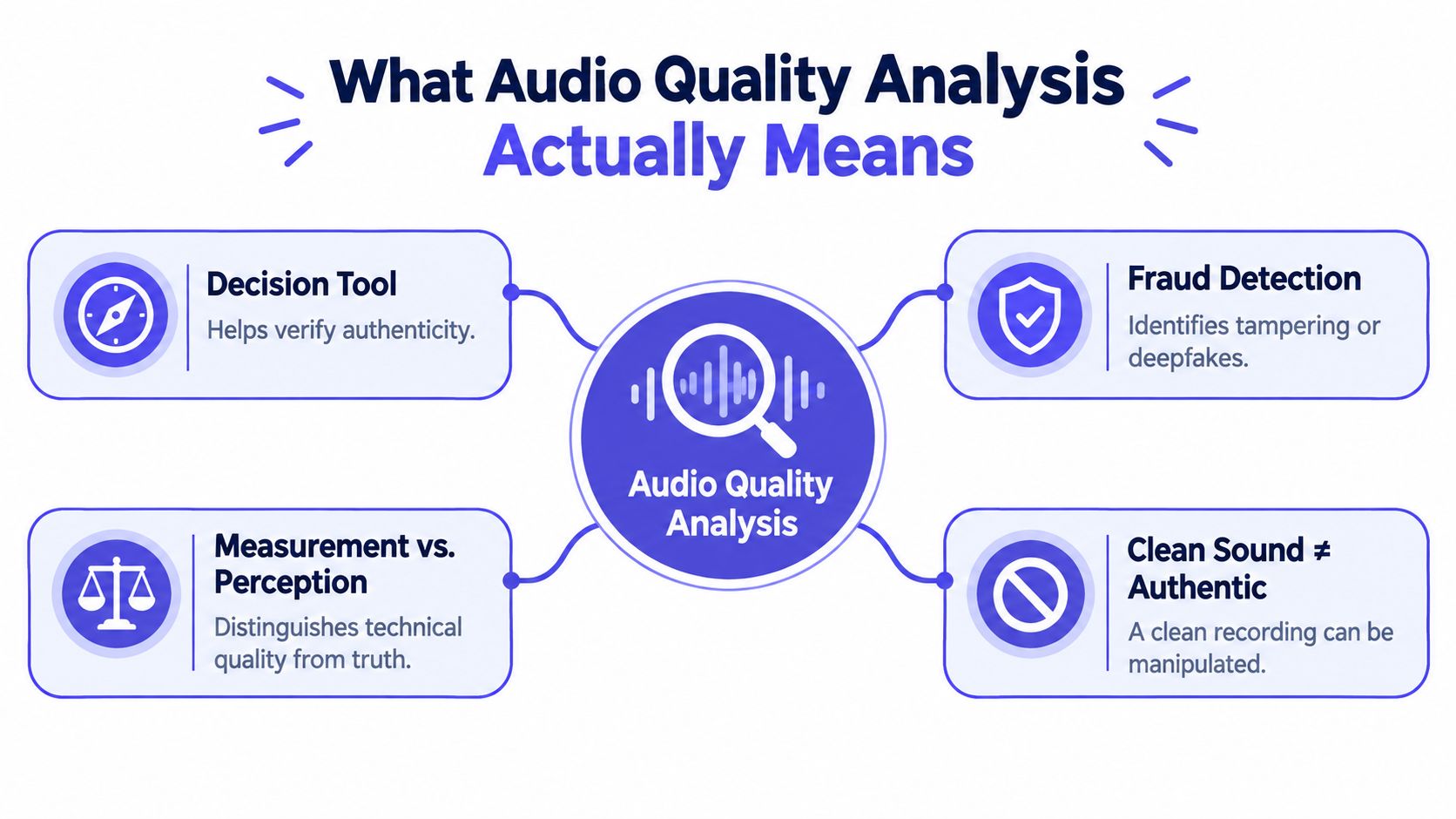
A lot of people hear the phrase audio quality analysis and think of one score, one plugin, or one cleanup pass. That's too narrow.
In real work, audio quality analysis is a decision system. It combines three questions into one workflow:
- How faithful is the signal
- How clean does it sound to a human listener
- Does the file's structure match the story being told about it
That last question is where many basic guides stop short. If someone sends a voice memo and says it came straight from a phone, an analyst shouldn't only ask whether the speech is understandable. They should ask whether the spectrum, compression traces, timing, and noise bed behave like a direct phone recording.
Three audiences, one analytical backbone
A journalist usually wants to know whether to publish.
A developer usually wants to know whether a model, codec, or enhancement stage degraded the file.
A fraud investigator usually wants to know whether the clip can support an action, such as escalating a case, rejecting a claim, or preserving evidence.
Those goals are different. The analytical backbone is not. Everyone starts with the same core habits:
- Measure the file with objective metrics.
- Inspect the signal visually and acoustically.
- Check provenance clues such as codec residue, resampling traces, and abrupt changes in background conditions.
- Interpret findings together, not one at a time.
A clean recording can still be manipulated, and a noisy one can still be genuine.
Why this matters in forensic settings
Forensic guidance treats audio work as more than enhancement. The National Institute of Justice notes that forensic audio analysis involves authenticity, enhancement, and signal interpretation for evidence used in criminal, accident, and civil inquiries, and related best-practice guidance emphasizes technical procedure, documentation, hardware and software requirements, and training (NIJ forensic audio guidance).
That's the useful reframing. Audio quality analysis isn't a cosmetic exercise. It's the connective tissue between cleanup and verification.
The Core Metrics That Power Every Audio Quality Analysis
The first mistake beginners make is hunting for a single magic number. There isn't one.
A serious review uses a metric stack. Some metrics tell you whether the waveform stayed close to the original. Others tell you whether people are likely to think it sounds natural. Those are related, but they aren't the same.
Waveform metrics and perceptual metrics
Think of SNR as the “dishwasher test.” If someone is speaking in a kitchen and the dishwasher is roaring, you can still have the right words with the wrong listening conditions. Signal-to-noise ratio asks how much useful signal you have compared with background noise. It's practical for field recordings, phone captures, and enhancement pipelines.
THD is the “overdriven guitar” problem. Total harmonic distortion tracks unwanted harmonic content introduced by electronics, clipping, or processing. For speech forensics, you won't lean on THD the way a hardware engineer might, but it still helps when you suspect aggressive signal damage.
Then come the perceptual tools.
PESQ became an ITU-T standard in February 2001 as Recommendation P.862, giving telecom and codec testing a widely used objective method for end-to-end speech-quality assessment. It was designed to predict listening-test outcomes by comparing a clean reference signal with a degraded one. It later gained a wideband extension in 2005 and was withdrawn in 2018 in favor of POLQA (Rohde & Schwarz application note).
What each metric is good at
PESQ became influential because it linked machine scoring to human listening habits. Its classic scope was specific. Major standards work focused on narrow-band speech around 100–3500 Hz, while the wideband extension expanded that to 50–7000 Hz. It was built to model Mean Opinion Score, or MOS, outcomes from human panel tests (TNO perceptual evaluation paper).
MOS itself is easy to explain to non-technical teams. It's basically a structured listener rating, typically reported on a 1–5 scale, where higher means better perceived quality. Modern pipelines often pair waveform metrics such as SNR, SI-SNR, and SDR with perceptual measures such as PESQ, PEAQ, and ViSQOL, and they may also use non-intrusive MOS estimators like DNSMOS or NISQA when no clean reference exists (audio metric overview).
| Metric | What It Measures | Typical Range | Best Used For |
|---|---|---|---|
| SNR | Speech signal strength relative to noise | Context-dependent | Noisy field recordings, enhancement checks |
| THD | Harmonic distortion added by gear or processing | Context-dependent | Hardware faults, clipping, signal damage |
| PESQ | Predicted perceived speech quality against a clean reference | Model-specific score | Codec tests, transmission quality, reference-based speech checks |
| MOS | Human or modeled perceived quality judgment | 1 to 5 | User experience, acceptance review, perceptual reporting |
Why one score can mislead you
A neural codec can keep speech intelligible while still sounding odd. Heavy mobile processing can suppress noise while smearing transients or flattening natural texture. In both cases, a file may pass one metric and fail another.
That's why I like to compare machine scoring with musical listening tools. If you already use something like Vocuno song analysis to inspect structure, timbre, and sonic character in music, the same mindset helps here. Don't ask one measure to answer every question.
How Engineers Read the Signal Through Spectrograms and Cepstral Analysis
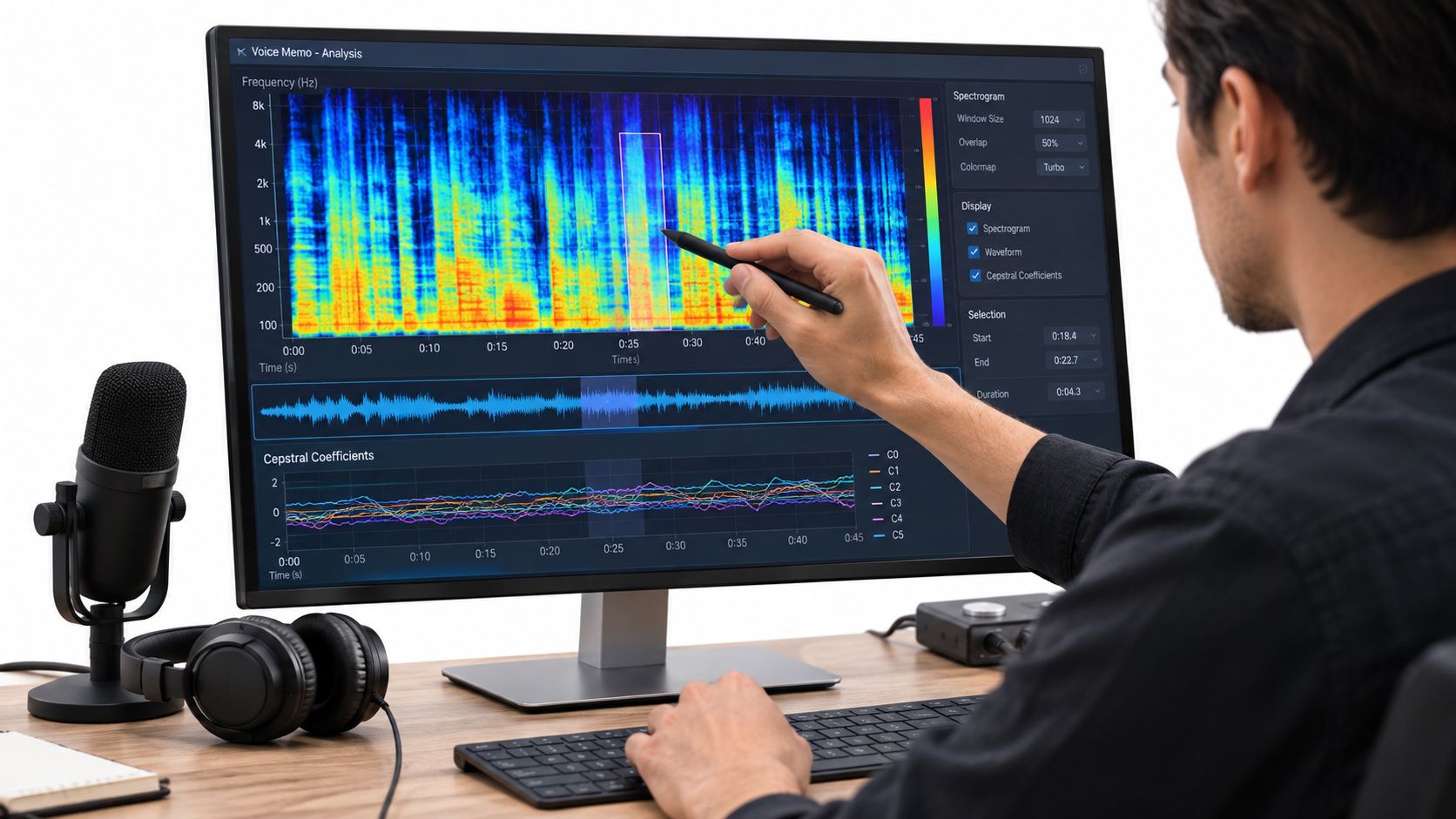
When listening isn't enough, engineers open the file and read it visually. The first tool is usually the spectrogram.
A spectrogram is the audio equivalent of an X-ray. Time runs left to right. Frequency runs bottom to top. Color or brightness shows energy. Once you get used to it, speech stops looking abstract. Vowels form bands, consonants flare up, and background noise leaves a visual texture.
Reading one suspicious clip step by step
Take a short interview clip recorded on a phone in a café. At first listen, the voice seems usable. On a spectrogram, though, you might notice three different things:
- Stable horizontal bands that track vocal harmonics
- A low-level wash from HVAC or crowd noise
- Abrupt texture changes where the room tone suddenly shifts
That third one matters. If the speaker never changed location, a sudden change in noise pattern may suggest an edit, a patch, or generated fill.
For a plain-language primer on this kind of visual inspection, AI Video Detector's guide to spectral analysis gives a helpful baseline before you move into forensic use.
What cepstral analysis adds
Spectrograms show you what energy is present. Cepstral analysis helps separate the source from the filter. In simpler terms, it helps you distinguish what belongs to the vocal tract from what belongs to the channel, room, or microphone coloration.
That matters when two clips sound similar but were recorded in different environments. A room's resonance, a mic's tonal bias, or a codec's smoothing behavior can leave consistent traces. Cepstral features help you pull those apart instead of judging by ear alone.
Practical rule: If the words match but the acoustic fingerprint shifts, treat the clip as two questions, not one recording.
Temporal checks and noise profiling
Engineers also watch continuity over time.
A natural recording usually has a coherent rhythm of pauses, breaths, reverberation decay, and background steadiness. Splices can interrupt that rhythm. Dropped packets can create unnatural gaps. Enhancement tools can over-smooth one region and leave another untouched.
Noise profiling is especially useful here. A café hum has a different signature from traffic through an open window. A lav mic has a different noise floor from a laptop mic. If a clip claims to be one take on one device, the noise bed should broadly agree.
A short demonstration helps if you haven't looked at spectrograms before:
By the time an engineer finishes this pass, they usually have three options. Enhance if the file seems authentic but hard to hear. Flag if the file needs deeper review. Reject if the signal behavior directly conflicts with the claimed origin.
A Walk Through a Forensic Audio Investigation
A newsroom receives a short voice memo from a supposed whistleblower. The sender says it was captured in one take on a phone and exported without editing.
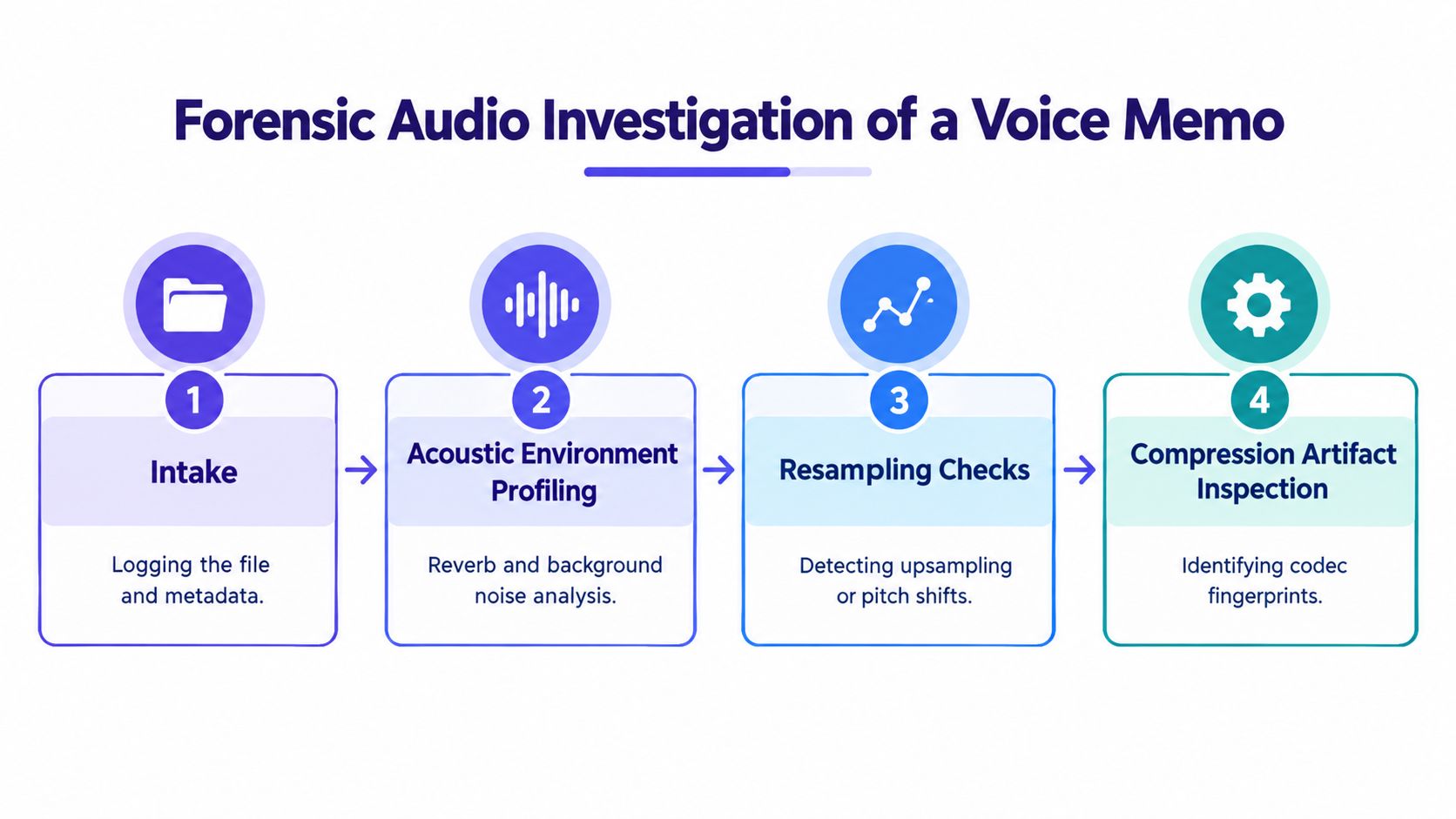
That claim gets logged before anyone touches the file. Original filename, delivery method, hash, timestamps, and a working copy all go into the case record. That paperwork sounds boring until a lawyer asks who changed what.
What the first pass uncovers
The waveform doesn't show obvious clipping. The voice is intelligible. A casual listener might stop there.
The spectrogram raises doubts. Mid-sentence, the background bed changes character. What sounded like a steady indoor hum starts carrying a thin traffic-like layer with a different frequency texture. The room no longer sounds like the same room.
Next comes acoustic environment profiling. Reverberation tails on nearby syllables don't decay the same way across the clip. One phrase feels acoustically closer and drier than the surrounding speech, even though the speaker's delivery doesn't suggest a natural movement toward the microphone.
Compression and resampling clues
Then the analyst checks codec residue and transform-domain artifacts. Forensic audio work can detect tampering by looking for compression fingerprints in the spectrum and transform domain, including methods such as Long Term Average Sorted Spectrum, compression level analysis, and MDCT artifact analysis to verify whether PCM audio carries residue from prior AAC, MP3, or WMA-style encoding or editing. Related work on AI-compressed speech also shows that distinct frequency artifacts can identify neurally compressed audio and even fingerprint specific codec architectures (AAFS forensic audio compression paper).
Those methods don't deliver a courtroom verdict by themselves. They do tell you whether the file behaves like a direct recording, a recompressed export, or something processed through a generation or enhancement chain.
Why the file gets escalated
By this point, the file has multiple independent concerns:
- Background inconsistency that doesn't fit one uninterrupted setting
- Acoustic mismatch in reverberation and apparent microphone distance
- Compression residue suggesting a more complex history than claimed
A good investigator doesn't jump from “suspicious” to “fake.” They document each discrepancy, preserve the original, and escalate for corroboration. That's how raw suspicion turns into defensible findings.
Telltale Signs of Manipulation Hidden in the Spectrum
Manipulated audio usually doesn't confess in one dramatic clue. It leaks through small inconsistencies.
Some are mechanical. Others are perceptual. The strongest reviews combine both.
The artifacts that matter most
Resampling artifacts appear when audio has been converted between sample rates or poorly upsampled. The file may sound acceptable, but the upper spectrum can show repeating patterns, softened edges, or frequency behavior that doesn't match the claimed capture path.
Spectral discontinuities often show up at splice boundaries. Energy distribution changes too abruptly. Noise color shifts. Harmonic continuity breaks for a moment even though the spoken phrase seems smooth.
Phase issues matter in stereo material. If one section has normal channel relationship and another suddenly decorrelates or flips polarity behavior, an edit may have disturbed the channel structure.
A lot of these clues overlap with compression behavior. If you want a non-technical walkthrough of how codec damage shows up before you get into formal lab methods, this guide to audio compression artifacts is a useful companion.
Synthetic speech leaves its own trail
Generated speech often avoids the old robotic sound people expect. What gives it away is usually subtler:
- Pitch contour that feels too controlled
- Pauses that land in linguistically plausible places but lack natural hesitation
- High frequencies that are over-smoothed or unnaturally tidy
- Background texture that stays too static under changing speech dynamics
These aren't proofs. They're prompts.
When several weak anomalies point in the same direction, they often tell a stronger story than one dramatic artifact.
| Artifact | Detection Signal | Typical Threshold |
|---|---|---|
| Resampling trace | Periodic spectral pattern or mismatch with expected recording chain | Case-dependent |
| Spectral splice | Abrupt change in energy continuity or noise texture | Case-dependent |
| Stereo phase anomaly | Channel decorrelation or polarity inconsistency | Case-dependent |
| Re-encoding residue | Codec-consistent transform artifacts and banding | Case-dependent |
| Synthetic smoothing | Flattened pitch behavior and unusually uniform spectral texture | Case-dependent |
How to think about thresholds
People often ask for a universal line. There isn't one.
Thresholds depend on source type, device path, codec history, and task. A social clip downloaded three times won't look like a raw field recorder file. A courtroom review should use tighter interpretive standards than a newsroom triage pass. The key is consistency. Use the same workflow, note the same features, and explain why each signal matters in context.
Where Audio Quality Analysis Meets Deepfake and AI Video Detection
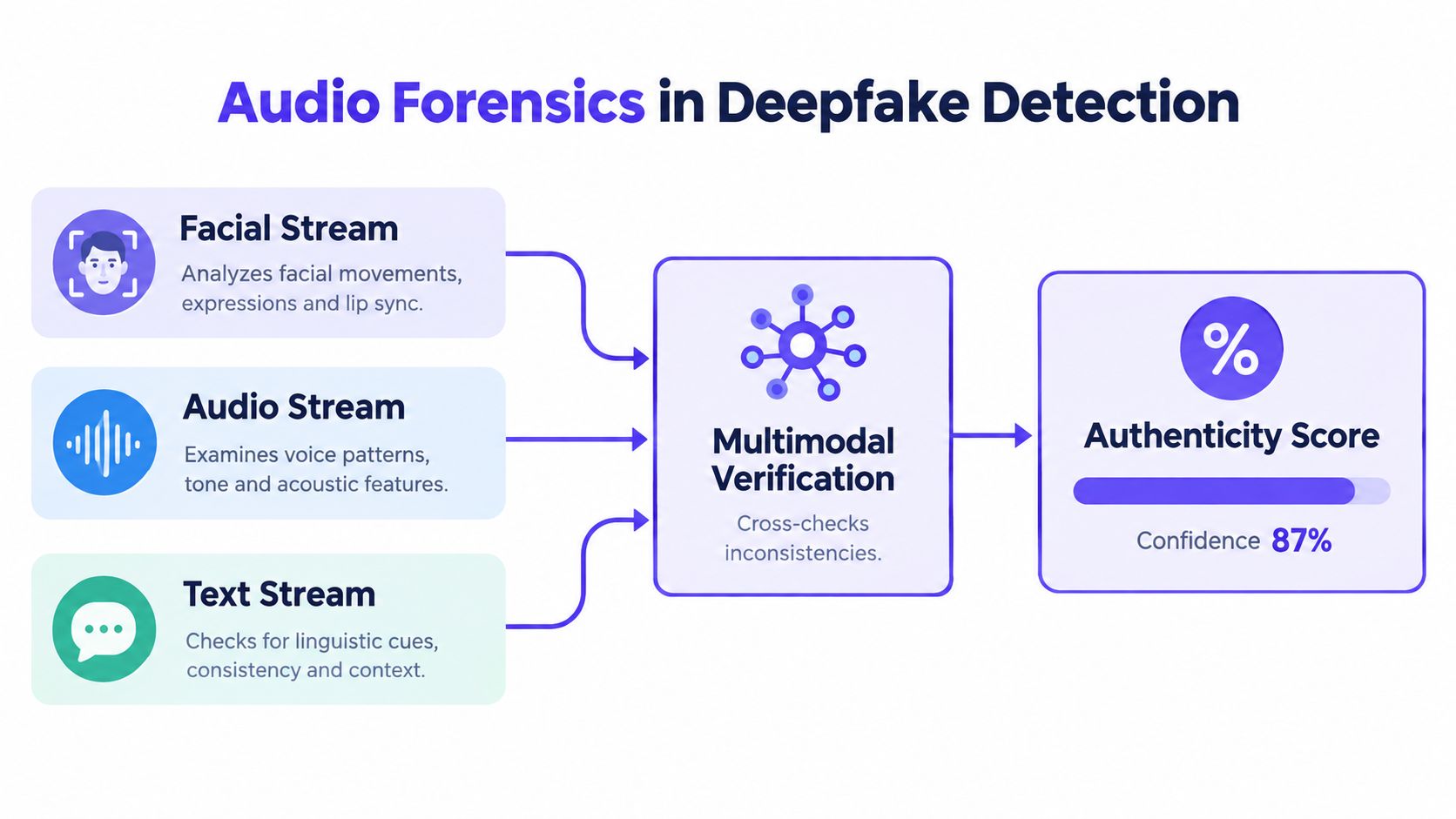
Audio forensics no longer sits off to the side. In high-stakes verification, it works as one stream inside a multimodal system.
A suspicious video might have convincing face motion and still fail on the soundtrack. The reverse is also true. Bad video quality can hide visual artifacts while the audio gives the case away.
Why audio carries extra weight
When a video is heavily compressed, low resolution, or partially cropped, the voice track may preserve more usable evidence than the frames. Analysts can compare speech rhythm to mouth movement, track whether background noise remains continuous across cuts, and look for prosodic drift that doesn't fit the claimed speaker.
In practical review, three streams tend to reinforce each other:
- Facial stream checks frame-level consistency and motion behavior.
- Audio stream checks spectral integrity, prosody, and acoustic continuity.
- Text or transcript stream checks whether content, timing, and speaker behavior make sense together.
The strongest cases appear when one stream contradicts another. A mouth movement that says one thing while the phoneme timing suggests another is valuable. So is a “live” video call where the room sound stays suspiciously static.
Why AI scoring still needs people
Teams can overtrust automation. There still isn't a universally reliable automated metric for perceived audio quality, and recent discussion of subjective audio evaluation notes that large audio models agree with expert human preferences only about 60–70% of the time, while experts themselves agree around 75%. The same discussion notes that formal listening tests still use 15–20 screened listeners in MUSHRA-style practice, and that newer benchmarking work, including AudioMOS Challenge 2025, is pushing toward more perceptual prediction rather than simplistic signal metrics (Wave blog on AI music quality judgment).
That has a direct lesson for deepfake review. A detector can screen. It can prioritize. It can cluster suspicious files. It can't replace careful human interpretation when consequences are real.
Practical Workflows and Tools You Can Run Today
You don't need a lab to start doing competent audio quality analysis. You do need a repeatable workflow.
Here's a six-step routine that works for journalists, developers, and investigators reviewing a suspect clip.
A simple working pipeline
- Preserve the original first. Save the file exactly as received. Record hash, filename, source, and timestamps in a log.
- Create a listening copy. Convert to a stable working format like WAV for analysis, but never overwrite the original.
- Inspect visually. Open the waveform and spectrogram in Audacity, Sonic Visualiser, or Praat.
- Run objective checks. Use Python tools such as librosa and pesq where a clean reference exists, and compare against non-intrusive estimators when it doesn't.
- Check forensic anomalies. Look for resampling traces, codec residue, splice boundaries, and background discontinuities.
- Write findings like evidence. Note tool versions, settings, exports, and observations so someone else can reproduce the same review.
Picking tools by role
If you work with hearing changes, speech clarity, or frequency-specific listening concerns, practical listening references can also help you calibrate what “clean enough” means for real people. Resources such as hearing aid adjustment tools are useful for understanding how perception changes across listeners, which matters when you explain audibility versus authenticity.
For a software-specific overview of inspection and forensic review environments, AI Video Detector's guide to audio forensics software gives a grounded summary of common categories and use cases.
| Tool | Best For | Skill Level | Output |
|---|---|---|---|
| Audacity | Quick listening, waveform inspection, basic spectral view | Beginner | Manual review notes, edited working copies |
| SoX | Batch conversion and command-line preprocessing | Intermediate | Standardized analysis files |
| Sonic Visualiser | Detailed time-frequency inspection | Intermediate | Spectrogram and layered visual analysis |
| Praat | Formants, pitch, timing, speech detail | Intermediate to advanced | Voice feature inspection |
| librosa | Python-based feature extraction | Advanced | Repeatable scripted analysis |
| pesq | Reference-based perceptual speech scoring | Advanced | Objective speech-quality score |
| AI Video Detector | Video authenticity checks that include audio forensics, frame analysis, temporal consistency, and metadata review | Beginner to intermediate | Combined authenticity assessment |
What reproducibility looks like
Reproducibility is what separates a useful review from a hunch.
- Keep originals untouched. Work from copies only.
- Export analysis-friendly WAV files. That avoids stacking more compression into the process.
- Record versions and settings. Audacity settings, Python package versions, and export choices all matter later.
- Save screenshots and logs. A spectrogram view with notes is often easier to defend than a memory of what you heard.
For journalists, the lightweight stack is usually Audacity plus careful logging. For developers, it's Python plus scripted metrics. For fraud investigators, it's a mix of visual inspection, codec forensics, and formal documentation.
Why Human Judgment Still Anchors Every Audio Quality Analysis
People want a single score because a single score feels decisive. That's the wrong instinct for audio evidence.
PESQ, MOS predictors, SNR, and anomaly detectors all compress reality. They can tell you that something changed. They usually can't tell you why. A clipped syllable might come from packet loss, phone handling noise, a bad export, nervous speech, or synthesis. The number alone won't sort that out.
What analysts still have to do
A trained reviewer still handles the parts that automation can't finish cleanly:
- Set context-sensitive thresholds for the recording path and use case
- Compare anomalies against plausible alternatives, not just the preferred theory
- Judge whether multiple weak clues cohere
- Translate technical findings into language an editor, judge, or security lead can act on
That last step is often the hardest. “The file contains codec-consistent residue inconsistent with the claimed chain” means something to an engineer. A decision-maker usually needs plainer language: “This does not behave like an untouched original phone recording.”
Metrics inform the decision. People make it.
That won't change soon. As synthetic audio improves, analysts won't become less important. They'll become the ones who keep machines honest.