

10 Fact Checking Tools for Journalists in 2026

A video lands in the tip line at 9:40 p.m., forty minutes before the late bulletin. It shows a substation fire in a city where the grid is already strained, and two aggregator accounts have posted it in the past twenty minutes. The producer wants it in the ten o'clock block. You have the length of a commercial break to decide whether it airs, runs with an unverified label, or gets spiked.
That decision is where fact checking tools for journalists earn their keep, and it's where most roundups let you down. A list of forty links doesn't tell you which one to open first with the clock running. This one is ordered by the stage of the workflow you're in: detection of synthetic media, claim research, image and video provenance, training, and paid sourcing.
No single tool here proves anything by itself. A detector returns a probability, a reverse-image search returns a match, an archive returns someone else's reporting. Publication decisions come from stacking those outputs next to source interviews, geolocation, and a written record of what you did and in what order. Work down the list in that order and the deadline stops dictating the standard.
1. AI Video Detector
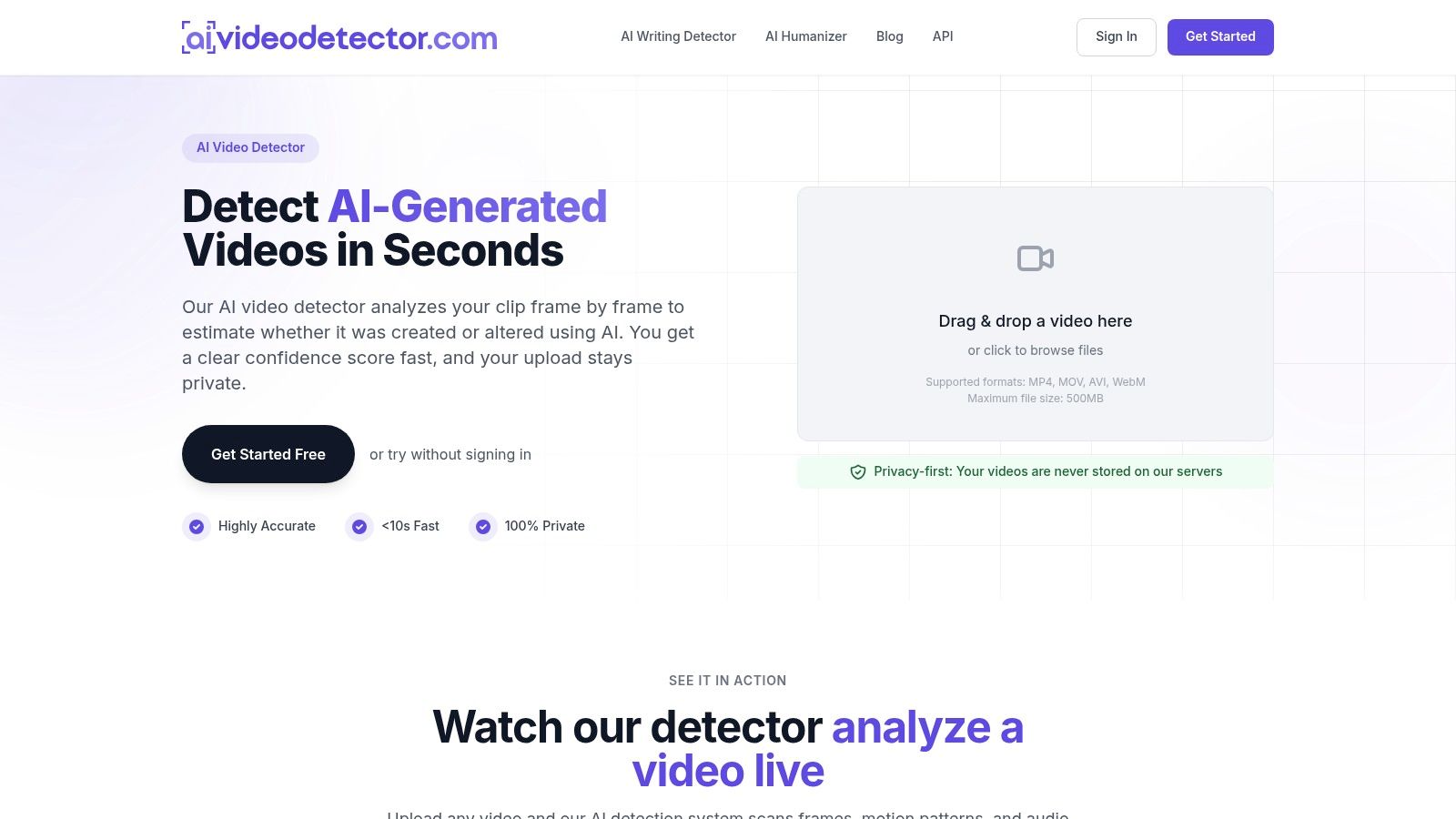
A clip arrives with a tight deadline and no original file. AI Video Detector can help a newsroom screen it before assigning a reporter to investigate. The tool analyzes video frame by frame, checks audio and metadata, and estimates whether the clip was created or altered using AI. It returns a confidence score, not a publication verdict.
Its four detection signals examine different features: frame-level patterns associated with diffusion artifacts and unnatural textures, spectral patterns in voice and background audio, motion continuity across consecutive frames, and metadata irregularities. The detector is continuously updated as generation techniques change. Using multiple signals can help direct follow-up checks, but no score establishes where a video came from or whether its central claim is true.
Reading the score without overreading it
The tool accepts MP4, MOV, AVI and WebM files up to 500 MB. Basic detection requires no signup, and the service says it does not store uploaded videos. Its advertised results arrive in seconds, with analysis completed in under 90 seconds. The privacy claim may matter when a clip shows a source's face or location, but it does not replace newsroom rules for handling sensitive material.
- Use the signals to guide review. A clip that looks plausible frame by frame may still show unusual motion or audio patterns. Check the source and seek the original file before publication.
- Treat the score as an estimate. It can help prioritize a clip for further examination; it cannot confirm the source, location or context.
- Fit it into the verification routine. Newsrooms can use the detector to review user-submitted footage and screen wire clips, and integrate it with existing editorial workflows. An authenticity badge can be added to published content.
- Check the paid plan against the workflow. Pro costs $19 per month and includes unlimited analyses, batch processing and API access. Confirm API terms before building a workflow around it.
Website: AI Video Detector
2. Google Fact Check Explorer
Start every claim with the cheapest possible question: has someone already published this check? Google Fact Check Explorer is a free, browser-based index of published fact-checks you can search by claim, keyword, or, where available, by image. It draws on checks published under Google's ClaimReview eligibility guidelines, which means the entries carry a claim, a claimant, a date and a rating rather than a bare paragraph of text.
The scale behind that index is the reason it works. The Duke Reporters' Lab launched Fact-Check Insights in December 2023 with more than 180,000 structured claims analyzed and rated by independent fact-checkers, built on ClaimReview and MediaReview markup, updated daily, and downloadable in JSON and CSV, as the Lab's announcement of Fact-Check Insights describes. When a claim arrives, you're searching a machine-readable corpus, not a pile of PDFs.
The rule I use: a hit gives you a citation and a head start. A miss gives you nothing at all.
That asymmetry is the whole trap. Coverage depends on published, eligible checks, and most viral claims are too new or too local to be in there. A blank result means nobody has filed a check, not that the claim is true and not that it's unchecked.
Use it early, then move on. What you want from the search is three things: an existing rating you can cite or challenge, the name of a fact-checker who has already gathered the source documents, and a sense of whether the claim has been circulating long enough to have a history. If you get none of those in two minutes, close the tab and start building the file yourself.
3. ClaimBuster
Speeches, committee hearings and hour-long press conferences are where check-worthy claims go to hide. ClaimBuster scores text and sentences for check-worthiness, using a model trained to separate statements of fact from opinion, filler and rhetoric. For a transcript that runs to ten thousand words, that score is a way to rank paragraphs before you read them.
The practical use is triage. Paste a debate transcript, sort by score, and read the top twenty sentences first. The API, with free key registration, lets a newsroom developer wire that scoring into a monitoring pipeline for live feeds or a folder of embargoed releases. Its related-check endpoints are the other half of the value: they surface claims the system considers similar to the one you're holding.
- Best for volume. Long transcripts, monitoring feeds, and anything where you need to cut a hundred candidate claims down to twelve.
- Not a verdict. A high score means "worth checking," never "false" or "true."
- Some assembly required. API work means credential handling and a developer's half day, so don't leave it to the night desk.
- Context is invisible to it. A sentence that scores low can still be the most misleading line in the speech.
4. InVID-WeVerify Verification Plugin
The workhorse for social video. InVID-WeVerify is a free browser plugin that extracts keyframes from supported online video, exposes available metadata, and adds magnification and forensic filters for examining individual frames. It's the tool I reach for second, after the synthetic-media check, because keyframes are what you feed into every reverse-image search you're about to run.
Adoption is already there, which tells you something about how newsrooms behave. In the International Center for Journalists' global newsroom survey, 40% of journalists reported using photo and video verification tools, alongside 36% using social-media verification platforms, according to the ICFJ 2019 global newsroom survey.
Keyframes plus metadata in one window beats five tabs and a stopwatch. The plugin doesn't tell you what's true, it tells you where the clip has been.
Know the boundaries. Some functions depend on external services and platform access, so results come back incomplete on locked-down accounts or deleted posts. Browser compatibility varies by newsroom machine image, and a clean forensic pass on a frame says nothing about whether the event in the clip happened. For the sequence that takes a clip from suspicion to publishable, this guide to fact-checking a viral video end to end is worth bookmarking next to the plugin.
5. Full Fact AI
A claim can surface on a Sunday politics show, recur in a podcast, then appear in a fundraising email. Full Fact AI, software from the UK fact-checking organization, monitors news, live television, podcasts and social platforms for potentially misleading claims. It supports transcription and tracks statements repeated across speakers and outlets.
The Duke Reporters' Lab census tracks hundreds of active fact-checkers across more than 100 countries. Claims cross languages faster than any desk can follow manually.
Full Fact AI helps surface claims for review; it does not provide an instant verdict on a claim you paste in. Access appears to require a demo request rather than a self-serve signup, so plan for a conversation before building it into a workflow.
Its value is in spotting repetition early. A tracker paired with the system's alerts can help editors decide which recurring claims merit a reporter's time. Editorial teams still need to assess the evidence and make the call.
6. TinEye
Reverse-image search is the cheapest provenance check you can run, and TinEye is still the cleanest implementation of it. It matches on image recognition rather than filenames or embedded metadata, which is exactly what you want when a photo has been screenshotted, recompressed and reposted until its EXIF data is gone. It returns modified versions, earlier appearances and higher-resolution copies, and offers browser extensions so the check takes a right-click. TinEye says submitted images aren't saved and searches aren't tracked.
Two limits decide how you use it. First, a match tells you where an image has been, not whether the caption attached to it today is accurate. Second, no match proves nothing: the index is finite, so an original photograph can come back empty. Absence of a hit is not evidence of freshness.
Working habit: search the frame, then search the crop. Newsrooms love a tight crop because it hides the context that would give the game away.
For video, pull a distinctive frame with InVID first, then search the still. This walkthrough of how to search a video by image covers the frame selection order that produces usable matches instead of dead ends.
7. FactCheck.org
When the claim is American and political, the archive at FactCheck.org is often the fastest route to the underlying documents. It's a nonpartisan, nonprofit project of the University of Pennsylvania's Annenberg Public Policy Center, publishing checks of claims by major U.S. political figures and organizations across speeches, interviews, ads and news releases.
Read it as a research service rather than a search engine. Each piece names its sources, and the site publishes information about its reporting process and correction policy and says it's a verified signatory of the International Fact-Checking Network. That transparency is what lets you cite a check in your own copy without re-reporting every number.
The honest limitation is scope. Coverage is selective and weighted toward public policy and politics, and it's a publication, not an automated analyzer that will grade whatever claim you paste in. If your story is about a local water utility or a foreign election, the archive may have nothing.
Use it two ways: to see whether a political claim has already been examined in detail, and to borrow its sourcing trail as a lead list. Then verify the load-bearing numbers yourself. A check published eighteen months ago may rest on data that has since been revised, and citing it without checking is how corrections get inherited.
8. PolitiFact
PolitiFact does something most archives don't: it shows its work in the rating. Its Truth-O-Meter uses six categories from True to Pants on Fire, and its methodology describes source research, expert consultation, primary documentation, outreach to the person or organization behind the statement, and editorial review before publication.
That outreach step is the part worth stealing for your own process. Asking the speaker's office for the evidence they relied on is cheap, fast and clarifying, and it either produces documents or produces a refusal you can quote.
Treat the ratings as editorial judgments, not a universal scale. A "Half True" from one outlet and a "Mostly False" from another can describe the same set of facts sorted by different house standards, so quote the rating with its source and summarize the reasoning in your own words.
Coverage gaps cut both ways. The archive has gaps, and a claim that has evolved slightly since it was last checked may not be materially covered by the old rating. Politics and public claims are the emphasis, not general media forensics. If a viral video is the story, PolitiFact is the wrong shelf; if a senator's statistic is the story, it's often the first shelf.
9. AFP Digital Courses
Most verification failures are skills failures, not tool failures. AFP Digital Courses is an open-access training platform with self-paced lessons on advanced searching, social-media research, archiving, reverse-image search, geolocation and verification of AI-generated content, with examples, exercises and quizzes built into each module.
The AI-content course is the one to assign first. It won't settle whether a specific file is synthetic, but it teaches the checks that make a detector's output interpretable: what generation artifacts look like, which ones have been fixed by newer models, and where human judgment has to take over.
- Onboarding: a structured path beats a shared doc of forty bookmarks for a new producer.
- Languages: materials are available in English, French, Spanish and Portuguese, which helps on cross-border collaborations.
- Time cost: some modules run an hour or longer, so schedule them rather than hoping people find the time.
- Registration: professional or educational details are required, worth knowing before you send a freelancer the link.
10. Storyful
A newsroom may confirm a clip's origin and still lack permission to publish it. Storyful combines eyewitness-video sourcing, verification and licensing, including checks on when and where footage was recorded and where it came from.
That combination suits desks that regularly publish user-generated footage. Verification establishes provenance; rights clearance addresses whether the newsroom can use the material. For smaller outlets, the service may be a budget decision rather than a standalone tool.
Provenance also raises a practical skills question. Research on journalism-oriented blockchain provenance approaches describes several methods that require substantial technical expertise, as the Frontiers analysis of provenance and accountability in journalism sets out.
Provenance is custody, not truth. An origin record can show who held a file and how it was edited. It cannot establish that the event happened as the caption claims.
For breaking-news desks, establish a verification routine before a major event. A breaking-news verification workflow helps the team handle incoming footage and rights questions under deadline pressure.
Fact Checking Tools for Journalists at a Glance
| Item | Best for | Cost model | Type of verification |
|---|---|---|---|
| AI Video Detector | Screening potentially AI-generated or manipulated video | Free basic detection; advanced pricing unspecified | Automated video analysis: visual, audio, temporal, and metadata signals |
| Google Fact Check Explorer | Finding previously published fact-checks | Free | Search of published fact-checks by claim, keyword, or image |
| ClaimBuster | Prioritizing claims for newsroom review | Free API key registration; other costs unspecified | Automated check-worthiness scoring and related fact-check search |
| InVID-WeVerify Verification Plugin | Investigating social-media images and video | Free | Keyframe extraction, metadata inspection, contextual analysis, and forensic tools |
| Full Fact AI | Monitoring and tracking claims across media | Demo access; pricing unspecified | Automated claim discovery and tracking to support human fact-checking |
| TinEye | Finding earlier appearances or altered versions of an image | Pricing not specified | Reverse-image search |
| FactCheck.org | Researching U.S. political claims | Cost not specified | Human-reported fact-checks with cited sources |
| PolitiFact | Researching public and political claims | Cost not specified | Human-reported fact-checks with editorial ratings and sources |
| AFP Digital Courses | Learning digital investigation and verification methods | Free open-access training | Training in search, image and video verification, geolocation, and AI content checks |
| Storyful | Sourcing verified, publishable eyewitness footage | Subscription service | Journalist-led checks of date, location, source, provenance, and rights |
Building the Workflow and Where Each Tool Fits on Deadline
Run the sequence in this order and the tools stop competing with each other.
- Screen for synthetic origin. A suspected AI clip goes through a detector first, because there's no point geolocating a video that was never filmed.
- Extract and inspect. InVID-WeVerify gives you keyframes, available metadata and frame-level filters.
- Chase the image back. TinEye on the most distinctive frame establishes whether the visual has a life before today's caption.
- Search prior reporting. Google Fact Check Explorer, then the political archives, for anything already published and citable.
- Escalate provenance-critical footage. Eyewitness material destined for broadcast goes to a licensed sourcing service with rights clearance attached.
Each step is cheap. The expensive mistake is skipping to step five because the footage is compelling.
Folding AI video detection into the daily routine
The mistake newsrooms make is treating detection as a special project for big stories. It works better as a routine gate. Point it at the tip inbox before a producer reads the pitch, and a newsroom can verify user-submitted video tips in seconds, screen wire footage for AI manipulation, and add an authenticity badge to published content. The detector can be integrated with existing editorial workflows, so the check sits inside the same tooling as the script rather than in a separate tab somebody forgets.
Documentation is what makes the score usable by anyone other than the person who ran it. Save the result, the timestamp, the file hash and the version of the tool, and put a one-line summary in the story's verification log. Editors shouldn't be reading raw scores; they should be reading your interpretation of them.
The paid tier answers the volume problem. The Pro plan at $19 per month includes unlimited analyses, advanced detection models, detailed analysis reports, batch processing, API access and priority support. Batch processing is the feature that matters for a wire desk; API access is what matters if you want screening built into an intake form. The detector is continuously updated to keep up with emerging generation techniques, which is the only way this class of tool stays useful for more than a quarter.
One caution, and it's the one that gets people corrected. A 2025 cross-cultural study of how journalists use deepfake tools found inconsistent use, typically only after traditional checks came up inconclusive, along with automation bias and confirmation bias, and cited a meta-analysis in which audio-deepfake systems that performed well in-domain dropped sharply in real-world, out-of-domain conditions, as the study of journalistic deepfake detection practice reports. That's the argument for a threshold policy written down in advance: below a certain score you escalate, in the middle band you gather corroborating evidence, and when signals conflict you publish "inconclusive" and say why. A fast answer that invites premature certainty is more dangerous than a slow one.
Assemble the checklist. Train the team on the methods, not just the buttons. Write down every step you took before publication, because the record is the thing that survives a challenge.
If a clip is sitting in your inbox right now, run it through a free detection pass before the next editorial meeting, then take the score into the room alongside your keyframes, your reverse-image result and your source call. Build that habit on a quiet Tuesday and it will hold on the night everything breaks at once.